Merge Columns
Overview
Feature Description
Merge Columns means combining data from two or more existing columns in a dataset into a new column. This is useful for consolidating information from different columns into a single field.
For example, you can merge province, city, and street columns into a full address, or combine year, month, and day into a complete date. This not only makes data cleaner, but can also generate new information and enrich data depth.
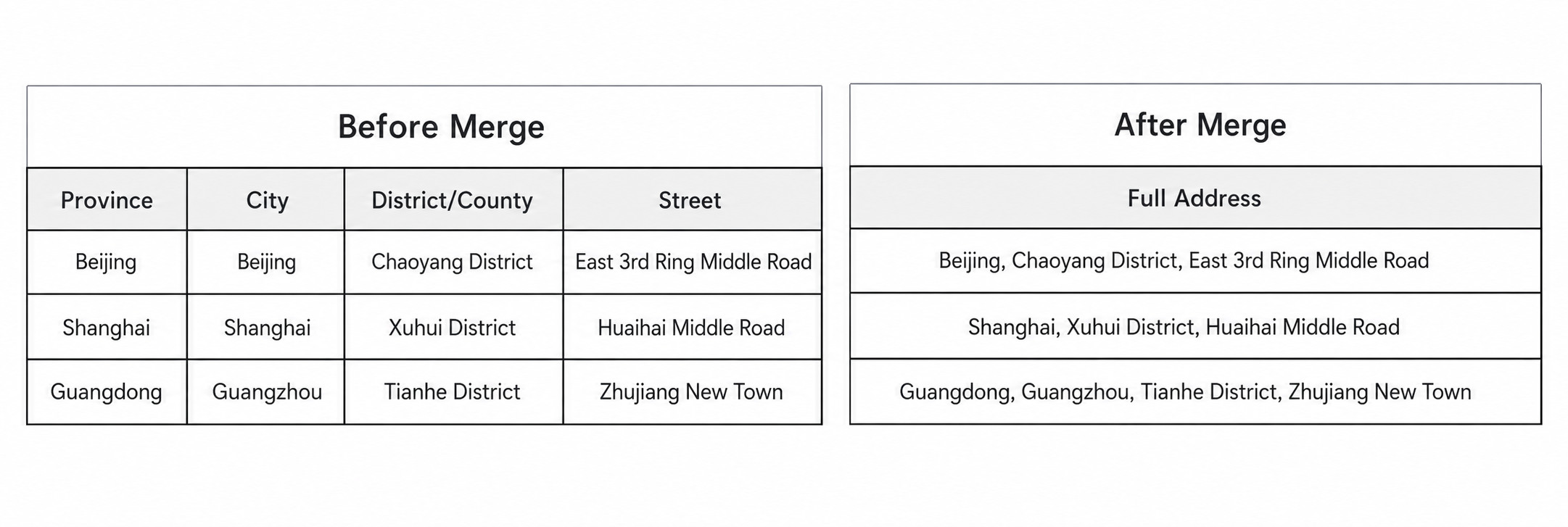
User Guide
Steps
- Drag the Merge Columns operator from the ETL operator area to the canvas on the right.
- Click the Merge Columns operator, specify the new column name, select the source columns to merge, and click Confirm.
- Choose whether to Delete Original Columns as needed.
- Set a delimiter for the new column and define how the original columns are merged.
- After configuration is complete, preview the data result.
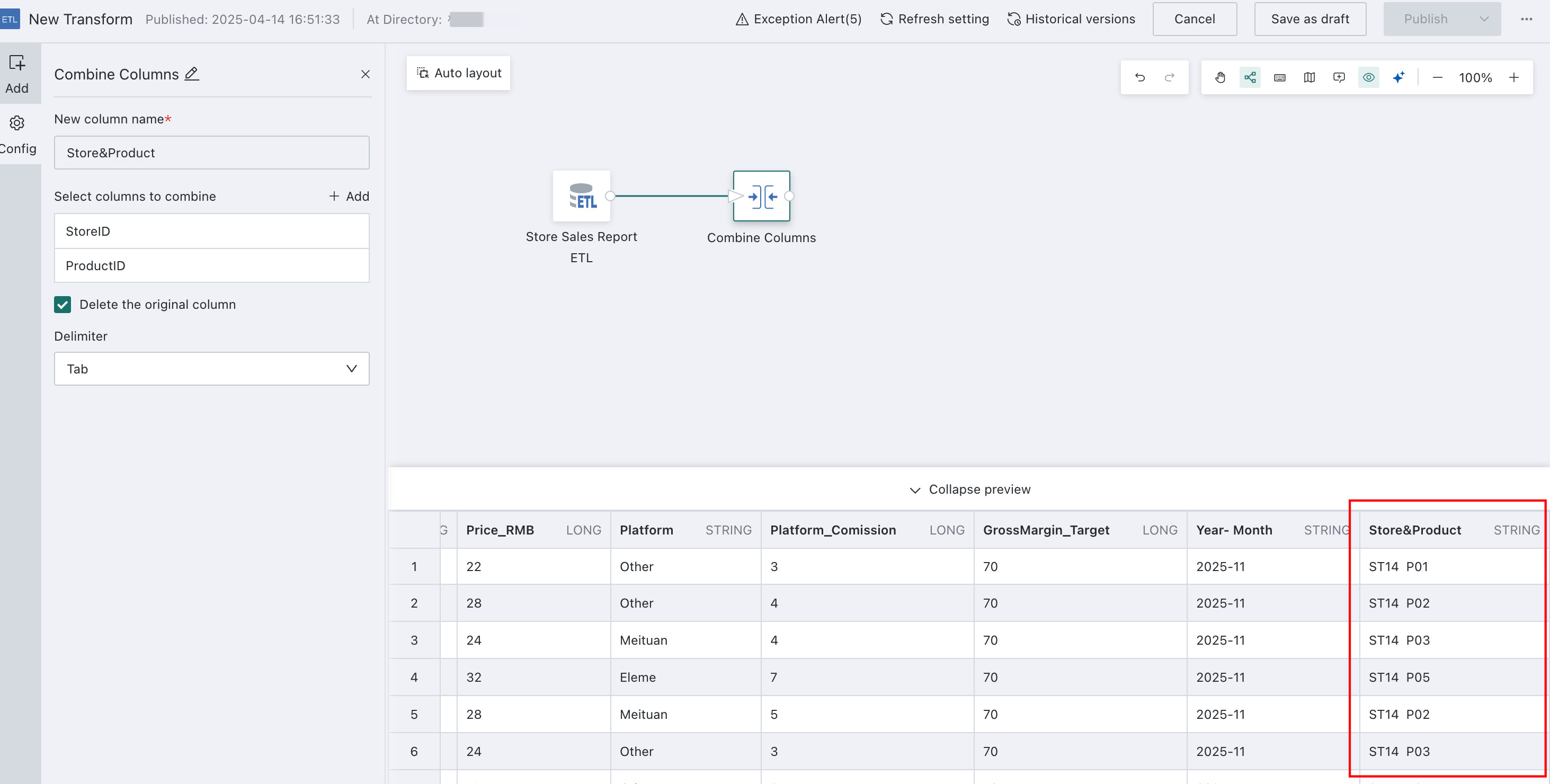
Detailed Explanation
The following example shows how to configure Province and City & Code.
-
Drag the Merge Columns operator from the ETL operator area to the canvas on the right and connect it after the upstream node.
-
Click the Merge Columns operator. The left panel becomes the current operator configuration area. Rename it based on business needs, for example Province and City & Code.
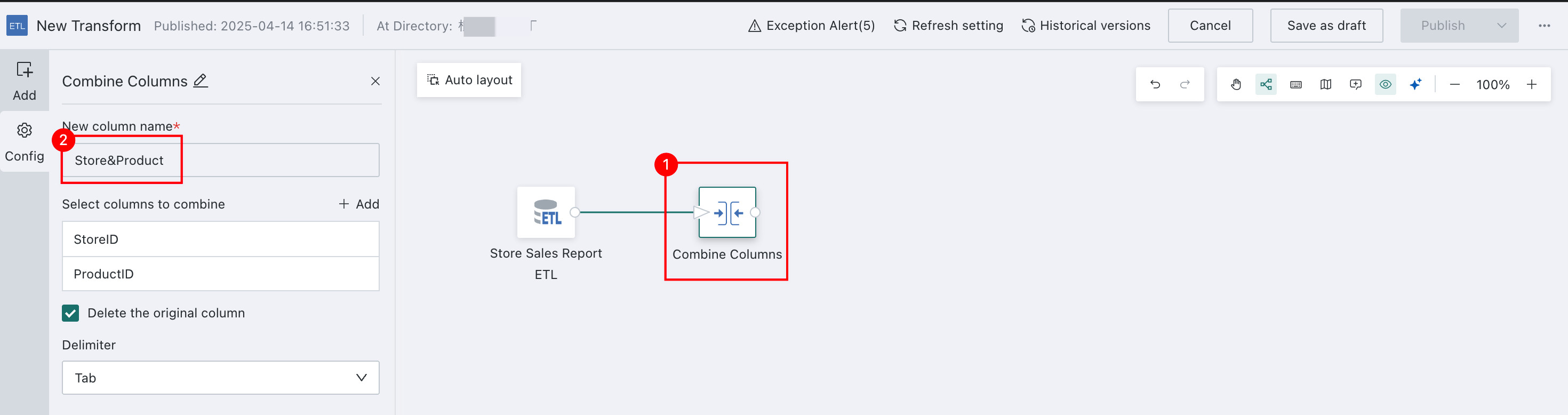
-
Click the Merge Columns operator to open its configuration panel. Configure the columns to merge and set the merge method as needed.
NotesThe delimiter can be set to none, semicolon, comma, tab, space, or a custom value.
- Merged Columns: Province, Province Code
- Set a delimiter for the new column to define how the original columns are merged. In this example, the delimiter is
Tab.
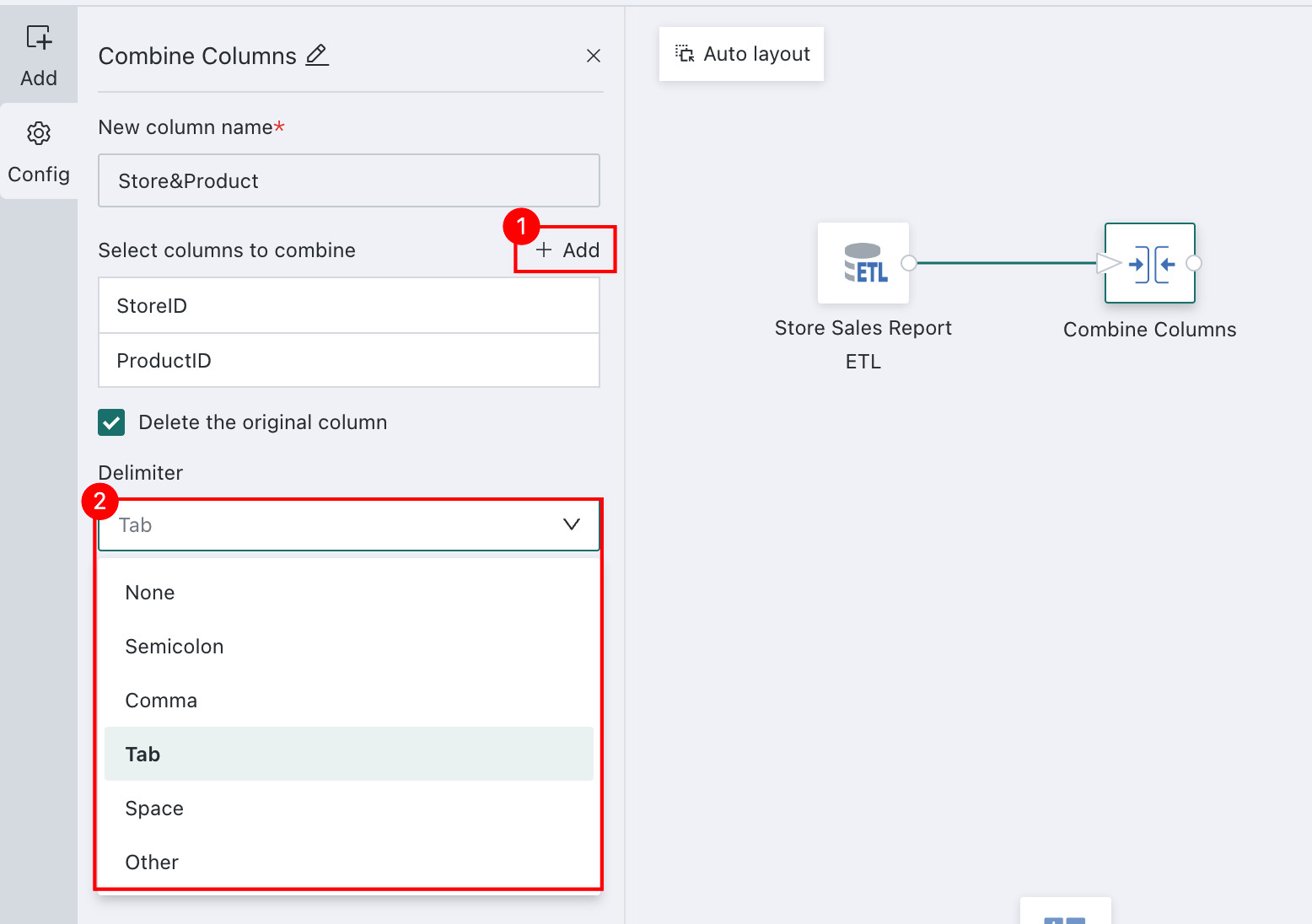
-
Choose whether to Delete Original Columns. After merging, the original columns can be deleted or retained.
-
Delete Original Columns
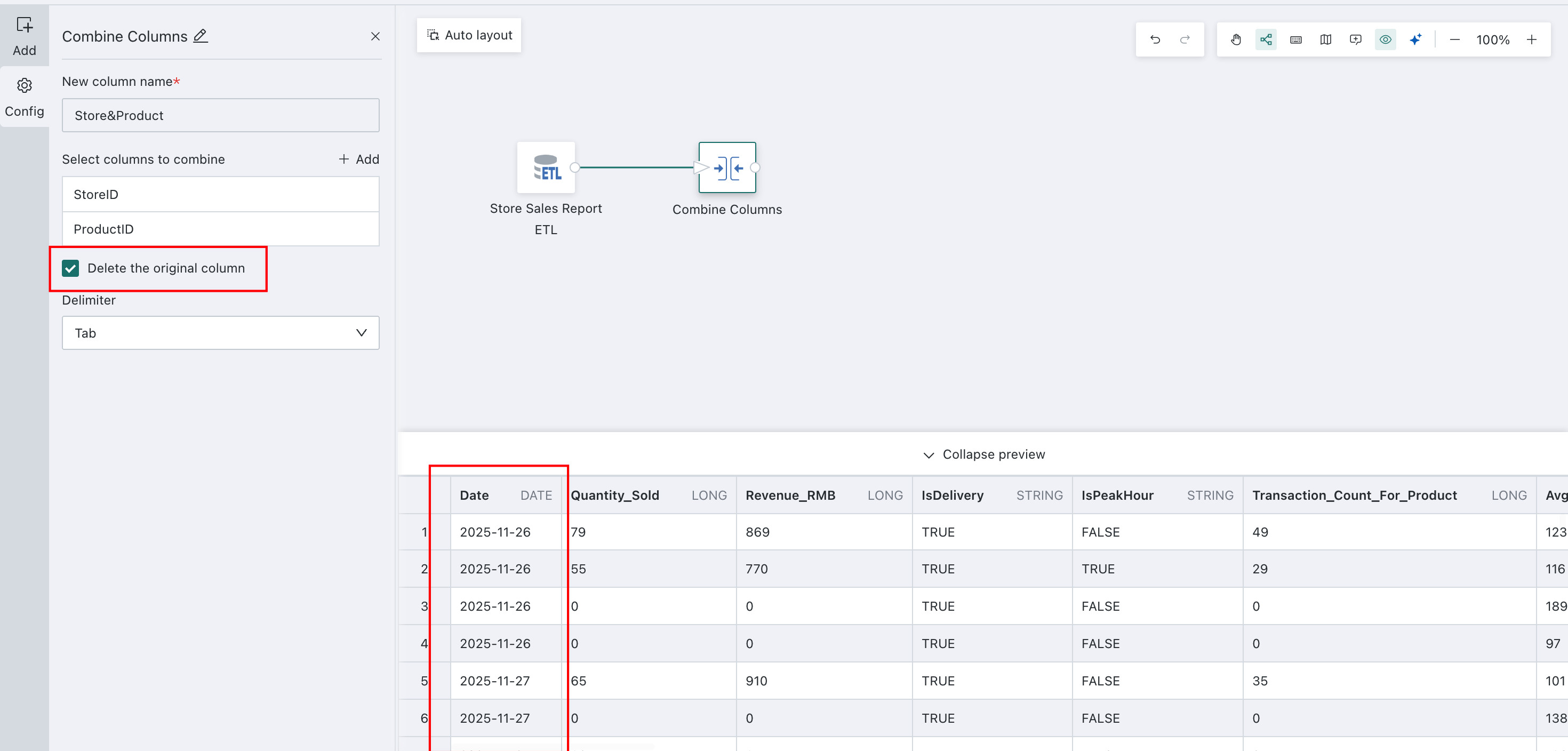
-
Retain Original Columns
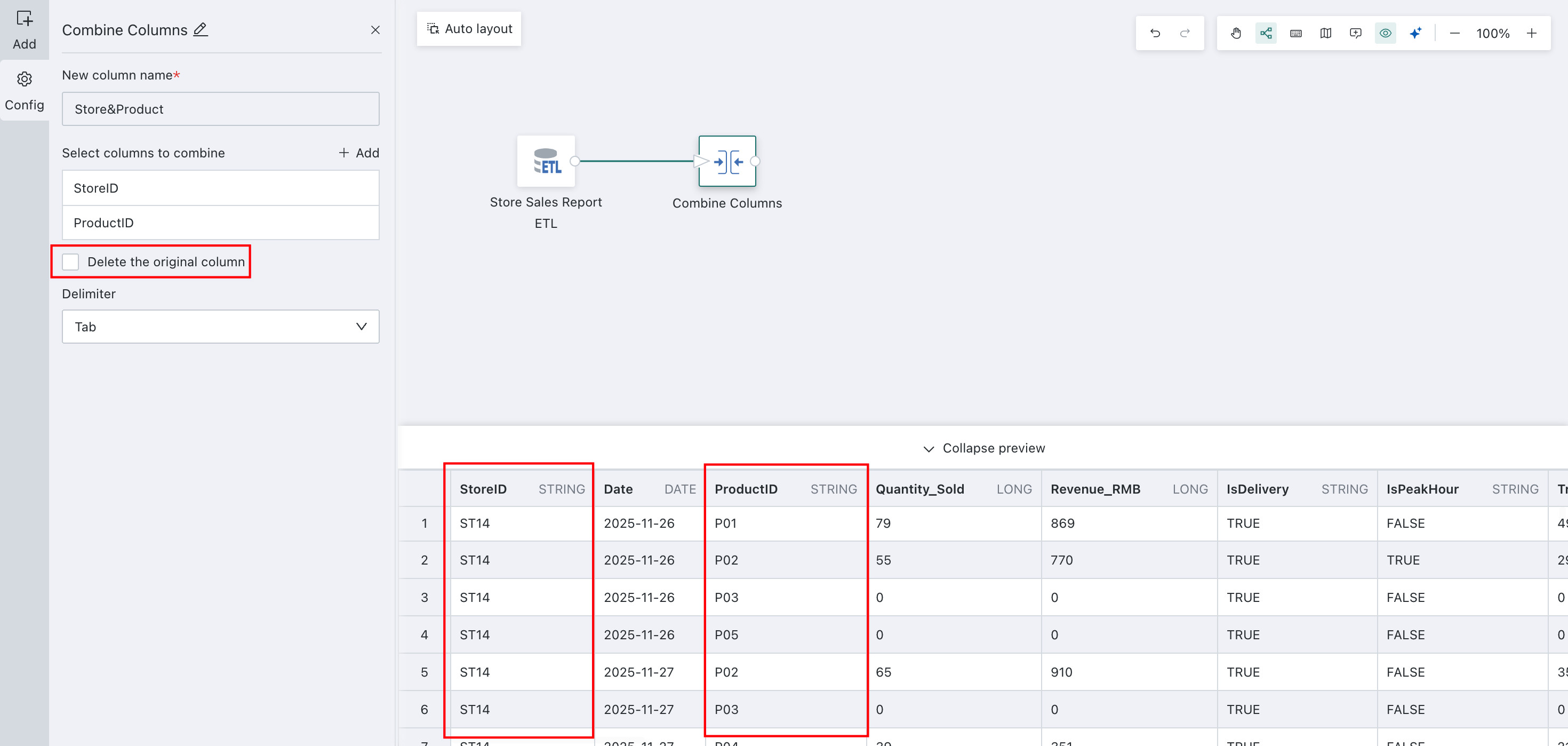
-
-
Click Preview to preview the data result and confirm that the merged column values are as expected and do not contain errors or abnormal values.
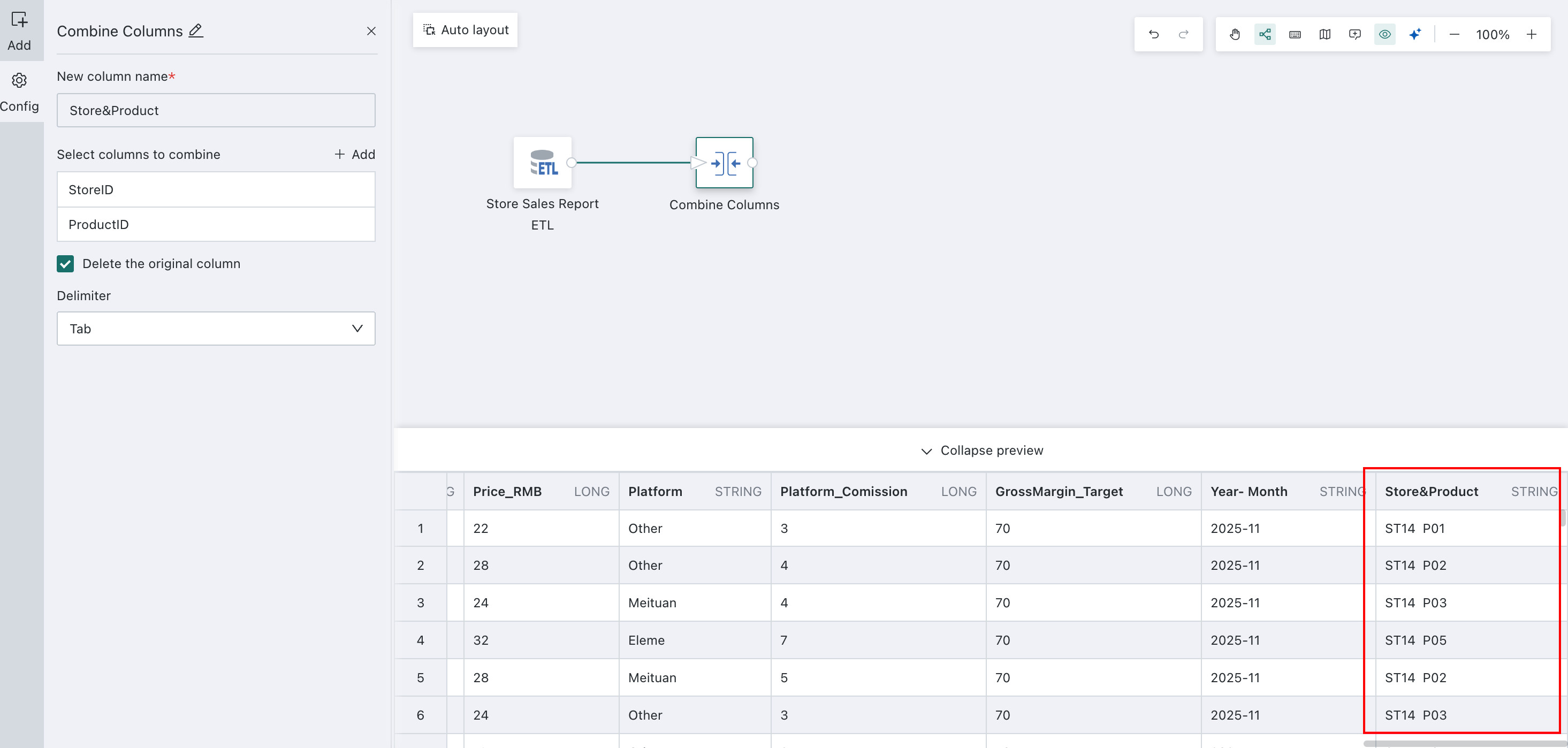
After using the Merge Columns operator on an ETL page, how can the merged field be split again?
For other data processing operators used later, see Getting Started.