Calculator
Overview
Feature Description
Add Calculated Column means adding a new column to the source data and generating its value through specific calculation or transformation rules. It supports a wide range of operations, including mathematical calculations based on existing columns, conditional logic, and string concatenation.
By extending or combining existing columns in the dataset, you can create new analysis metrics from existing data and build a more comprehensive data view.
For example, in a product sales table, you can add a new Total Sales field whose value equals Sales Amount * Sales Quantity. You can also extract the order time with a time function such as DATE_TRUNC(week, [Order Time]), which returns the first day of the week corresponding to the Order Time field in that row.
User Guide
Steps
-
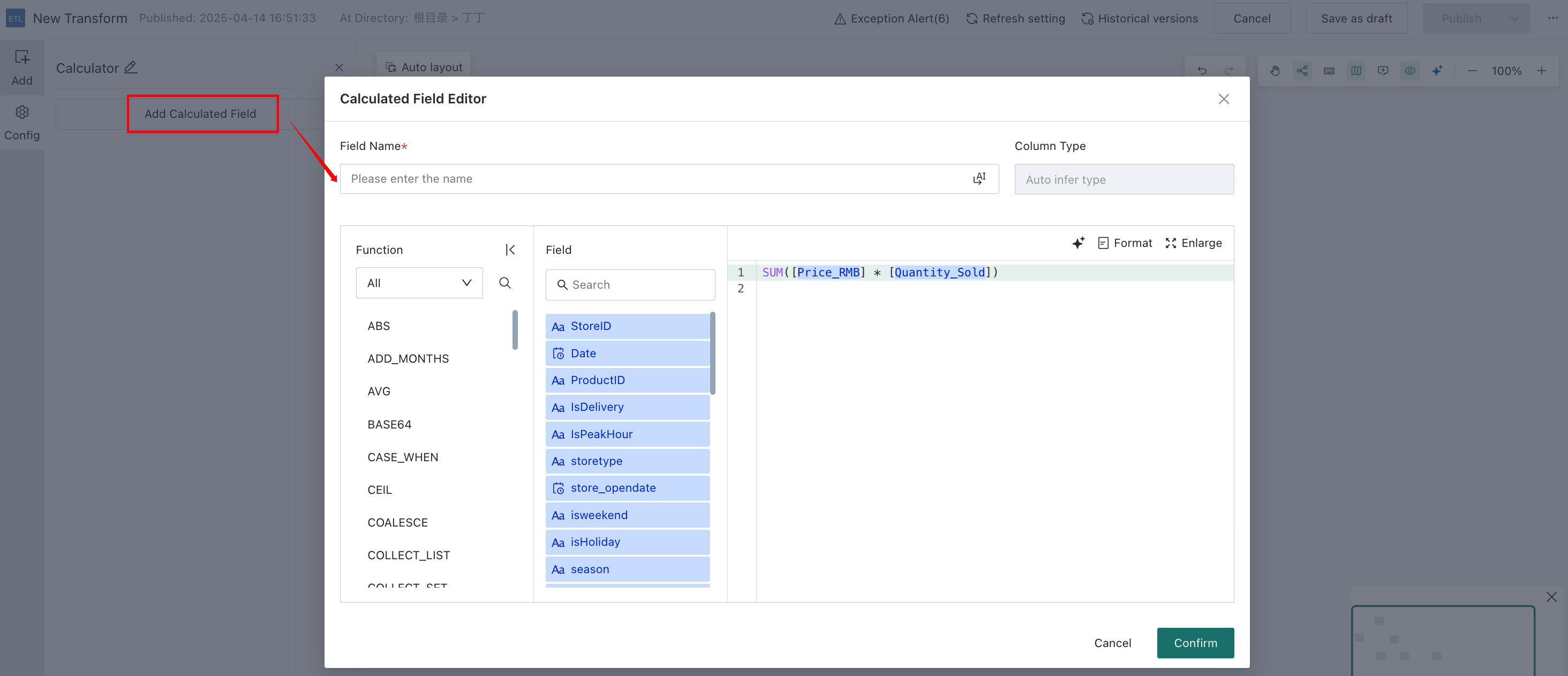
Drag the
Add Calculated Columnoperator from the ETL operator area to the canvas on the right. -
Click the
Add Calculated Columnoperator and add one or moreCalculated Fields. -
Enter the field name, select the field type, and write the calculation formula.
- Supported field types include Number, Text, Date, Date & Time, and Boolean.
- Calculation formulas support arithmetic operations and can be used together with functions as needed.
NotesGuandata currently supports smart coding. You can click the
Smart CodingAI icon on the right to automatically generate suitable SQL with AI. For details, see AI Assistant.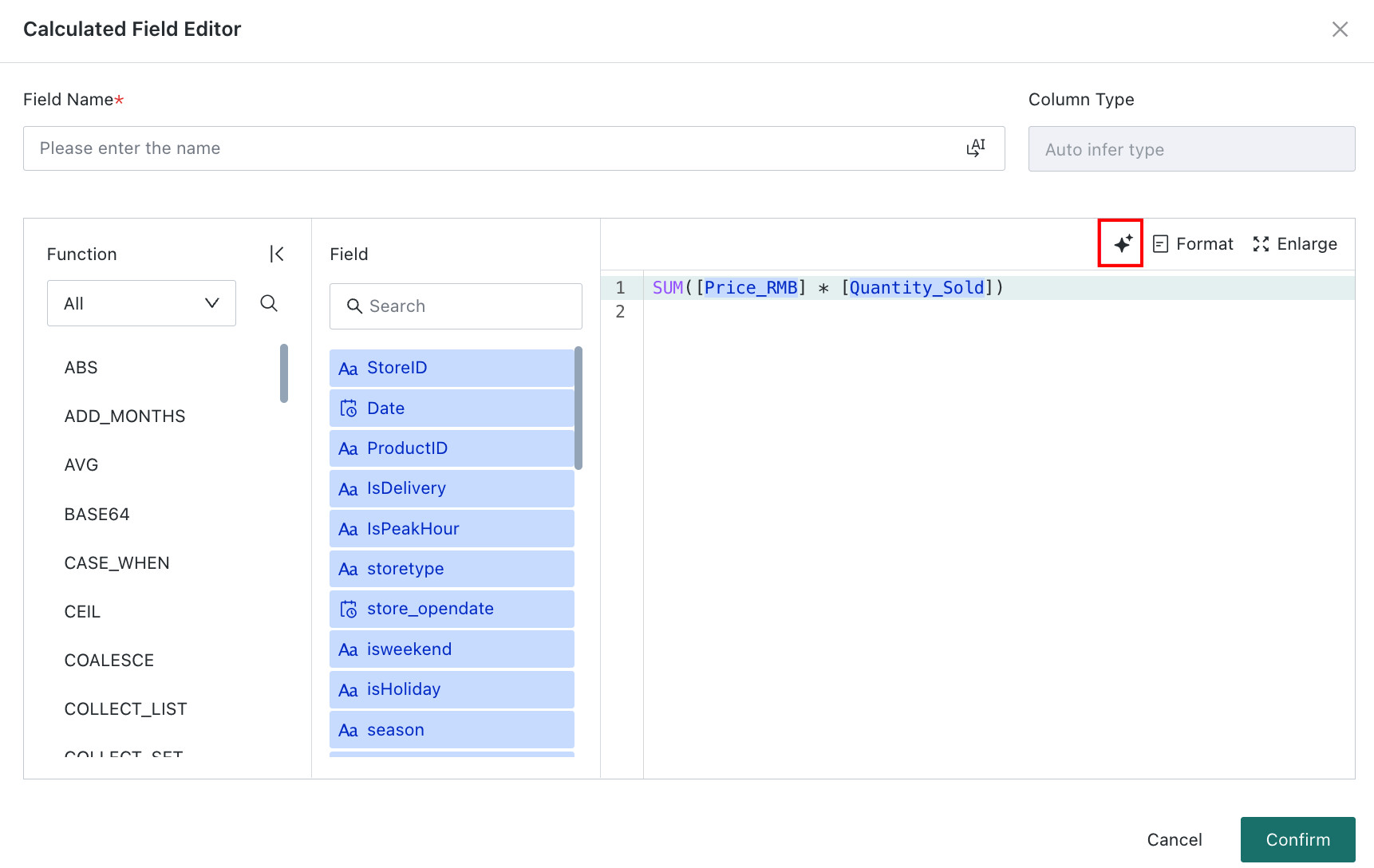
-
Click
Confirm, then preview the data at the current node to verify the result.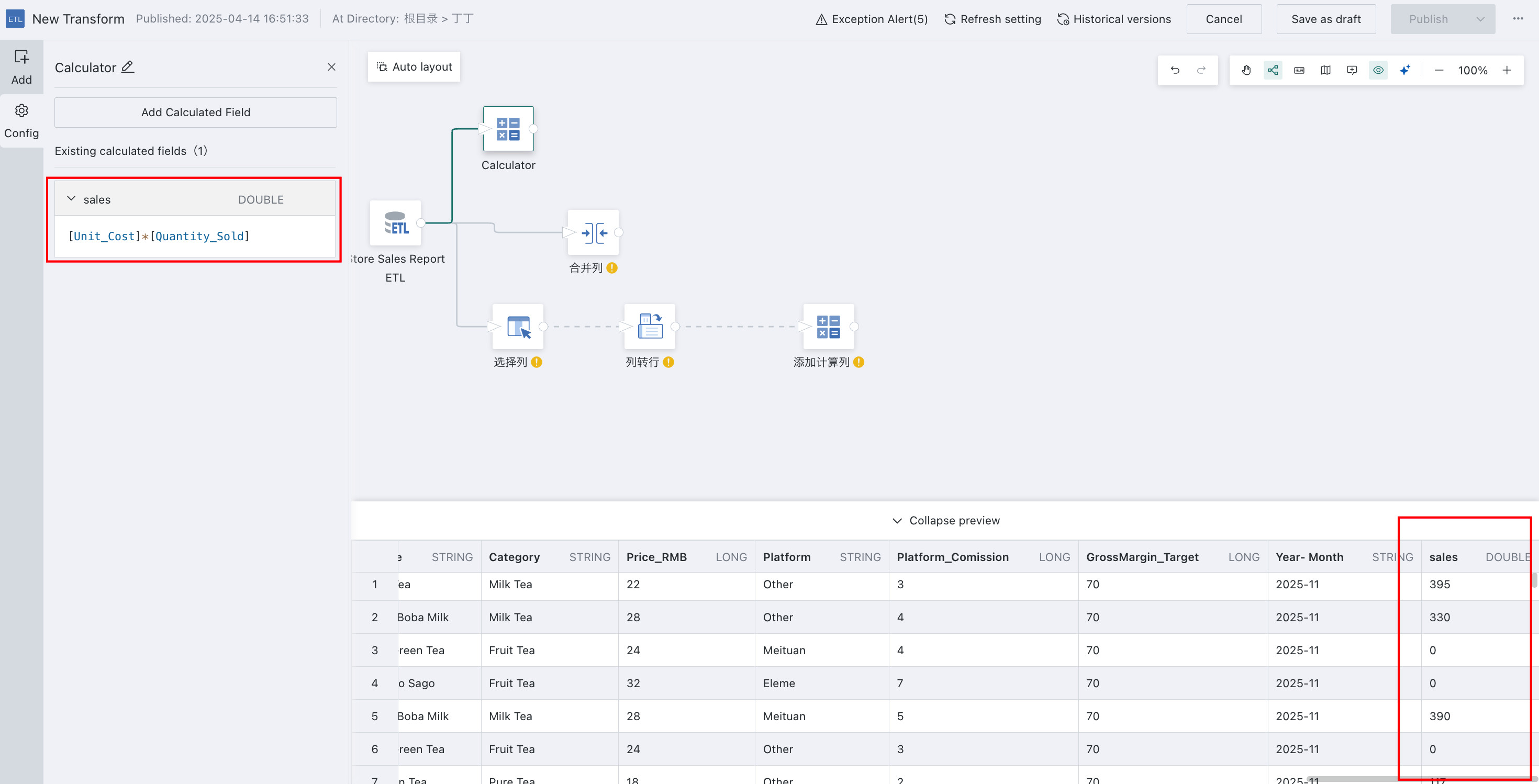
Detailed Explanation
The following example shows how to configure a Year-Month field and demonstrates function usage.
-
Drag the
Add Calculated Columnoperator from the ETL operator area to the canvas on the right and connect it to the upstream node. -
Click the
Add Calculated Columnoperator. The left panel becomes the current operator configuration area. Rename it based on business needs, for exampleYear and Month.
-
Click
Add Calculated Fieldto edit the calculated field: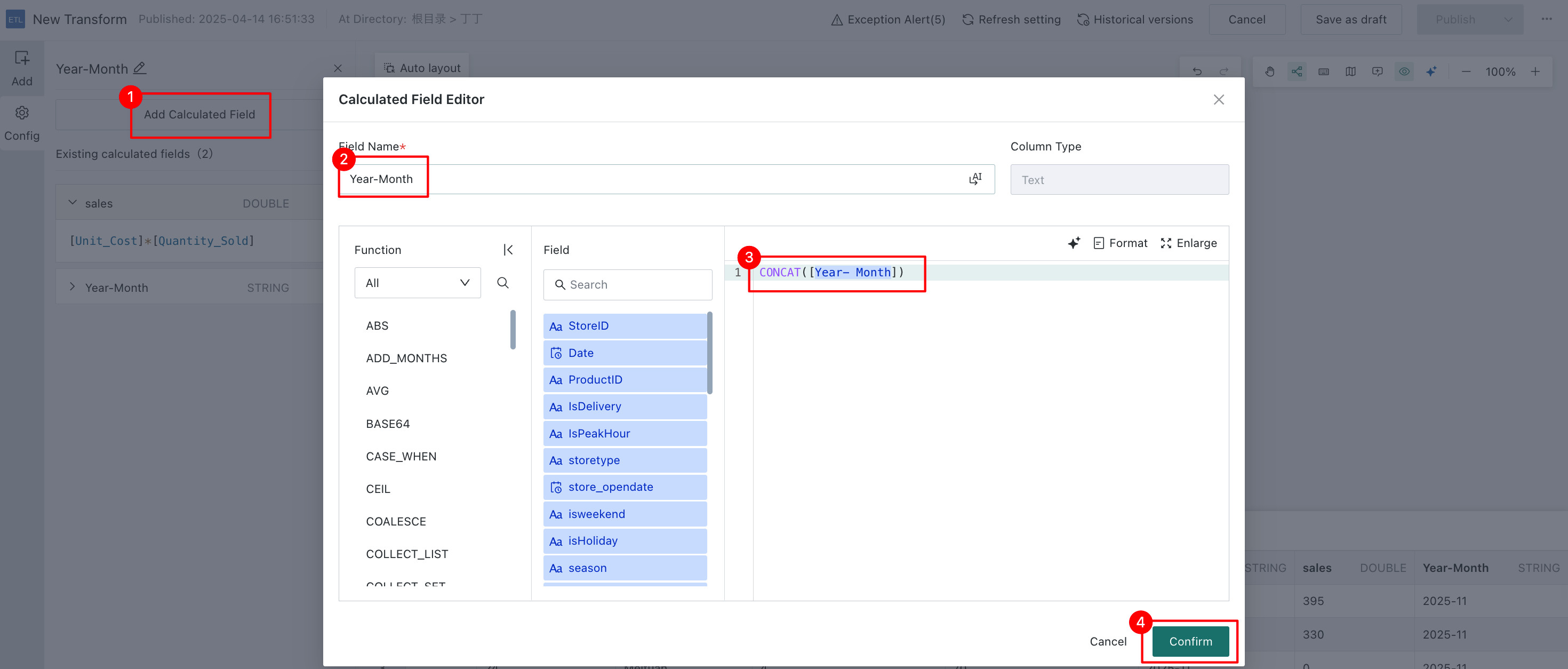 Notes
NotesWe support 8 function categories, including but not limited to aggregation, non-aggregation, and date/time functions.
-
Click
Confirmand preview the data result to ensure the calculated column values are as expected and do not contain errors or abnormal values.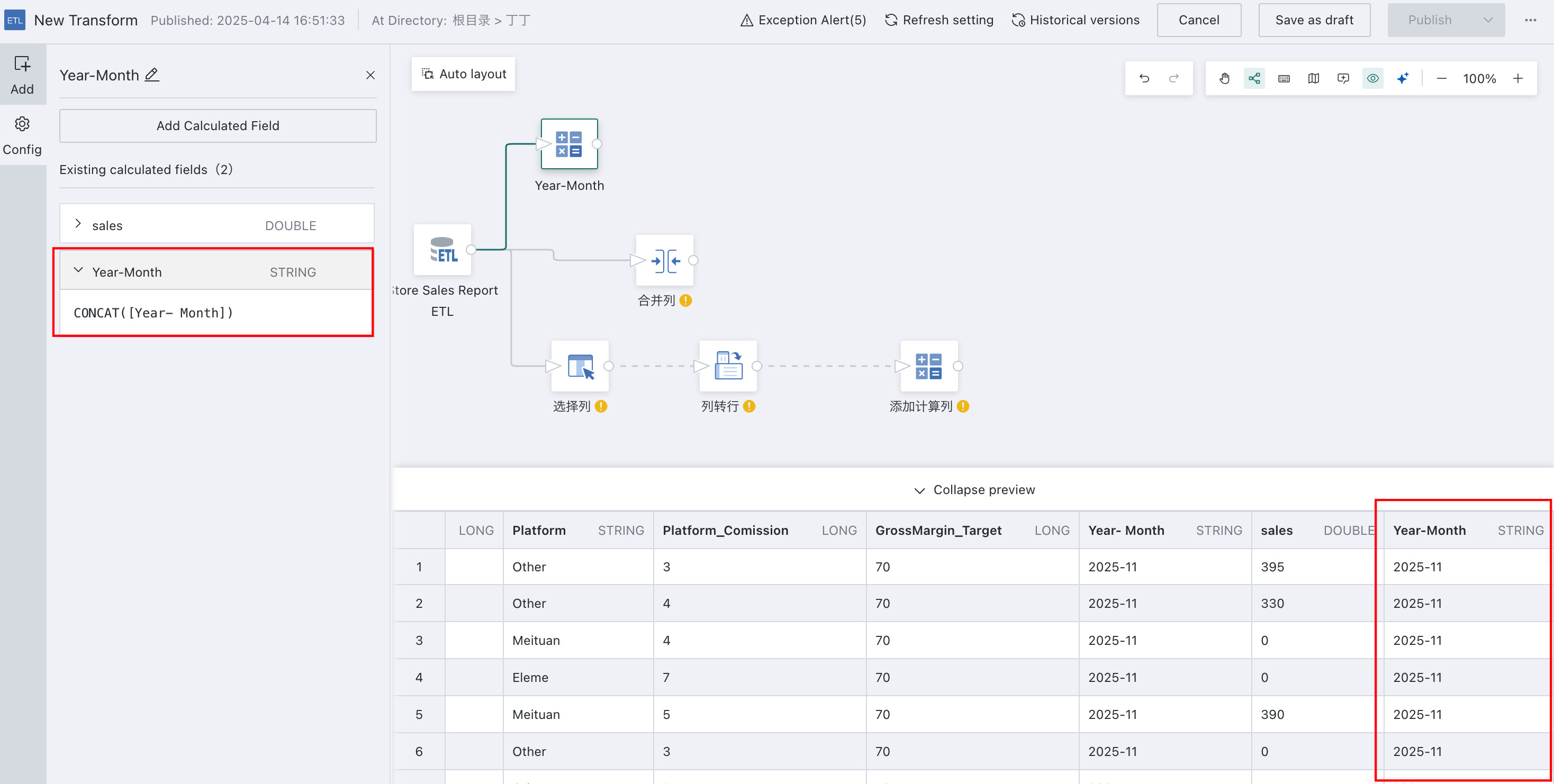
For error details, see Parquet data source does not support void data type.
For error details, see Illegal sequence boundaries.
For other data processing operators used later, see Getting Started.