Output Dataset
Overview
Feature Description
The Output Dataset contains the result data produced after ETL processing and can be used for downstream business analysis and reporting.
Multiple Output Dataset operators can be configured at any node in the ETL data flow, and each output dataset can be assigned a different storage location.
Users can also define acceleration fields for ETL output datasets. The system partitions the dataset based on those fields, improving query performance when the dataset is used in Cards.
Prerequisites
At least one Input Dataset operator is required in Smart ETL before an Output Dataset operator can be configured.
User Guide
Steps
- Drag the
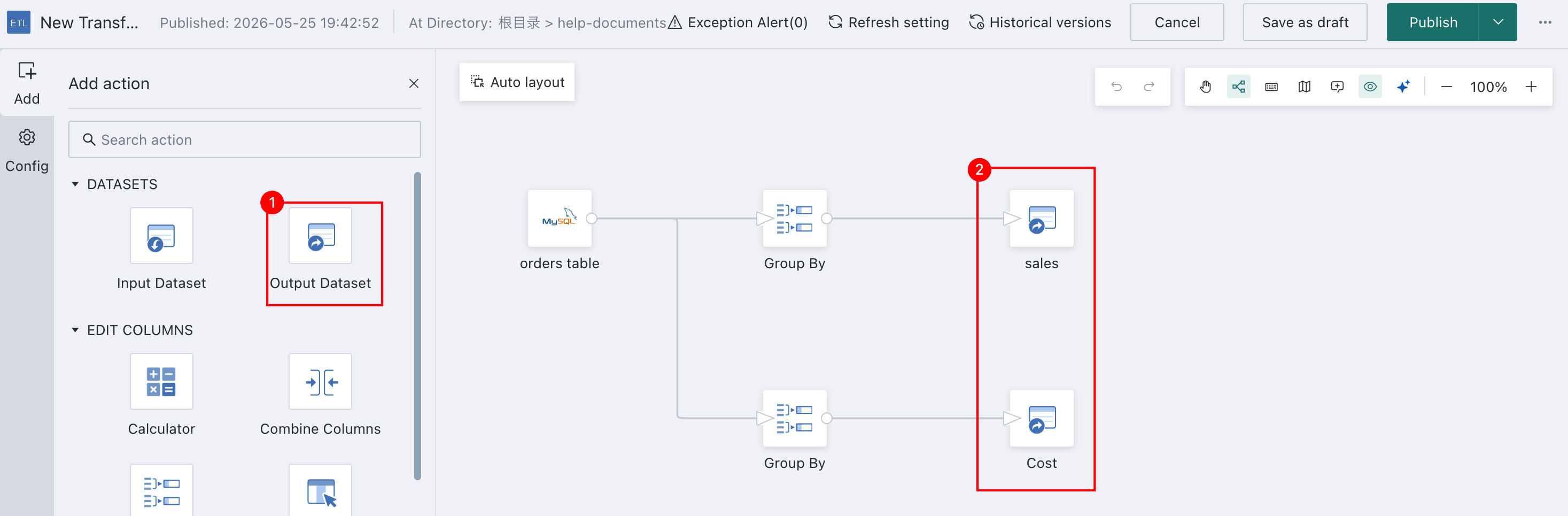
Output Datasetoperator from the ETL operator panel into the canvas editor on the right and connect it with a line. - Click the
Output Datasetoperator, assign a name, choose the storage location, and preview the result. - Edit field comments for the output dataset and configure options such as acceleration fields as needed.
- After the ETL task runs successfully, the system automatically outputs the
ETL DatasettoData Center > Datasets. - Then configure
Preview Permissionsas needed to manage the ETL output dataset.
Detailed Description
During the process, make sure the connecting line is solid. A dashed line indicates that the data flow is broken and earlier steps should be checked.
- Drag the
Output Datasetoperator from the ETL operator panel into the canvas editor on the right and connect it to the upstream operator.
-
Click the
Output Datasetoperator, define the name, choose the storage location, and preview the result data.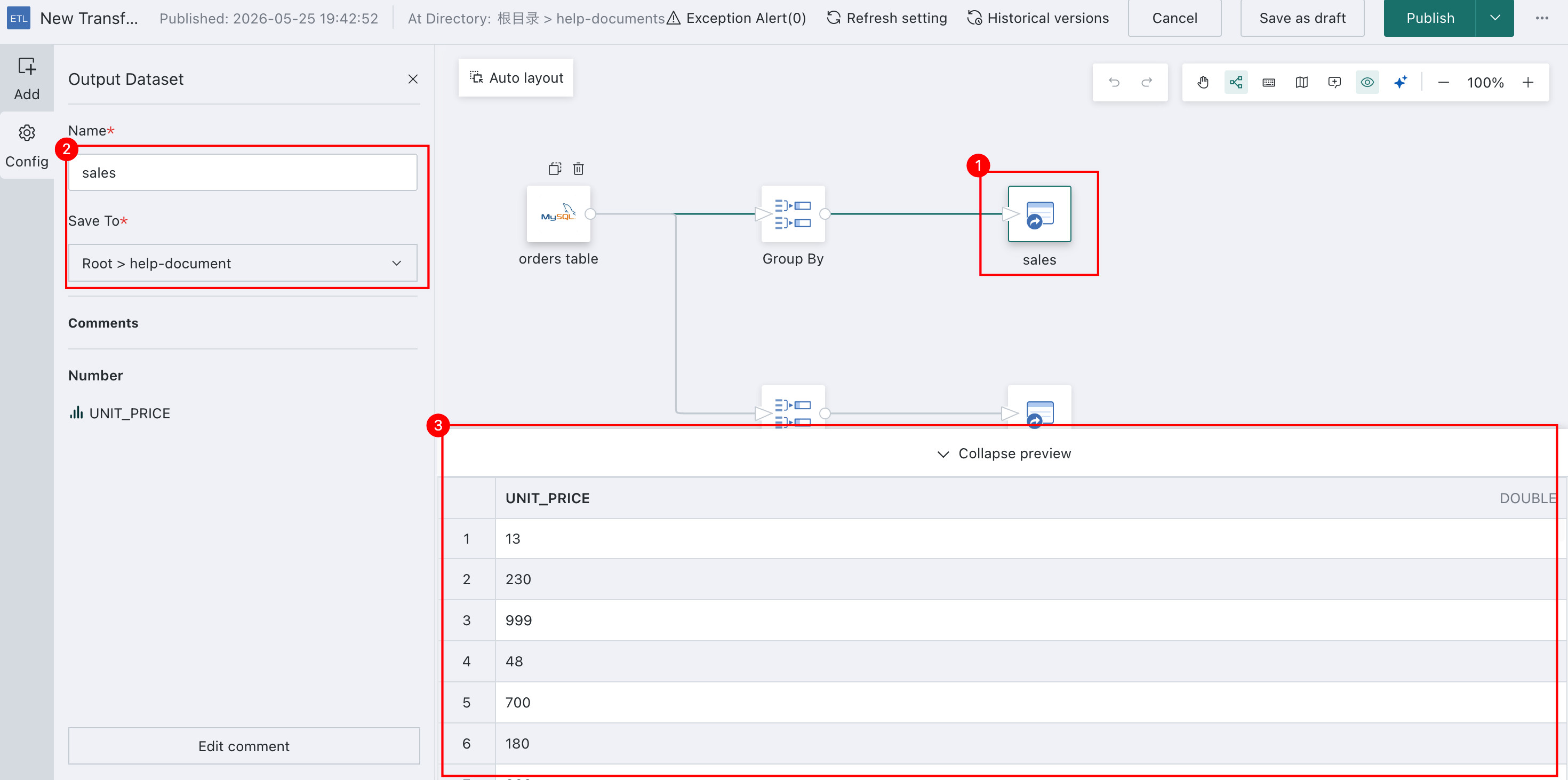
-
At the bottom of the left-side configuration panel for the
Output Datasetoperator, clickEdit Commentsto modify the field comments of the output dataset, then clickConfirmto save the changes. The output dataset automatically inherits field comments from the input dataset, and they can be edited as needed.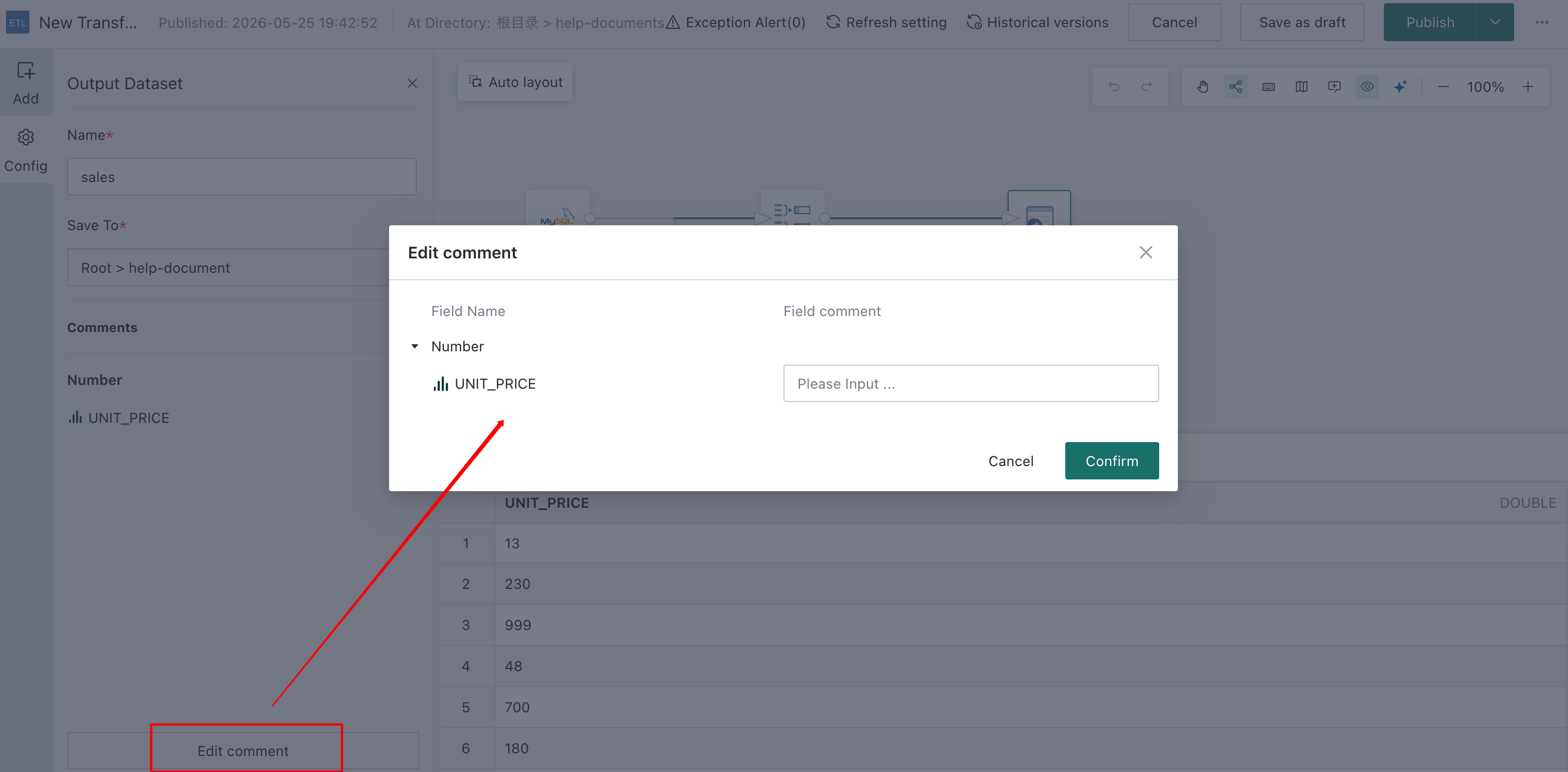
-
In the upper-right corner of the page, choose
Save, Run, and Exitto generate the transformed dataset, which is the ETL Dataset. You can choose other save options if needed.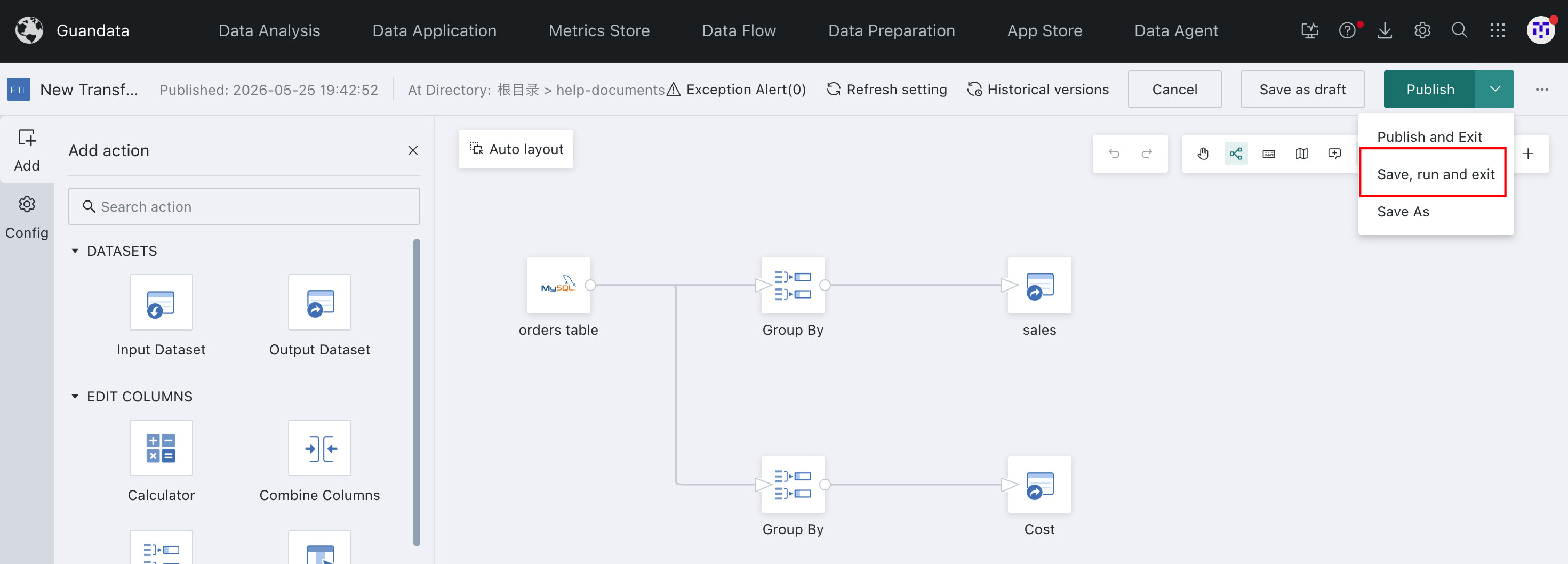
-
For ETL Datasets, administrators can go to
Admin Center > System Settings > General Settings > System Rulesto configure whether visitors are allowed to preview datasets using the ETL owner's permissions.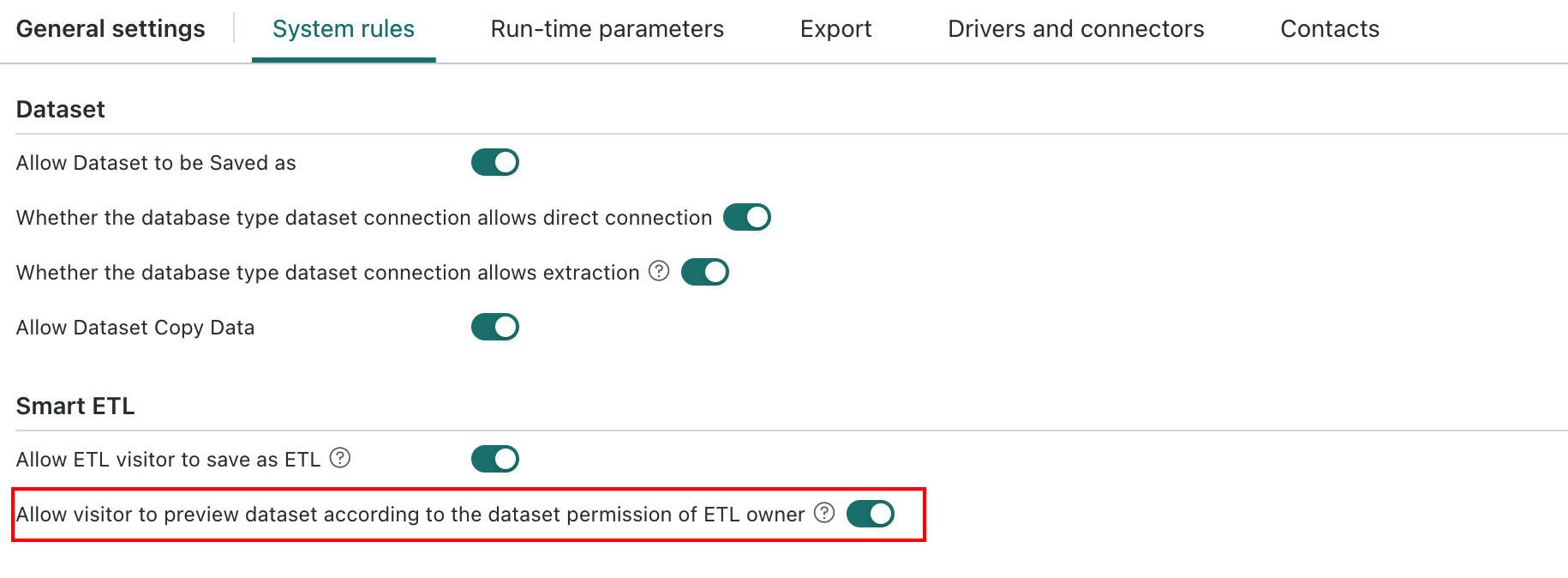
- Enabled: ETL visitors preview datasets in ETL using the owner's permissions.
- Disabled: When ETL owners, visitors, and system administrators preview datasets in ETL, visitors see results according to their own dataset permissions, while ETL owners and system administrators see results according to the owner's dataset permissions. Use this setting carefully.