Row-to-Column Implementation Solution for Complex Reports
Scenario Description
The original detail data contains a date column. To make it easier to view data by other dimensions, such as store name or style number, the date needs to expand horizontally as comparison columns. However, the data source may be spread across multiple datasets and may also need to be joined. When the data needs dynamic row-to-column expansion, ETL cannot satisfy dynamic expansion, so a complex report is required. The customer wants to convert document dates into columns, display them horizontally, and export the result to Excel, as shown below.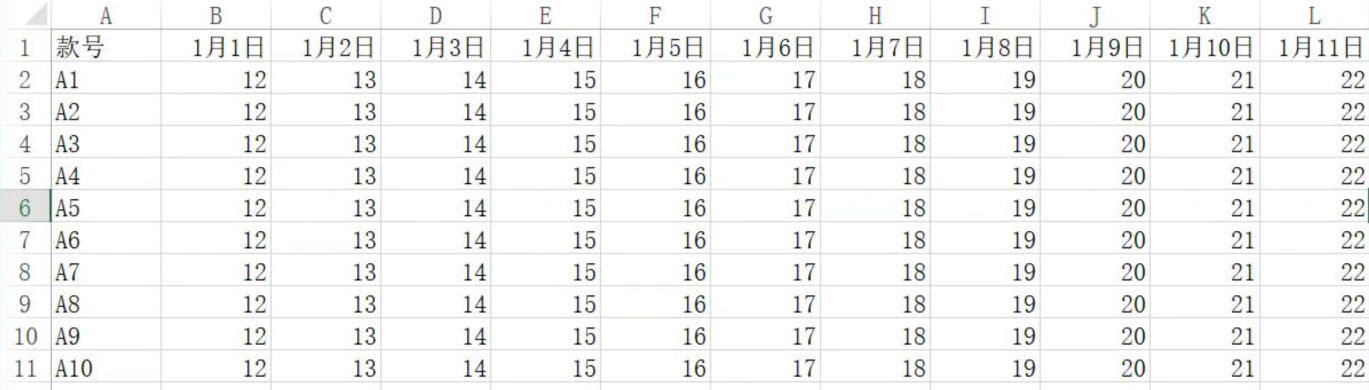
Functions Used
- Use the
G_EXPFIELDfunction to horizontally expand derived table fields. TheG_EXPFIELDformula is written as follows:
=G_EXPFIELD(view name, field 1|field 2..., derived field name, number of merged cells)
Example:

- Then use
G_LOOKUPEXPto match the data corresponding to dimensions. TheG_LOOKUPEXPformula is written as follows:
=G_LOOKUPEXP(function code, view name, field 1|field 2..., search view name, search target field 1|search target field 2..., condition field: condition field value position)
Example:

For function descriptions, see Complex Report Online Editing Mode Formula Description.
Case
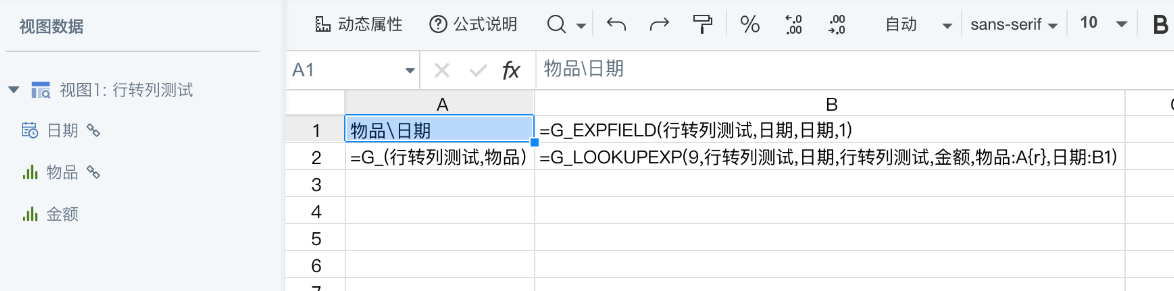
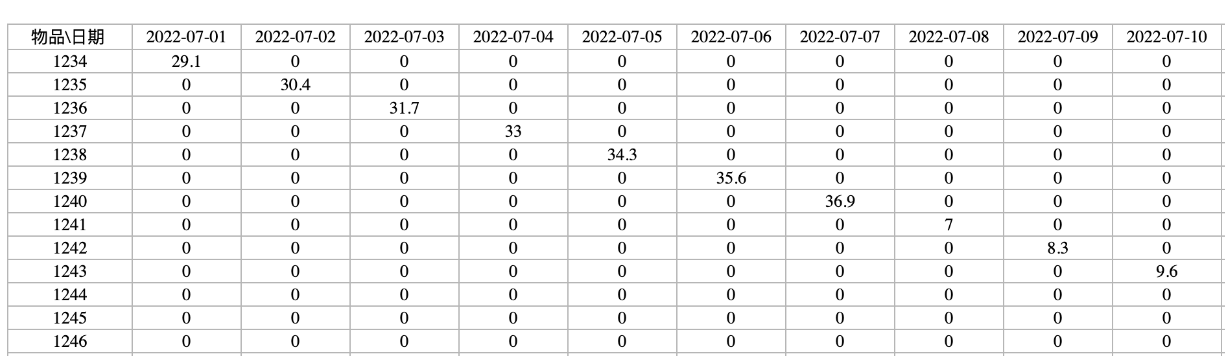
Effect preview:
Note
This article is only a simple case with a single-level header. For a multi-level header case, see Implement Horizontal Expansion for Multi-Level Headers in Complex Reports.