Calculate Valid Workdays Within a Date Range
Requirement Background
Sometimes order or work order datasets store Start Time and End Time. To evaluate timeliness, you need to calculate the actual number of workdays between Start Time and End Time, excluding non-valid workdays such as Saturdays, Sundays, and statutory holidays. For example, from 2022-09-30 to 2022-10-08, there are actually only two valid workdays: 2022-09-30 and 2022-10-08.
Prerequisites
- ETL must be used to process the data, so the datasets used must be non-direct datasets.
- Array-related functions are required. For function usage, see Spark SQL Array Processing Functions and Applications.
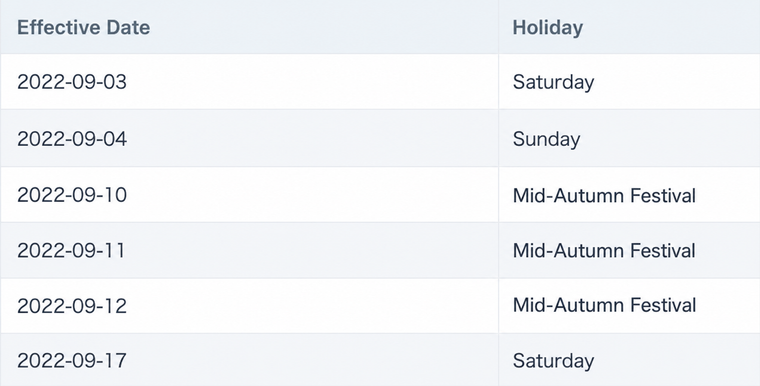
- Prepare a dataset dedicated to collecting Saturdays, Sundays, and statutory holidays. Considering scenarios where enterprises have custom non-workdays in addition to national statutory holidays, a manual table is recommended. For details, see Holiday Data Identification and Comparison. Upload the file to BI and append the next year's holidays at the end of each year. In this scenario, dates must be filtered so only holiday dates are retained, as shown below.
Procedure
Process the Order Data Table
a. Make sure the Start Time and End Time fields are in date format. If they are not in date format, such as string or timestamp, use a function such as to_date() to convert them to date format.
b. Create a text-type calculated field Interval Dates, which returns an array listing the specific dates between Start Time and End Time. Create a constant field, such as numeric field Constant: 1.
sequence([开始时间],[结束时间])
-- Guandata BI automatically converts date-type arrays into unixdate integer arrays for storage, which saves more space and is more efficient without affecting usage.

Process the Manual Holiday Table
a. Filter holidays, add a group aggregation node, create a text-type calculated field Statutory Holidays, and drag it into the value field well to summarize all statutory holiday dates into an array.
collect_set([法定日期])
-- Returns a unixdate integer date array.
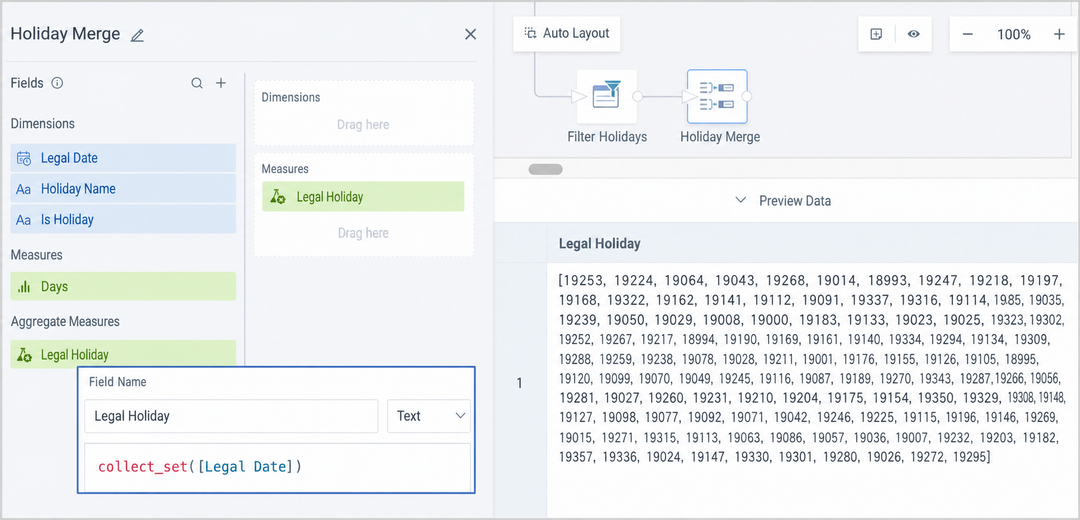
b. Create a constant field the same as the one in the data table above, such as numeric field Constant: 1.
Note: This solution is for reference only. You can also use a window function for calculation, then use group aggregation or a deduplication node to keep only one row of data.
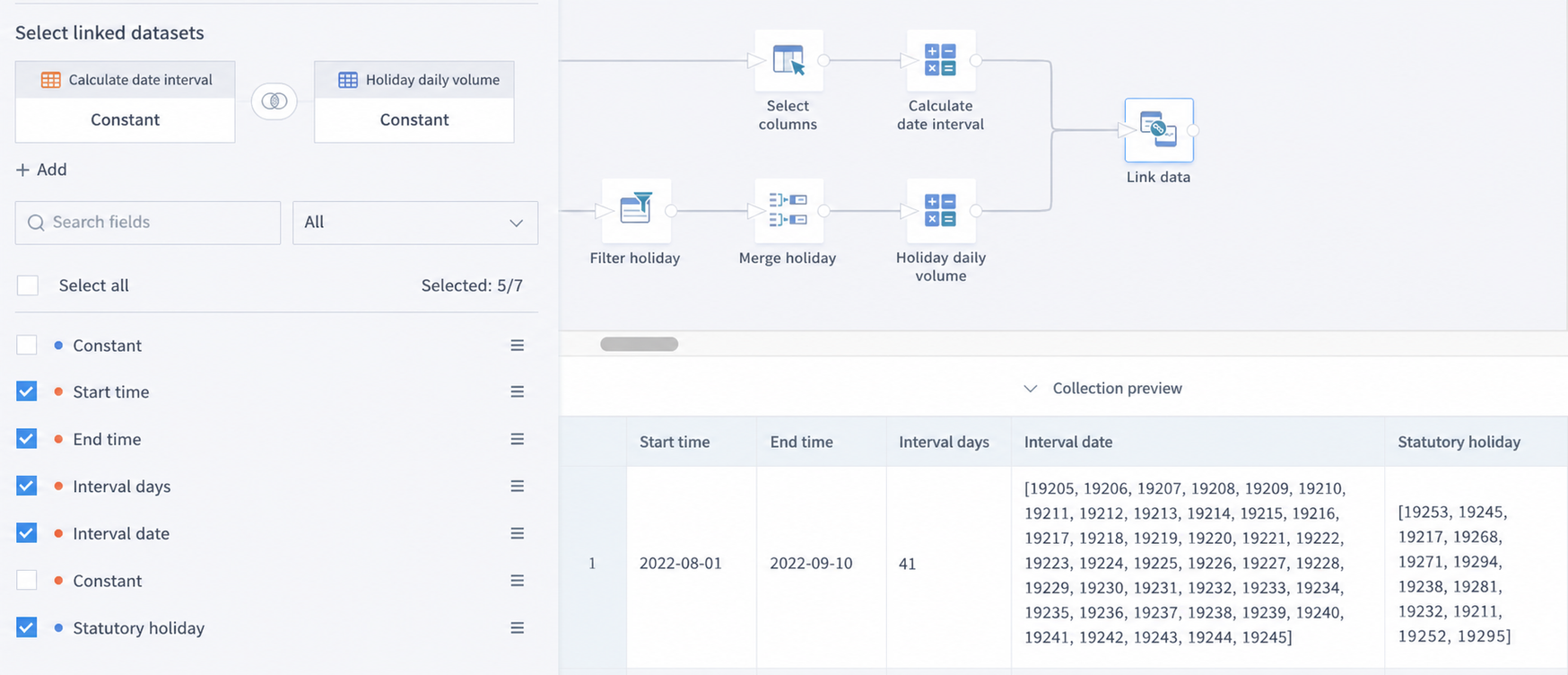
Use a Join Node to Merge the Statutory Holidays Field into the Order Table
Use the constant field for the join. The join method is not limited. Fill Statutory Holidays into each row of the order table.
Calculate the Number of Workdays
Create a numeric calculated field Workday Count. Compare the two arrays, filter the workdays from Interval Dates, and count them. Then use a Select Columns node to hide intermediate calculation fields and keep only the fields actually needed.
size(array_except([间隔日期],[法定假期]))

Extended Scenario
If you want to customize the date range on the page through date filters, first use the same method in ETL to join Statutory Holidays to the dataset that the card depends on and output it. Then create Interval Dates, which references two date-type global parameters, and Workday Count in the card for calculation.