Batch Modify User Information
You can batch modify user information through Admin -- User Management -- Manage User Properties -- Batch setting user properties -- Batch Upload
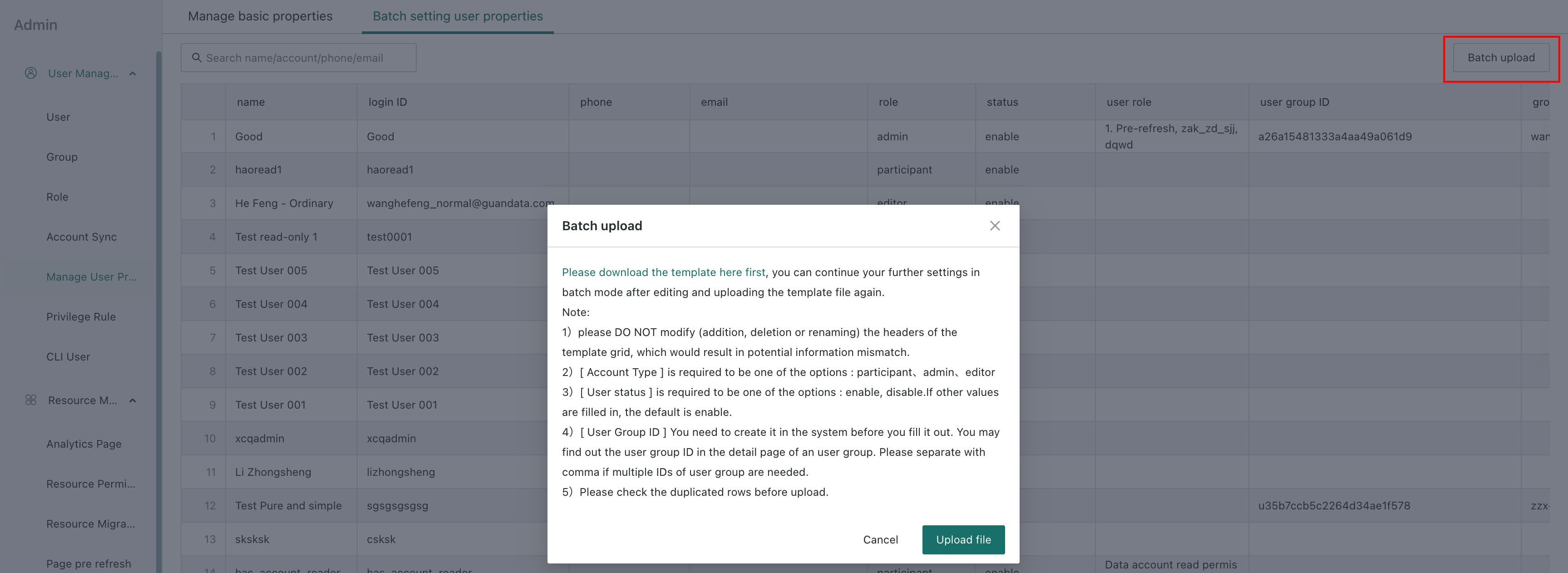
Step 1: Go to Admin Settings, select User Basic Attribute Management, and click Batch Settings -- Batch Upload.
Step 2: Download the template table. The downloaded template contains information about existing users.
Step 3: Modify the information in the table.
Step 4: Upload the modified table file to complete batch modification.
Notes:
- You can upload only the parts that need to be modified and synchronize them.
For example, if there are 1000 users in the system and 100 users need modification, you can download the template, filter out the 100 users that need modification in Excel, delete the other users that do not need modification, and then upload the file. This is allowed and only modifies the 100 uploaded users.
- User accounts cannot be modified, because accounts are login information. If a record in the modified table does not exist in the system, it is equivalent to creating a new user, and batch settings do not support creating new users.