Set Field Indentation in Complex Reports
Requirement Scenario
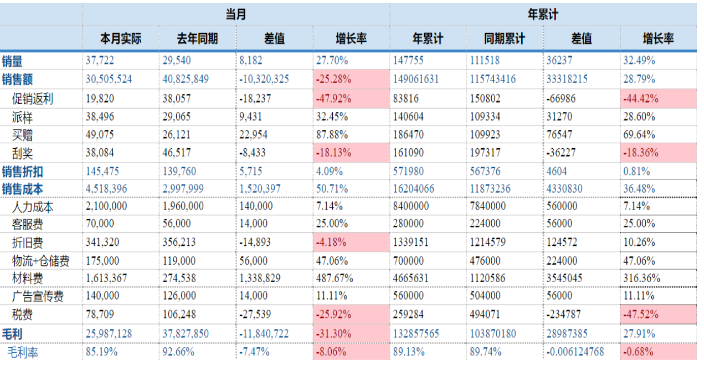
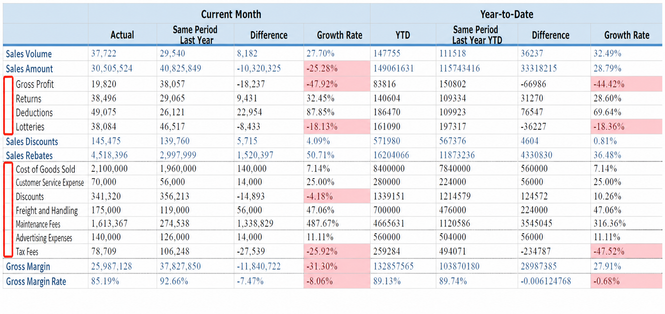
When formatting a complex report, you sometimes need field indentation to achieve the following layout:
Solution
Offline Editing Mode
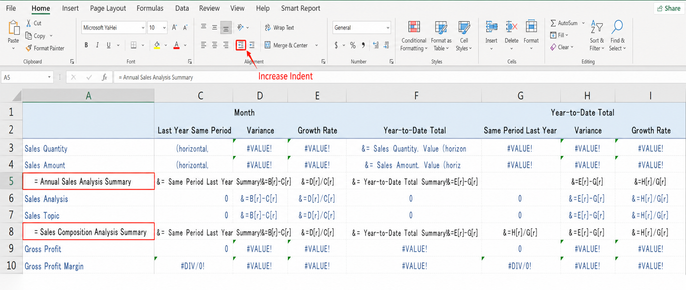
Because offline templates support all built-in Excel formats, you can use Excel's built-in field indentation feature. Click the Increase Indent button twice:
Online Editing Mode
Online editing mode currently does not support field indentation. You need to create a new field in the view and add multiple spaces before the text field as needed. Both half-width and full-width spaces are supported.
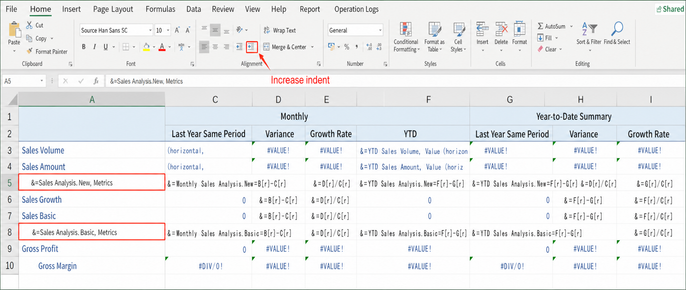
The field indentation effect is then achieved:

Indentation effect in the complex report. See fields such as "Promotion Rebate" and "Sampling" in the first column: