Inter-Cell Calculation Formulas in Complex Reports
Scenario
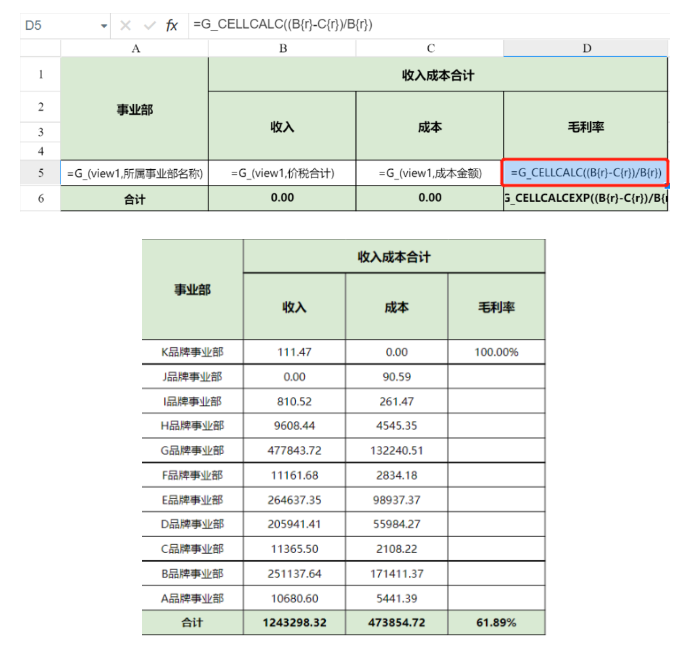
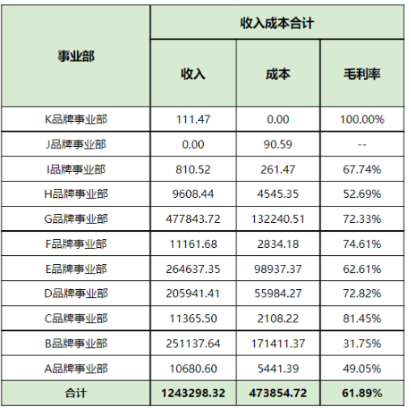
You need to calculate a new result from two fields. For example, calculate gross margin based on revenue and cost. The report style is as follows:
Implementation Steps
Prepare Data
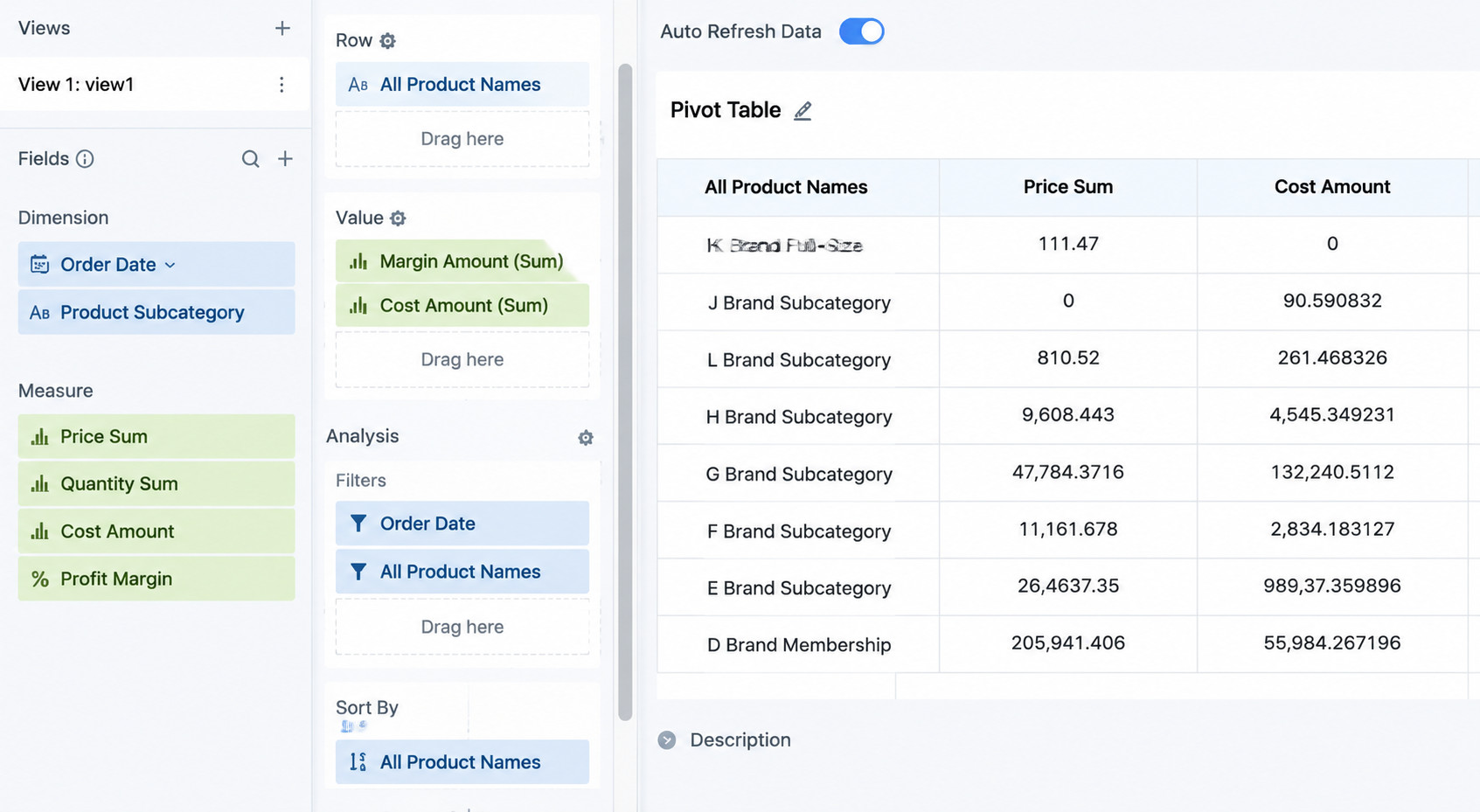
In the view, drag the required fields to the dimension and data areas, and configure filters, sorting, and aggregation methods as needed.
Edit the Template
-
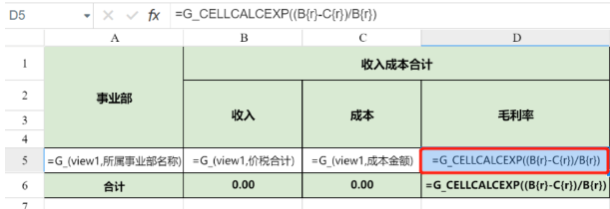
The three fields, Business Unit, Revenue, and Cost, can be dragged directly into the desired template area.
-
Gross Margin: Use the
G_CELLCALCEXPfunction for inter-cell calculation based on the formula. Gross Margin = (Revenue > Cost) / Revenue, that is, (column B - column C) / column B.
Specific formula: =G_CELLCALCEXP((B{r}-C{r})/B{r})
The result is as follows:
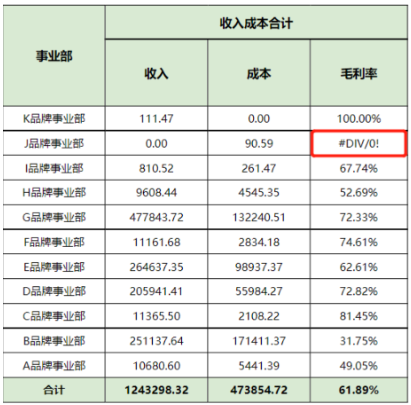
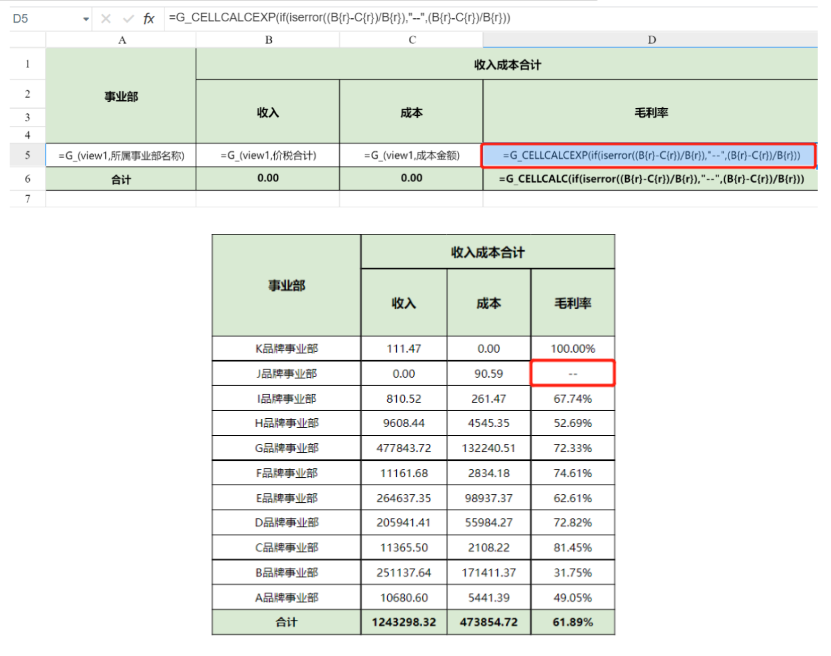
When the denominator "Revenue" is 0, an error appears and returns #DIV/0!. In this case, use Excel's built-in if(iserror()) function instead.
Formula reference: =G_CELLCALCEXP(if(iserror((B{r}-C{r})/B{r}),"--",(B{r}-C{r})/B{r}))
Additional Notes
- Total formulas: Revenue and Cost can directly use
=SUM(). The total for Gross Margin still uses an inter-cell calculation formula. Of course,G_CELLCALCcan also be used directly for the total.
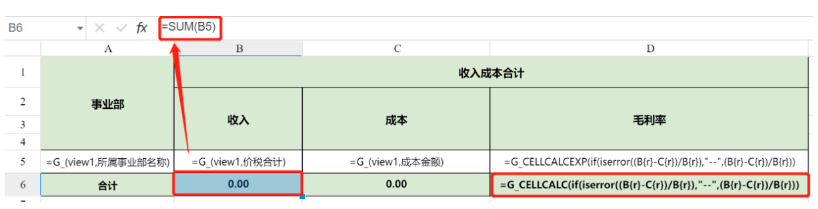
G_CELLCALCis also an inter-cell calculation function, but it does not expand.