Repeat Fixed Text in Complex Reports
Scenario
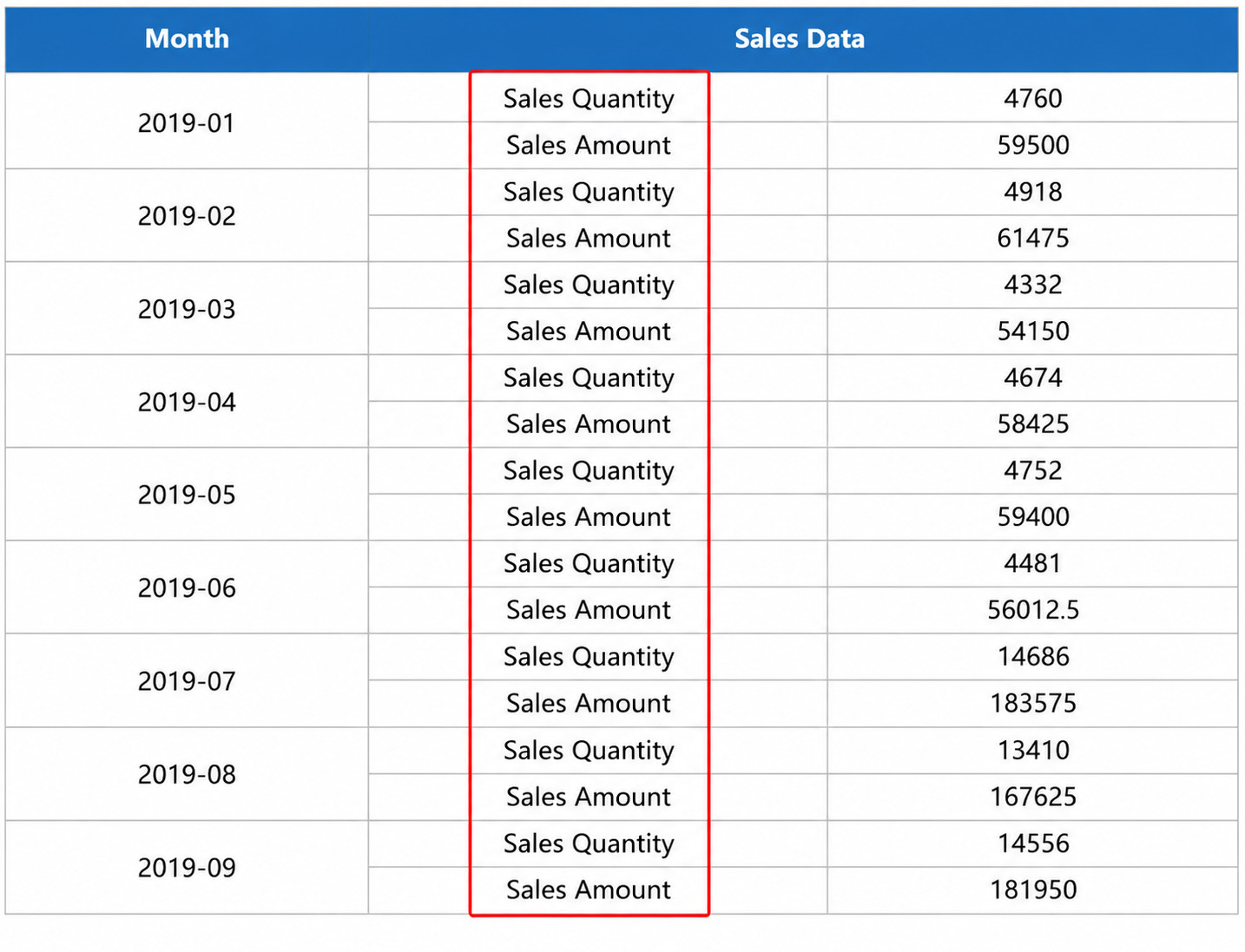
Two text labels need to be repeated in a table. In the sample table below, the two text labels "Sales Quantity" and "Sales Amount" need to repeat alternately in the vertical direction.
Implementation Steps
Prepare Data
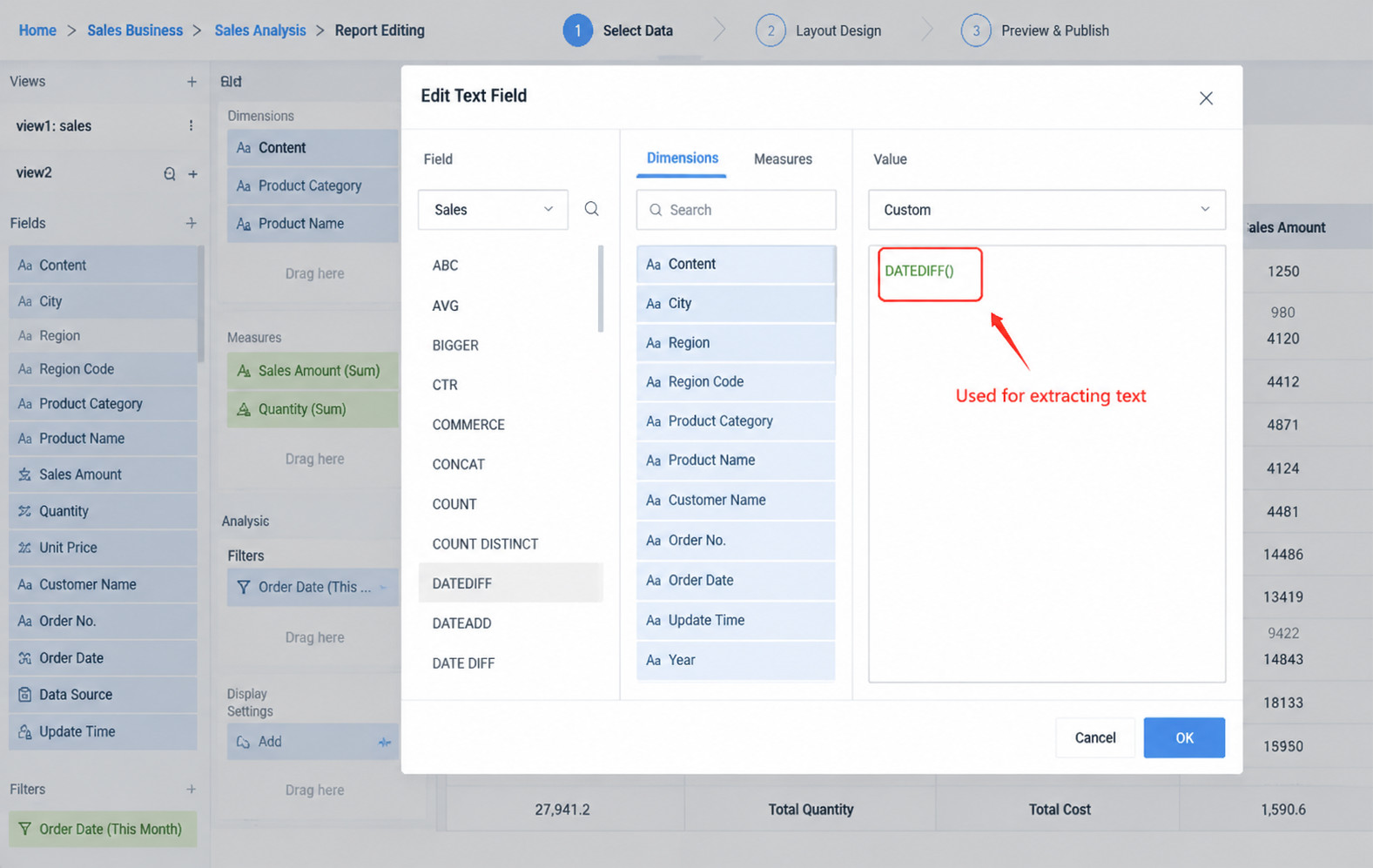
- Create two fields in the view for repeated text:
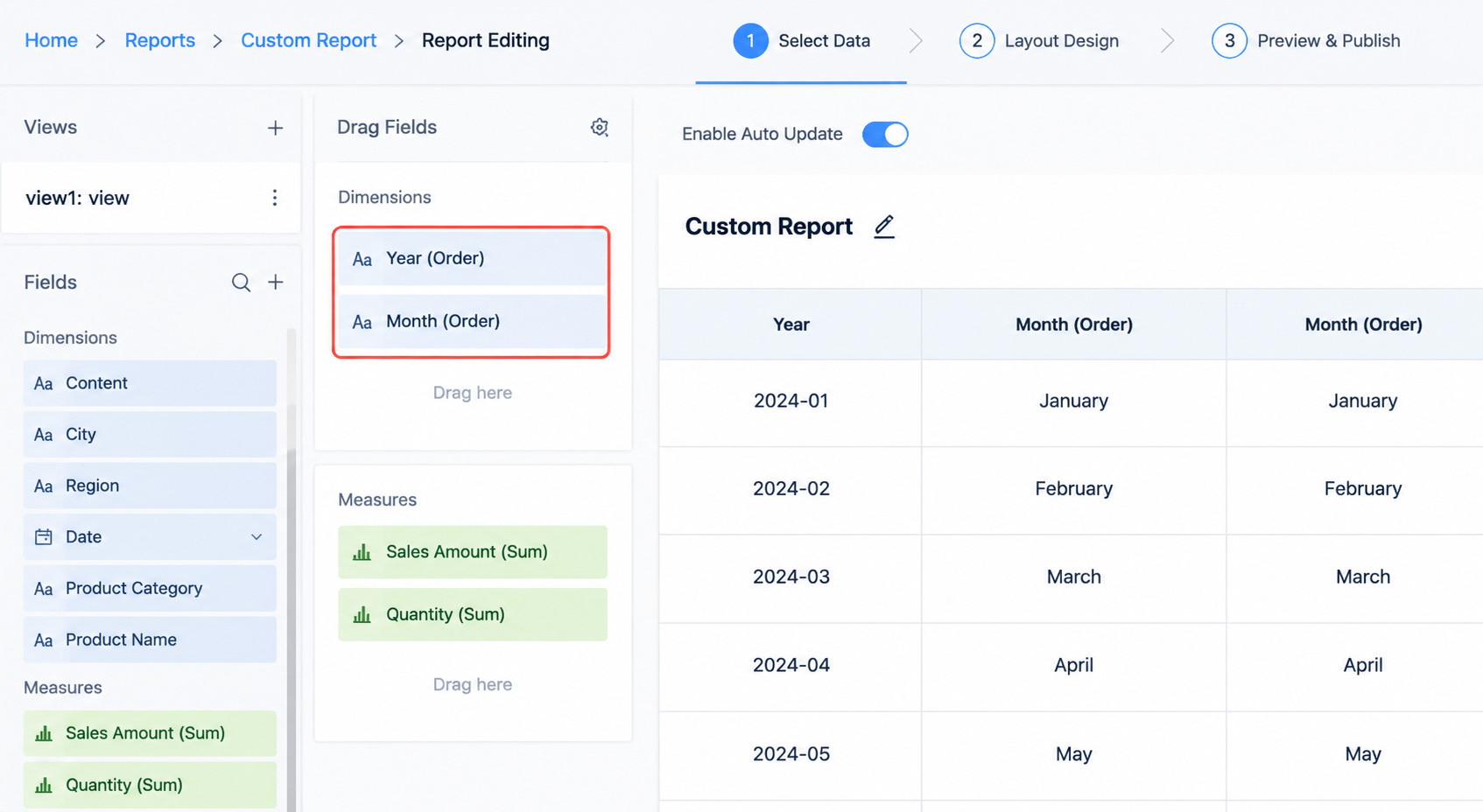
- Drag the required fields to dimensions and measures:
Online Editing Mode
- Edit the formula template online

Template formula description:
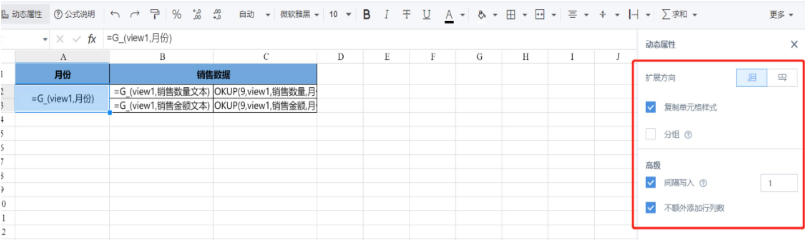
=G_(view1.Month): For dynamic properties, select vertical expansion, copy cell style, interval write (there are two fields, so interval write is 1), and do not add extra rows or columns.
-
=G_(view1.Sales Quantity Text): Dynamic properties are the same as item 1. -
=G_LOOKUP(9,view1,Sales Quantity,Month:A{r}): Match by the Month field in viewview1and retrieve Sales Quantity data. The formula for Sales Amount is the same.
Local Editing Mode
- Set the Excel template. You can refer to the attachment.

Template formula description:
&=view.Month(skip:1,noadd,copystyle)
Because two fixed text labels need to be repeated, each data row needs to skip 1 row, so skip:1 is used.
noadd means no extra rows are added.
copystyle means copying the cell style.
-
&=view.Sales Quantity 1(skip:1,noadd,copystyle)and&=view.Sales Amount 1(skip:1,noadd,copystyle)are the same as item 1. -
&&=guanlookup9([],view,Sales Quantity,Month, A{r}):
&&=guanlookupN([], <source table to query>, <value field to query>, <specified condition field>)
- After uploading the template, preview and save it to implement the report shown above.