Alert Trigger Time Explained
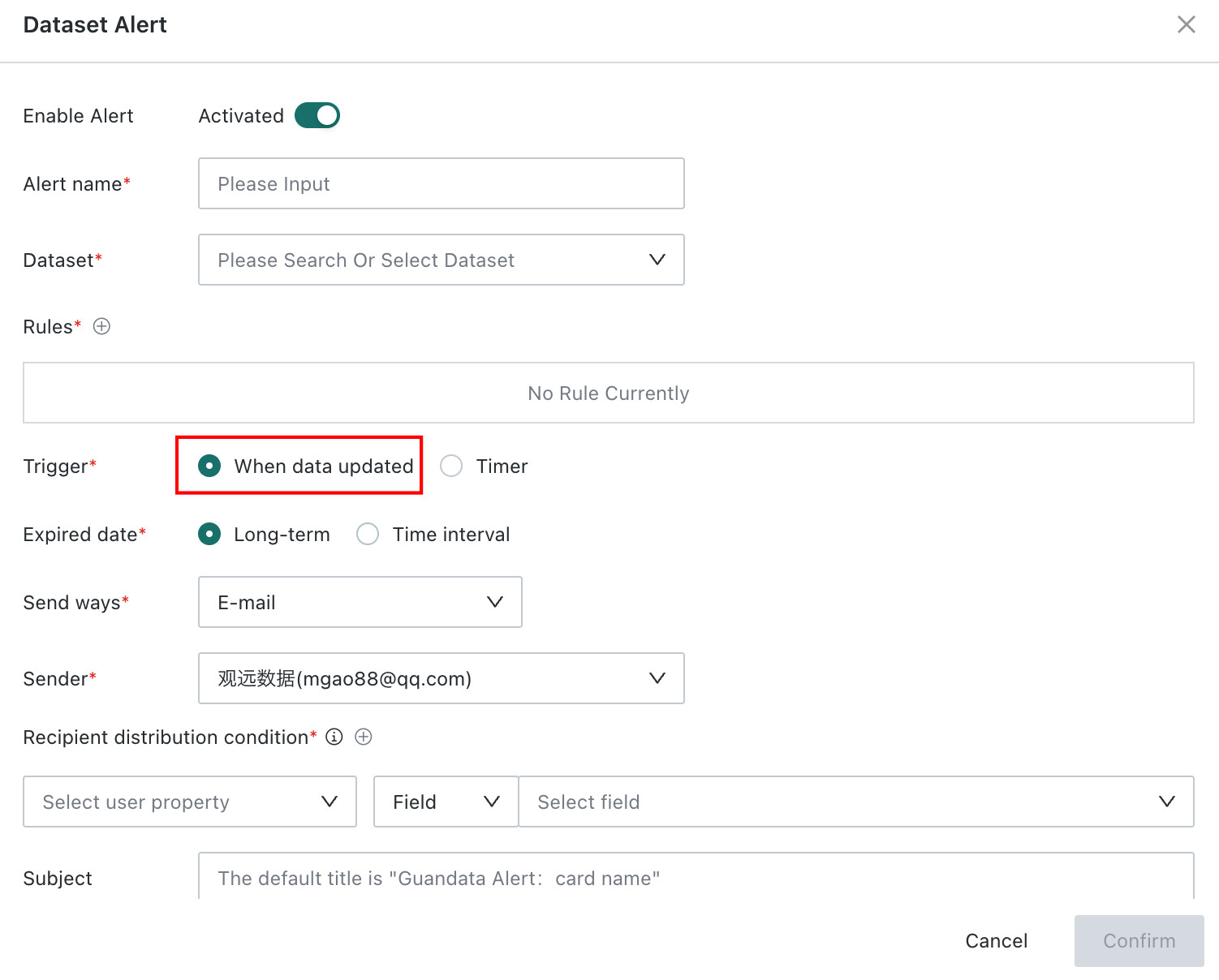
Alerts can be divided into card alerts and dataset alerts. This article explains the logic of the After Data Update alert trigger time for these two alert types, and whether real-time alert triggering can be implemented.
Logic for Quasi-Real-Time Card Alert Triggering
-
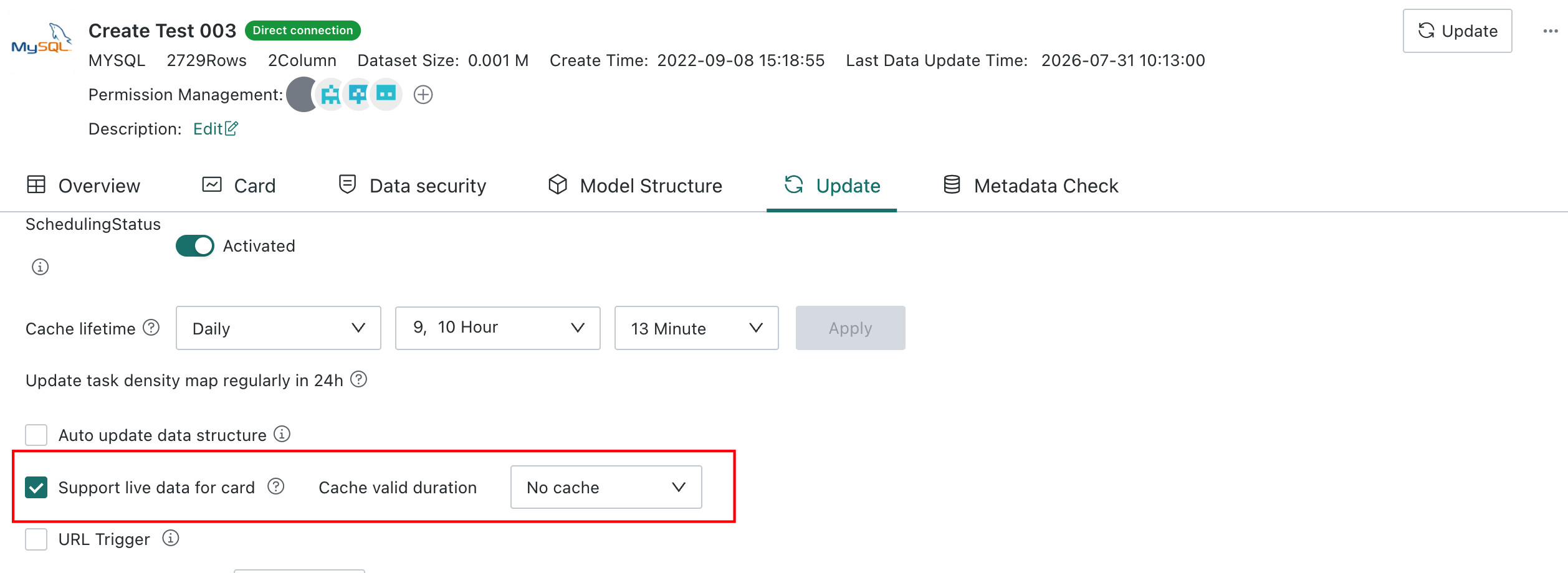
The data source is a direct dataset.
-
Real-time card no-cache setting is enabled.
-
URL Trigger is enabled.
-
Another external system or the scheduled task feature on the BI server requests this URL at fixed times as needed.
Solution for Indirectly Implementing Timely Dataset Alert Triggering
- In theory, dataset alerts do not have a real-time trigger concept.
For dataset alerts, After Data Update refers to the update of the dataset itself, not the update of card data or database data. Therefore, in general, from the product feature perspective alone, dataset alerts cannot achieve real-time triggering.
- Solutions:
Solution 1: Enable URL Trigger and write a script to trigger dataset updates. Use them together to achieve quasi-real-time dataset alert triggering.

Solution 2, not recommended: relax the update frequency of the direct dataset, such as updating the dataset every 1 minute. In this case, resource pressure is mainly on the database itself. You must evaluate whether this solution is suitable based on the dataset size, required update time, database efficiency, and BI platform resources. No customers currently use this solution.
Other:
For usage of card alerts and dataset alerts, see Card Alerts and Dataset Alerts.