Configure Auto Refresh for Dashboards and Data Screens
Brief Operation
For auto refresh of cards based on direct datasets or universe datasets, enable Auto Refresh on the frontend, meaning dashboard or data screen, and select Support Real-Time Card Data in the dataset.
Other datasets are not suitable for auto refresh scenarios.
Detailed Operations
Frontend Auto Refresh Switch
Enable Auto Refresh on the dashboard or data screen.
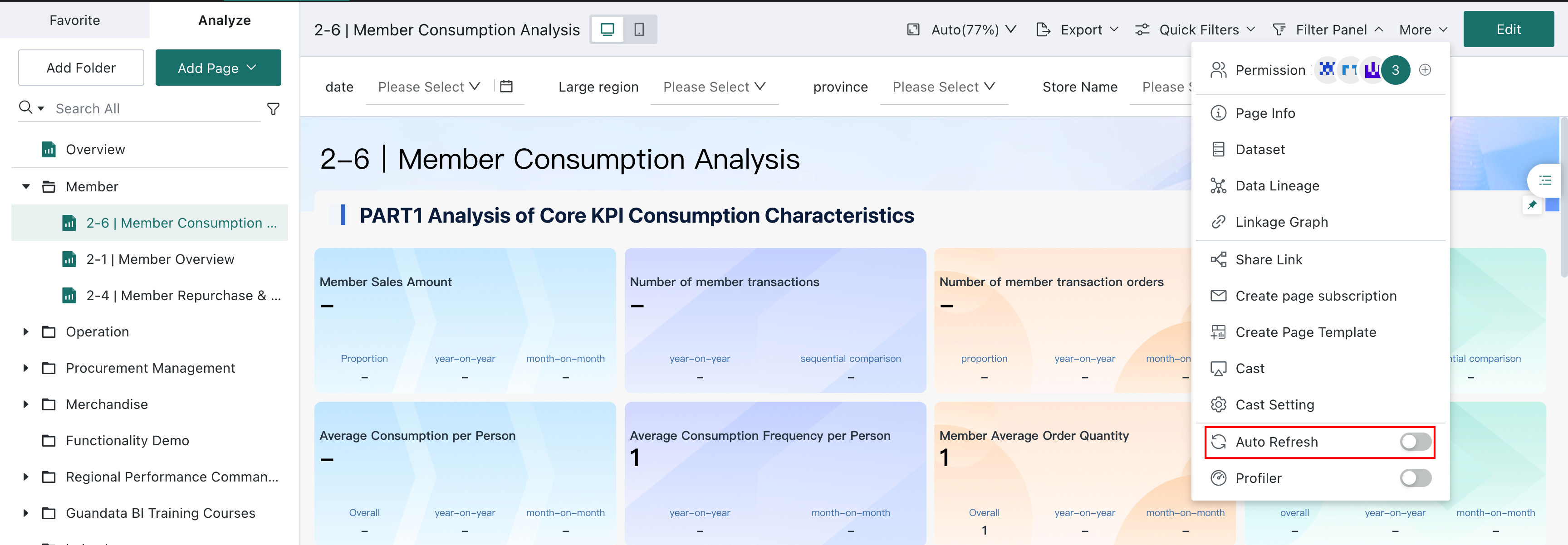

After this switch is enabled, the system automatically refreshes the page at scheduled intervals to obtain the latest data.
Frontend Page Refresh Frequency
The page refresh frequency of dashboards and data screens can be customized in Admin Settings -- System Setting -- General settings -- Real-Time Setting.
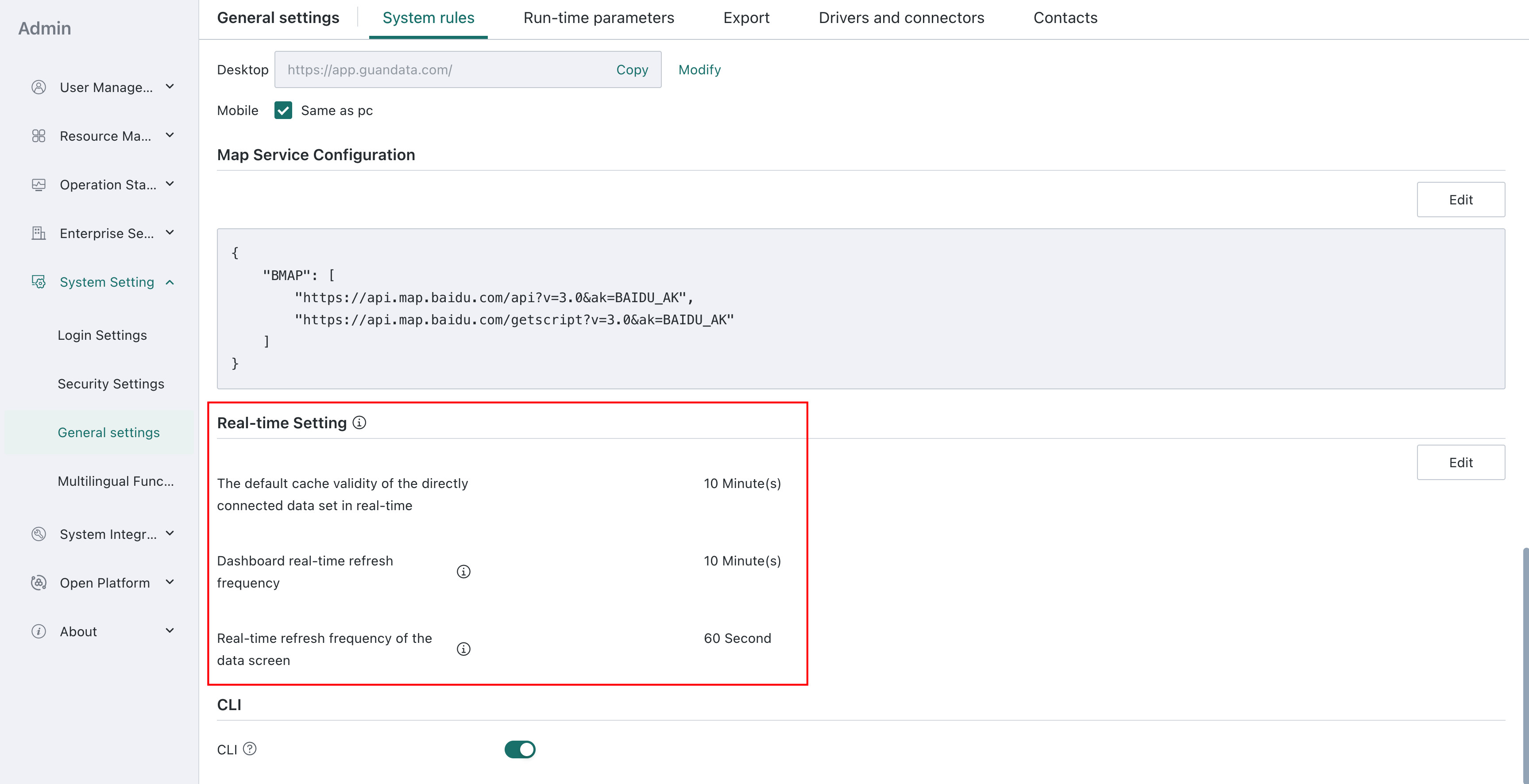
Note: The dashboard real-time refresh frequency is consistent with the default cache validity period of direct datasets in real-time status.
Dataset Real-Time Refresh Settings and Frequency
- Direct datasets and universe datasets
1)Switch:
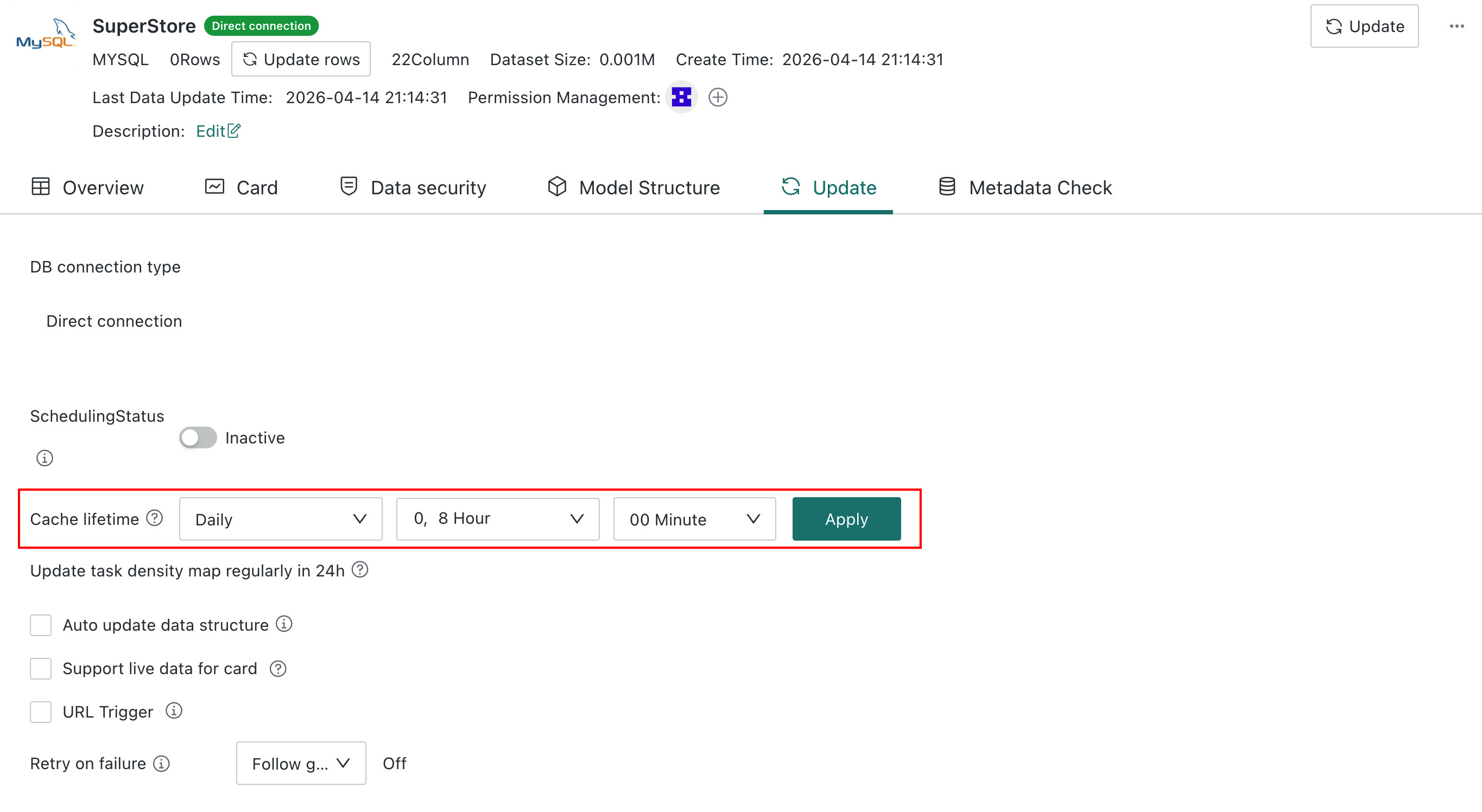
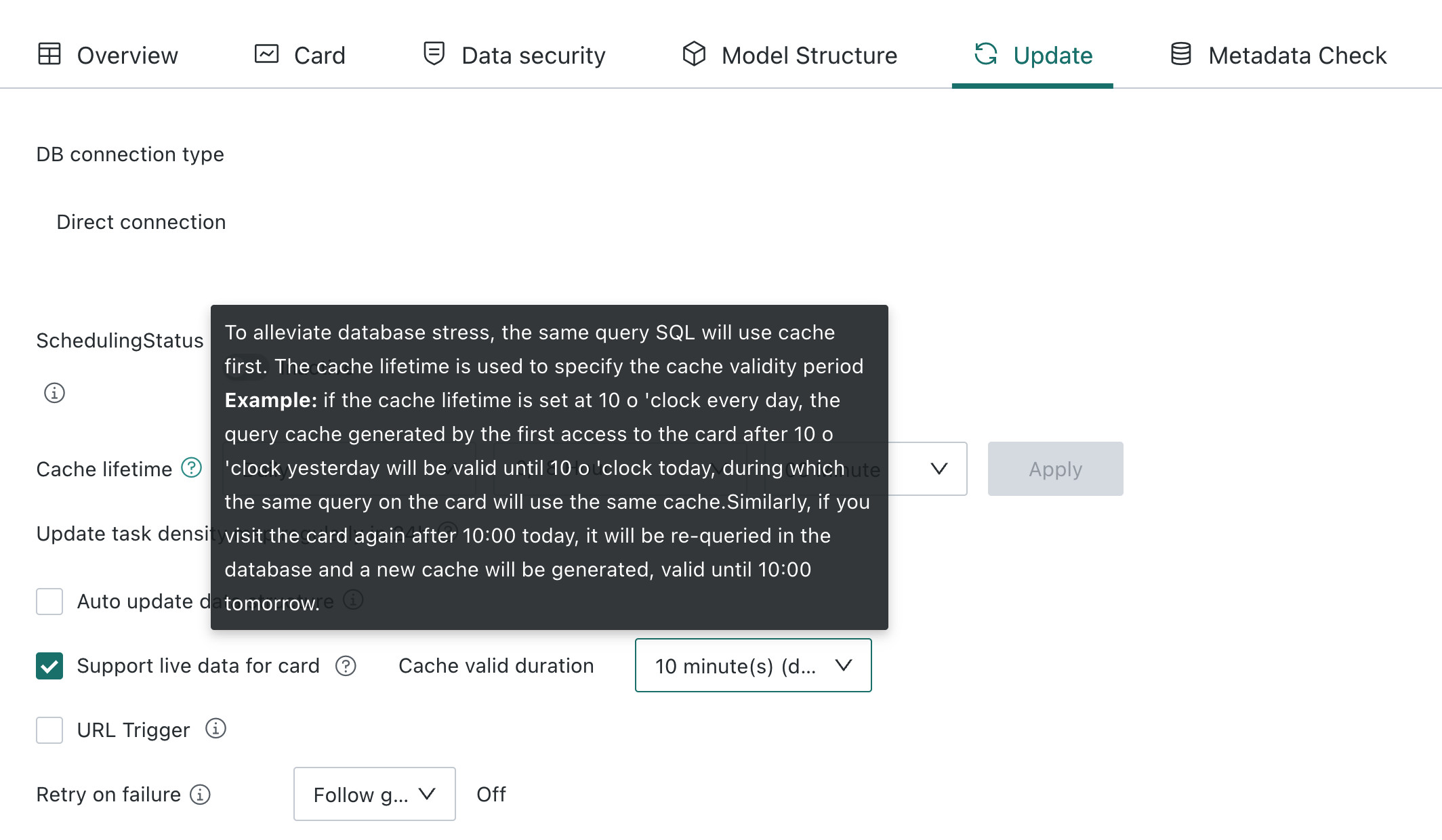
When creating a dataset or on the dataset details page, select Support Real-Time Card Data under Data Update.
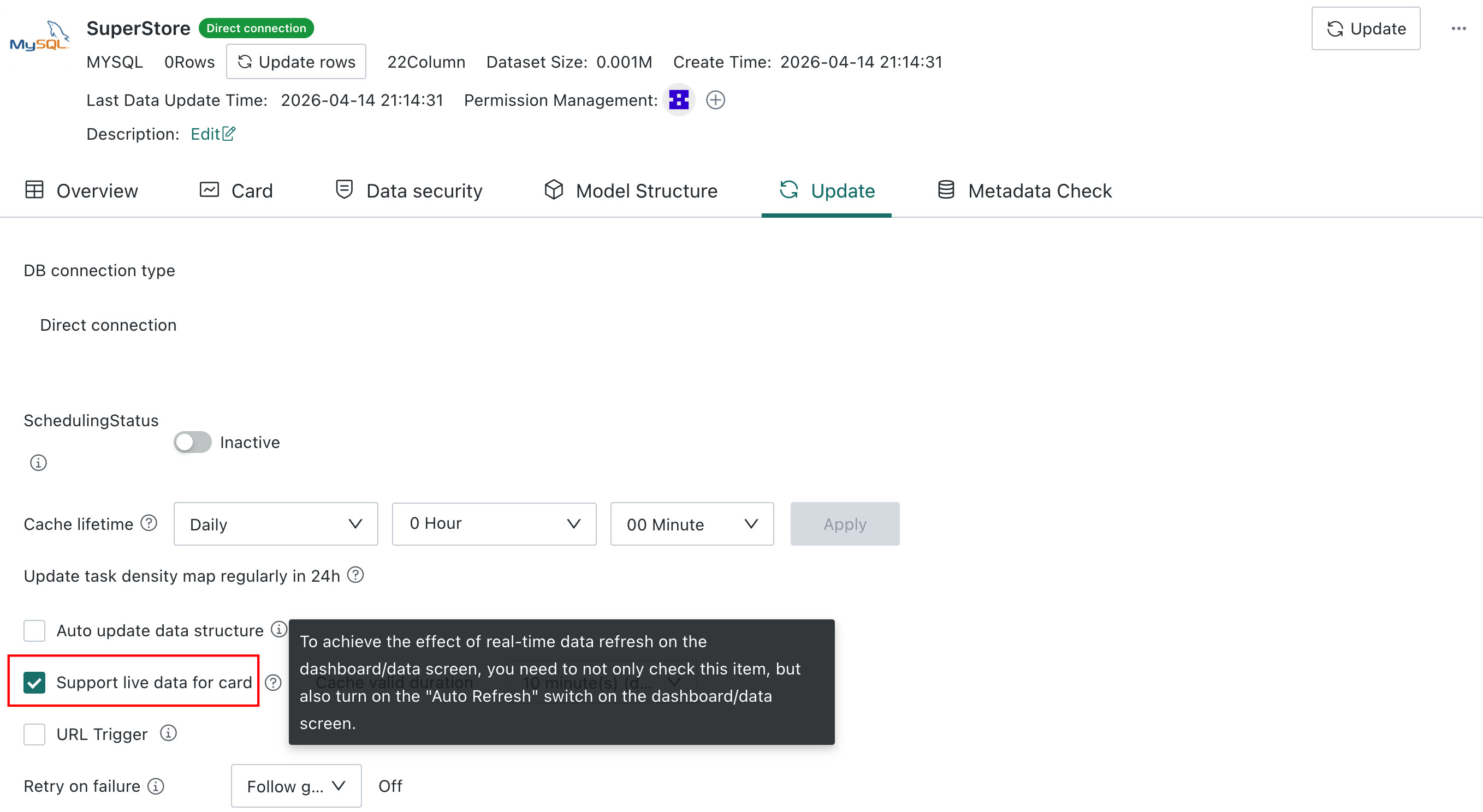
2)Data real-time freshness is related to the cache validity period.
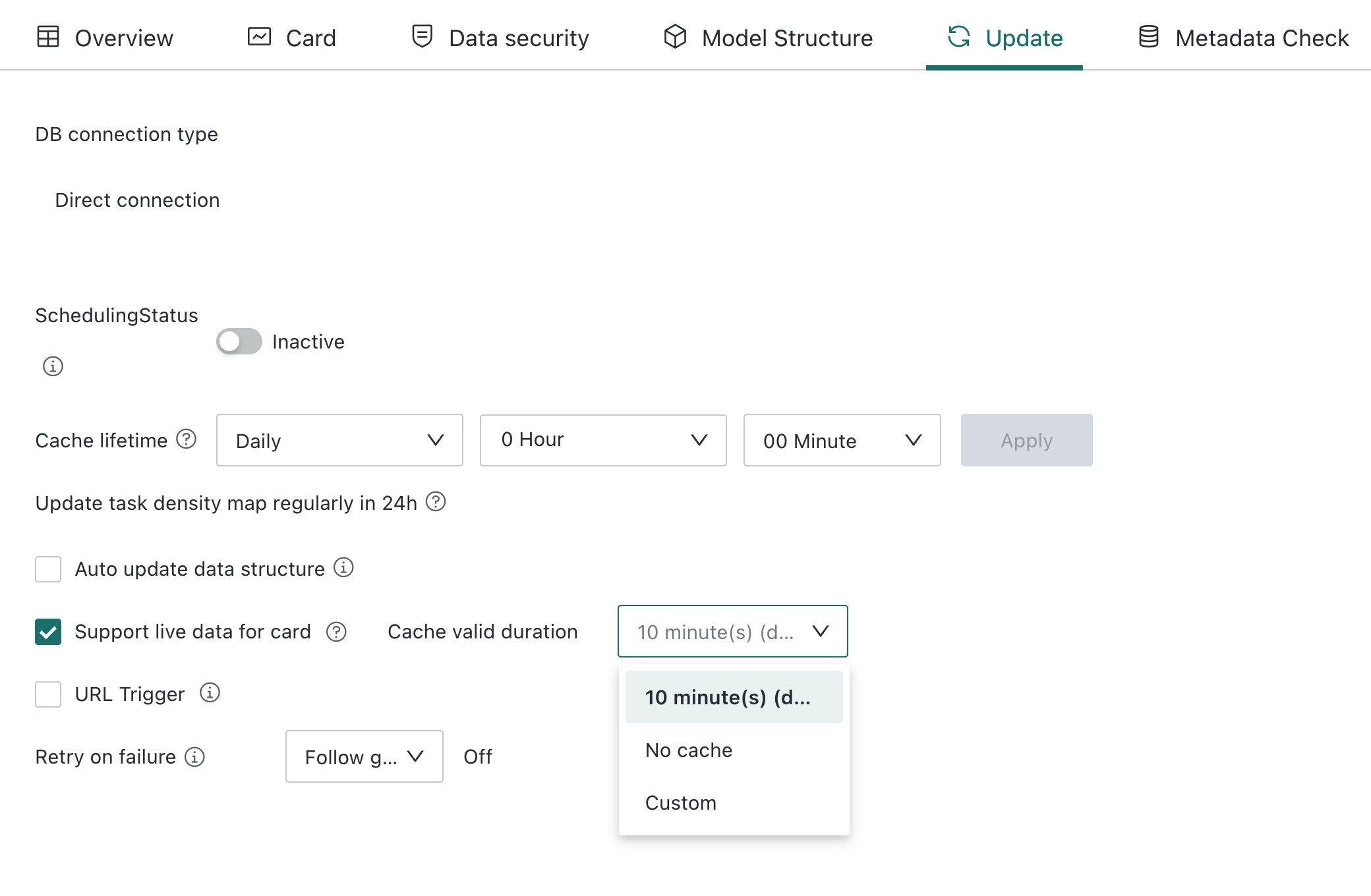
The default cache validity period can be customized in Admin Settings. You can also select No Cache, in which case the system accesses the database each time to read the latest data.
- Other datasets
Other datasets, such as database extracted datasets, guanindex, file datasets, ETL output datasets, cloud app datasets, card datasets, and view datasets, are not suitable for auto refresh scenarios. They also do not have real-time configuration items at the dataset level.
If Auto Refresh is enabled on the dashboard or data screen, each frontend page refresh obtains data from the most recent dataset update.
What time does the data on the page come from? Example
Assume the default cache validity period of a direct dataset is 5 minutes, and the dashboard refresh frequency is also 5 minutes.

When the dashboard refreshes for the first time, it queries the database and generates cache 1002.
caseA
At 10:04, the page is manually refreshed, without any filtering, linkage, drill-down, or other operations. The displayed data is cache 1002, because the query logic is the same as at 10:02.
Without any operation, the data seen at 10:08 is cache 1007, which is updated by the dashboard refresh at 10:07.
caseB
At 10:04, the page is manually refreshed, and the displayed data is cache 1002.
At 10:05, the filter condition is switched. The displayed data is queried from the database and cache 1005 is generated, with filter conditions.
Without any operation, the data seen at 10:08 is cache 1007, which is the data with filter conditions updated by the dashboard refresh at 10:07.
Other Questions About Direct Refresh
Q: Why do extracted datasets use a data update cycle, while direct datasets use a cache validity period?
A: Extracted dataset data is stored in BI, while direct dataset data is not stored in BI. Each query goes to the database.
Q: Since it is direct, and each query obtains data from the database, why is there still cache?
A:
Q: Why does the same data screen not refresh when opened in Edge, but refresh in Chrome?
A: The real-time switch is stored locally in the browser. When viewing the page in different browsers, you need to enable the browser's real-time refresh switch again.
Supplement: After the Auto Refresh switch for the data screen is enabled:
b. For direct datasets configured with No Cache, real-time polling is performed according to the Data Screen Real-Time Refresh Frequency setting.
c. For other datasets, polling is performed periodically based on their card data according to the setting in Default Cache Validity Period for Direct Datasets in Real-Time Status.