Calculation Logic for Column Totals in Regular Tables
Feature Introduction
In regular tables, subtotals and totals have three calculation methods:
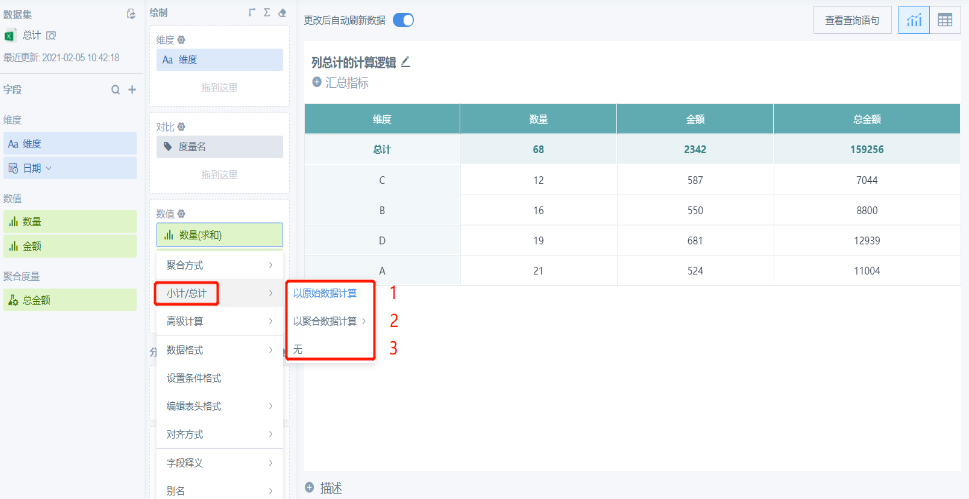
Method 1: Calculate based on raw data. With this method, the total result is usually the sum of the data corresponding to each row. The detailed logic is described below.
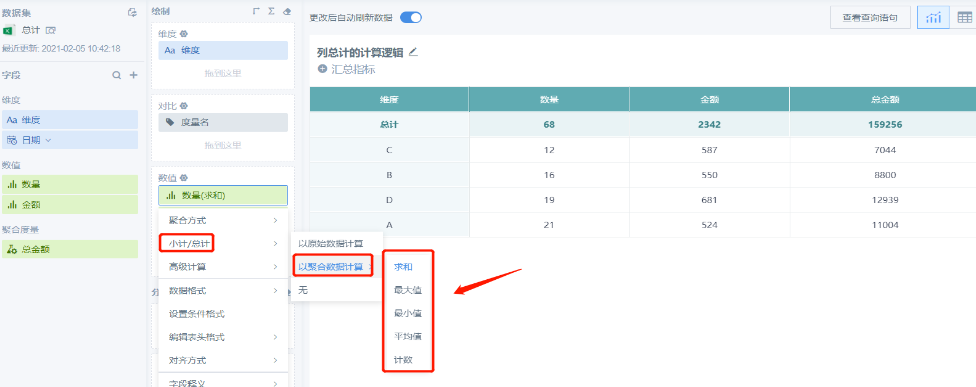
Method 2: Calculate based on aggregated data. With this method, you can choose the aggregation method later:
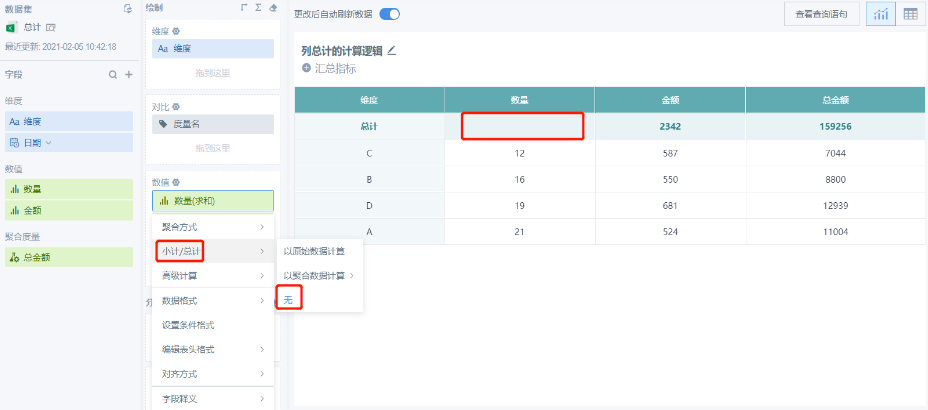
Method 3: None. This means no subtotal or total is calculated, and the total area is displayed as empty:
Feature Details
1. Calculation Logic When Field Structures Differ
The calculation logic differs depending on whether the field is a raw field or an aggregated metric:
Raw field: When the field is a raw field and the aggregation method is Sum, the result is the same whether subtotal/total is calculated based on raw fields or aggregated fields, Sum.
Aggregated metric: If the field is an aggregated metric, the two settings are different:

For example, when the field is sum([Quantity]) * sum([Amount]):
If Calculate Based on Raw Fields is selected, the total result is the total of the [Quantity] field multiplied by the total of the [Amount] field:
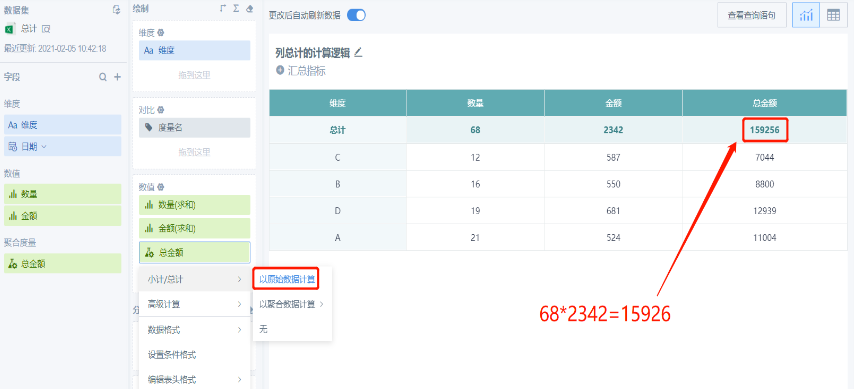
If Calculate Based on Aggregated Fields, such as Sum, is selected, the total result is the sum of [Quantity] multiplied by [Amount] for each column:
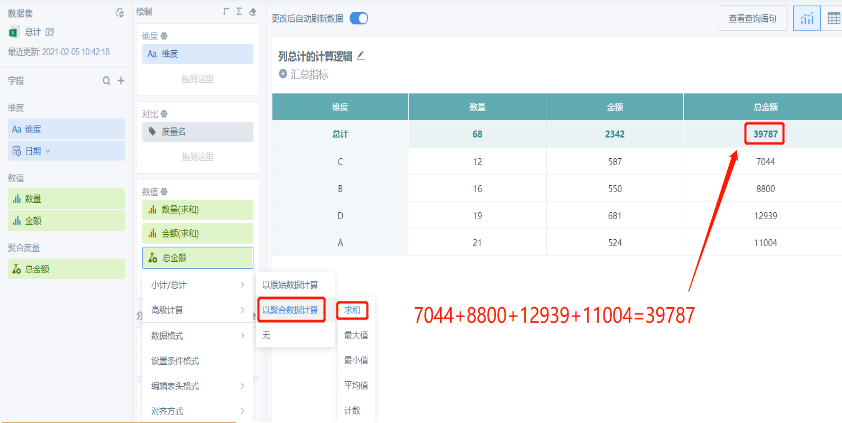
2. General Calculation Logic: When Calculating Based on Aggregated Fields, Such as Maximum, Minimum, Average, or Count, Raw Fields and Aggregated Fields Follow the Same Calculation Logic
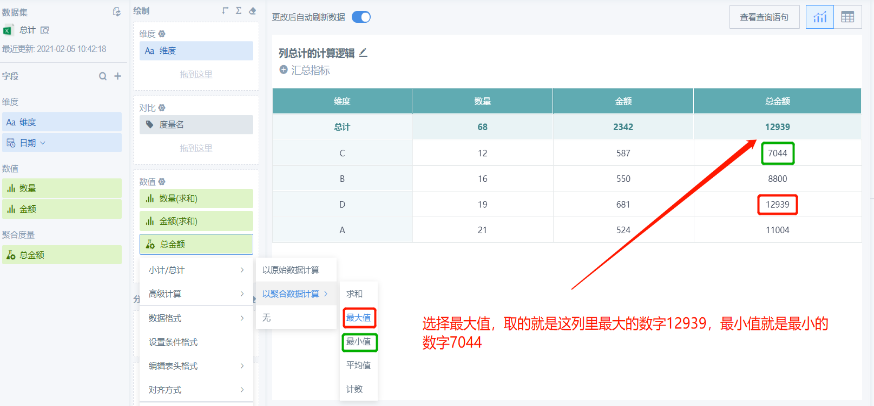
When calculating based on aggregated fields, such as Maximum or Minimum, the total result is the largest or smallest number in the corresponding column:
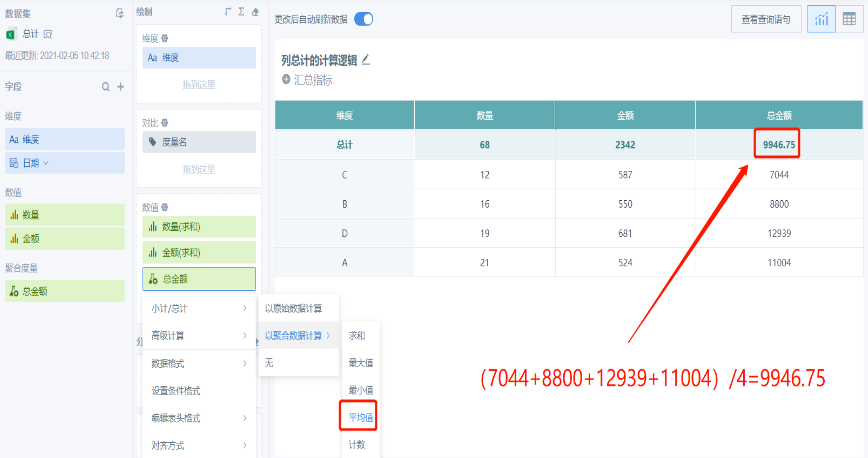
When calculating based on aggregated fields, such as Average, the total result is the average value of the data in the corresponding column:
When calculating based on aggregated fields, such as Count, the total result is the count of data in the corresponding column:
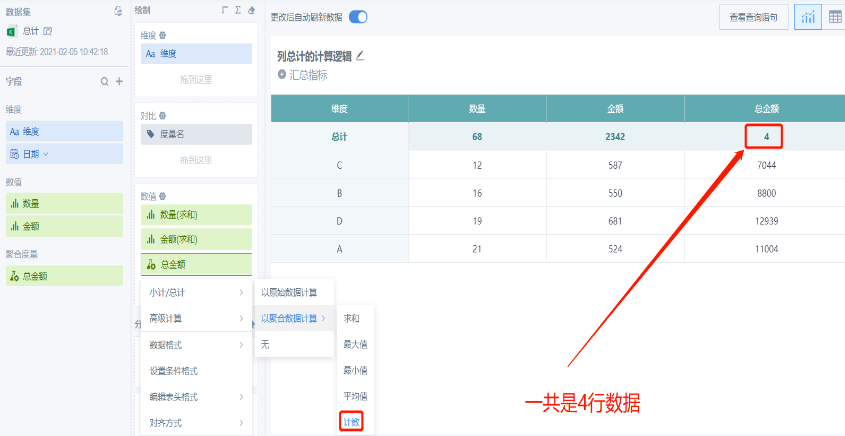
Remarks
-
The examples above use sum as an example. If the function itself is avg(), max(), and so on, the logic is related to the meaning of the function itself. For example, with avg(), calculating based on raw fields and calculating based on aggregated fields, Average, produce the same result. You can try and verify other specific cases yourself.
-
Window functions follow the calculation logic of raw fields.
FAQ
- Why do some column total rows have no data?
Possible reason 1: The field in the value area has no aggregation method configured, meaning it is set to None. When no aggregation is performed, totals are not calculated by default.
Solution: Configure an aggregation method for the field in the value area.
Possible reason 2: The corresponding field in the value area is an aggregated metric. It may use a function, a complex calculation formula, or advanced calculation. The system cannot accurately determine the logic and calculate the total.
Solution: Due to technical limitations, this cannot currently be implemented in the same card. We recommend creating a separate card to calculate the total.
- Why does setting column totals to display at the top not take effect until data is filtered?
Reason: Table cards can display only 20,000 rows of data. Column totals take effect only when the aggregated data does not exceed 20,000 rows.
Solution: Set filter conditions so that the data is aggregated to within 20,000 rows.