Calculate Consecutive Occurrence Days
Scenario Introduction
An event may occur or not occur. The system records the occurrence status of this event by day. For example, when the event occurs, the status is recorded as Normal; when it does not occur, the status is recorded as Abnormal.
We want to know the consecutive occurrence status of the event. When the event status is Normal, record the number of consecutive days in Normal status. If an abnormal status occurs on a certain day, stop counting and restart the count from the next Normal status.
Data Structure Example
Calculate the number of consecutive occurrence days based on the status of event A on each date. The bold column is the data expected after ETL processing:
| Event Name | Date | Status | Consecutive Occurrence Days |
|---|---|---|---|
| Task A | 2022/1/1 | Normal | 1 |
| Task A | 2022/1/2 | Normal | 2 |
| Task A | 2022/1/3 | Normal | 3 |
| Task A | 2022/1/4 | Normal | 4 |
| Task A | 2022/1/5 | Normal | 5 |
| Task A | 2022/1/6 | Abnormal | 0 |
| Task A | 2022/1/7 | Normal | 1 |
| Task A | 2022/1/8 | Normal | 2 |
| Task A | 2022/1/9 | Abnormal | 0 |
| Task A | 2022/1/10 | Abnormal | 0 |
Implementation
Step 1: In ETL, choose Add Calculated Column > Add Calculated Field, and merge dates into an array after grouping by the dimension fields Event Name and Status. The formula and preview effect are shown below. Dates in the array are automatically converted to Unix date values for storage.
collect_list([Date]) over(partition by [Event Name], [Status])
-- You can also use the collect_set function.
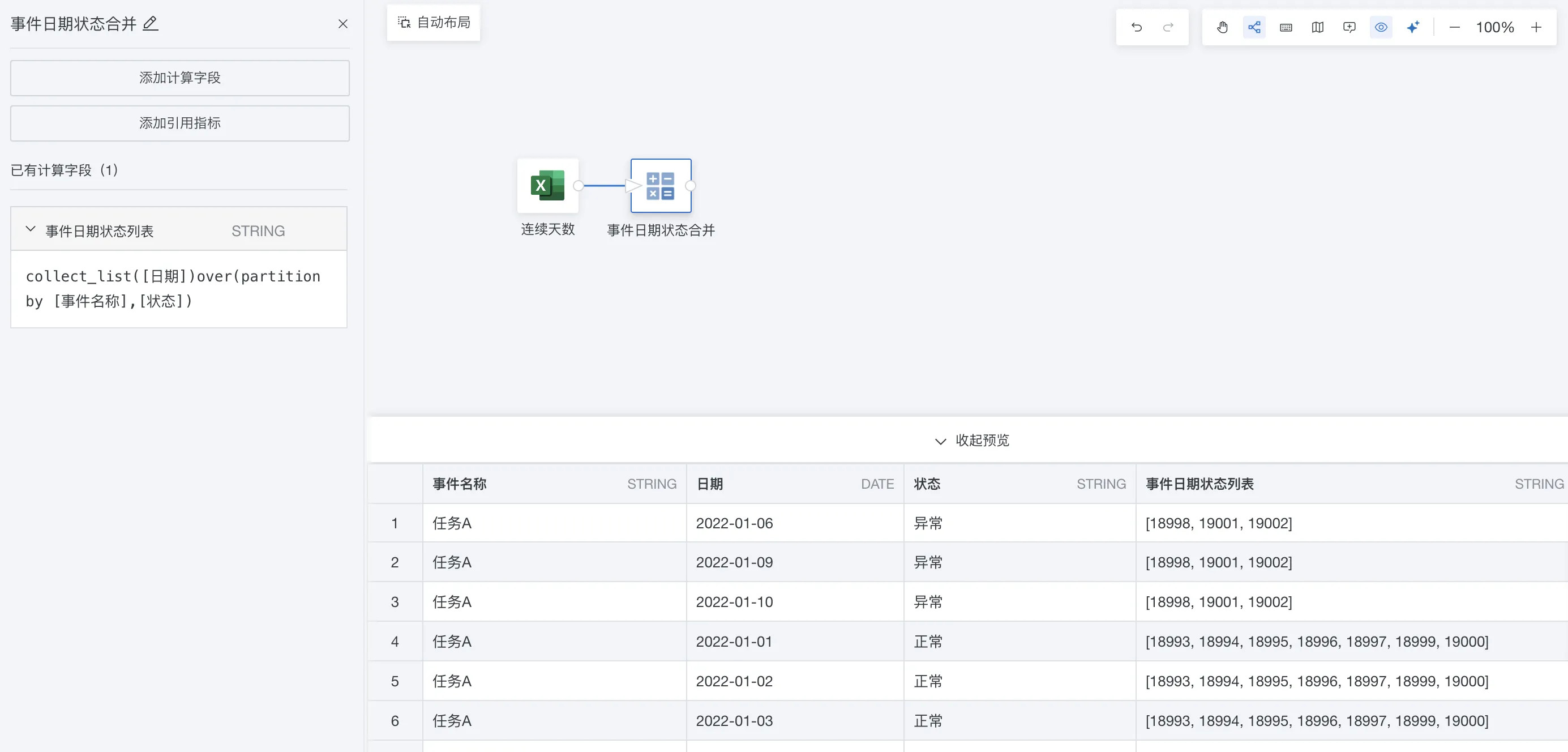
Step 2: Add SQL input, and use dense_rank + date_sub to calculate the duration days of Status for each row.
Core logic: calculate the sequence number of consecutive dates under the selected dimension, Event Name. When the status is Abnormal, reset consecutive days to 0.
-
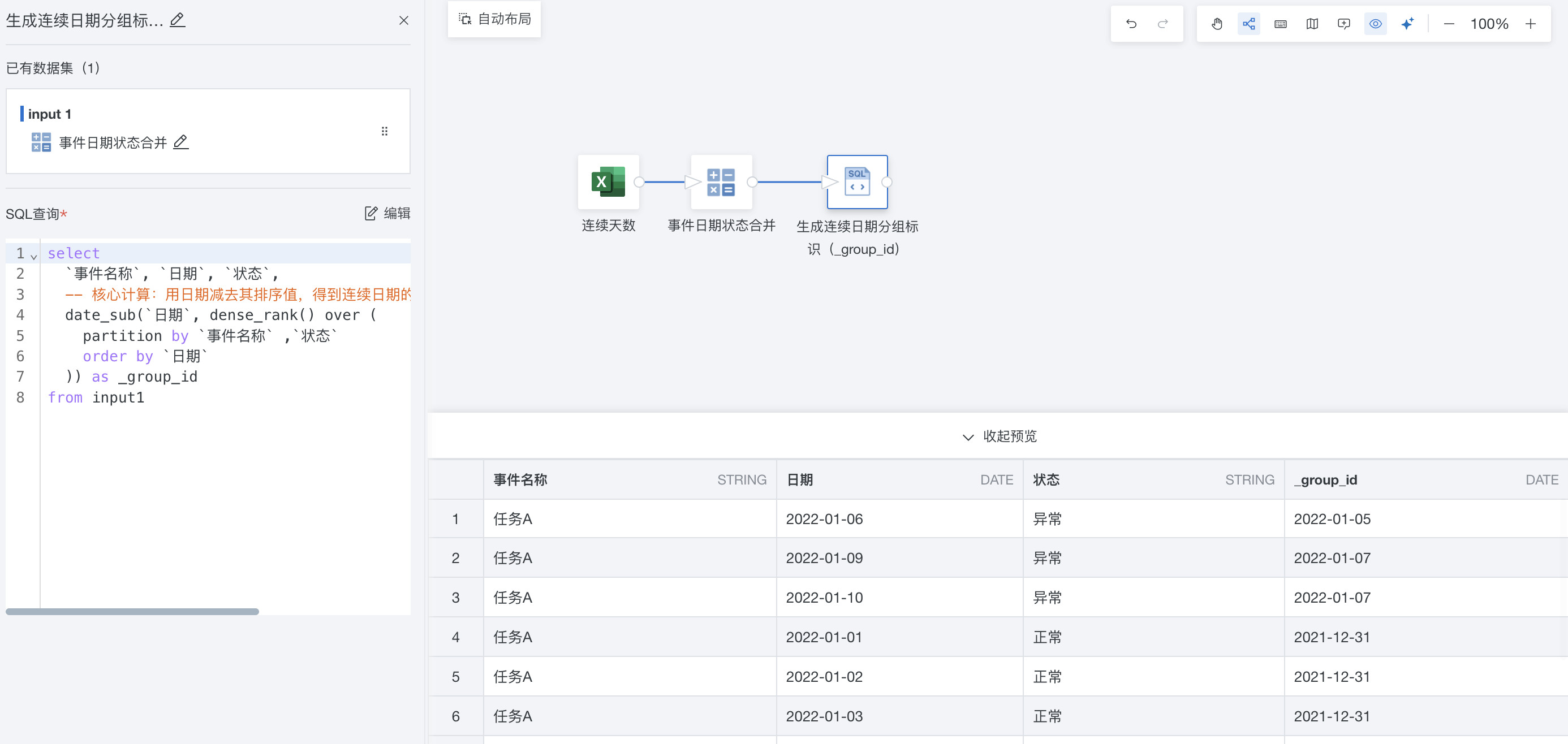
Generate the consecutive date group identifier, group_id.
SQL syntax: dense_rank() over (partition by [Dimension 1], [Dimension 2] order by orddate)
select
  `Event Name`, `Date`, `Status`,
  -- Core calculation: subtract the ranking value from the date to obtain the consecutive date group identifier. This applies only to records with Normal status.
  date_sub(`Date`, dense_rank() over (
    partition by `Event Name`, `Status`
    order by `Date`
  )) as _group_id
from input1
Subtracting the ranking value from the date produces a baseline date. For consecutive order dates, this baseline date is the same, meaning they belong to the same group. For non-consecutive dates, the baseline date is different, meaning they belong to different groups.
-
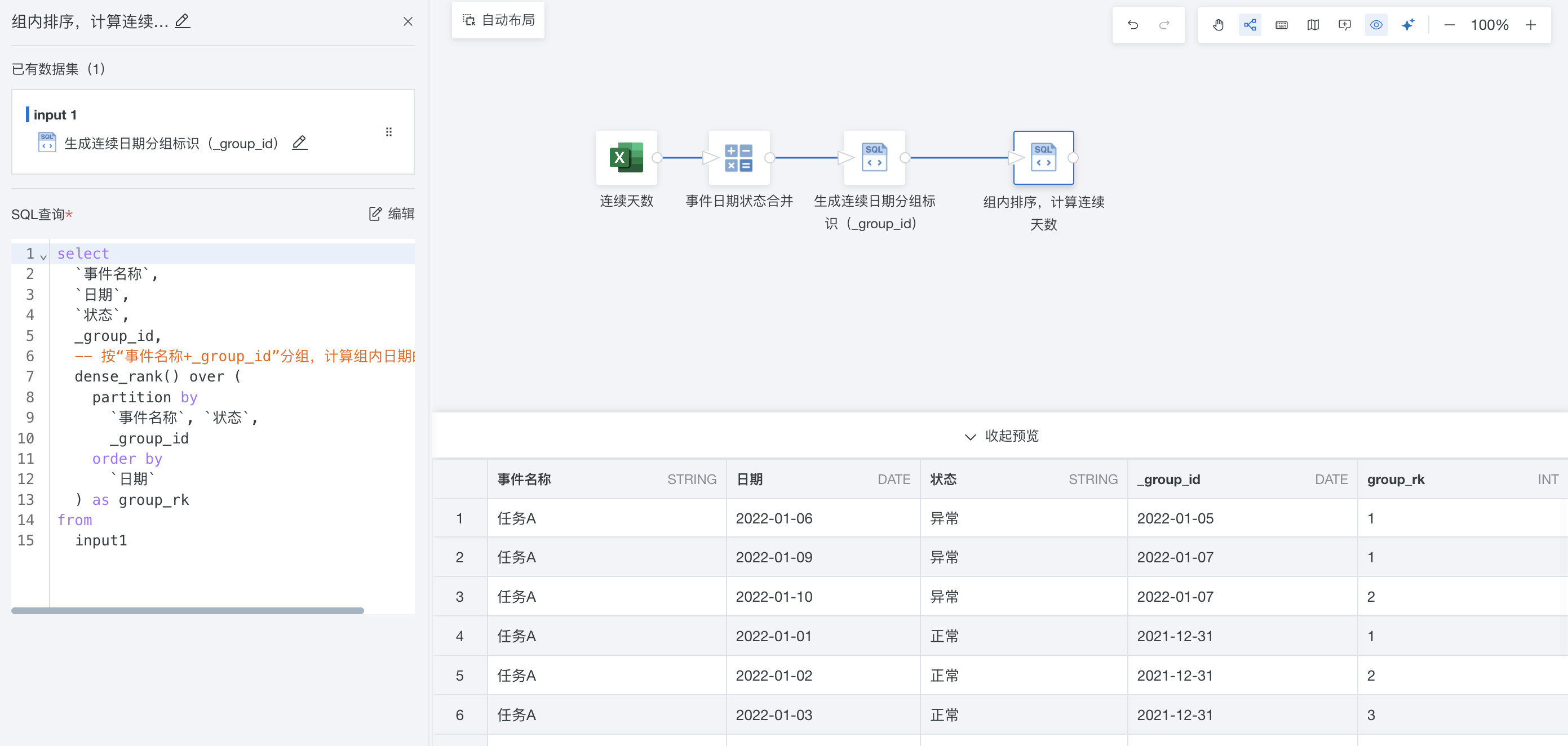
Sort within each group and calculate consecutive days.
SQL syntax: dense_rank() over (partition by [Dimension 1], [Dimension 2], _group_id order by orddate)
select
  `Event Name`,
  `Date`,
  `Status`,
  _group_id,
  -- Group by Event Name + _group_id, and calculate the ranking value of dates within each group.
  dense_rank() over (
    partition by
      `Event Name`, `Status`,
      _group_id
    order by
      `Date`
  ) as group_rk
from
  input1
Group by Event Name + Status + consecutive date group, group_id, and sort order dates by time within each group. The resulting rank is the consecutive day sequence number within that group, group_rk.
- Use case when to replace abnormal data.
-- Final result: calculate consecutive occurrence days based on status.
select
  `Event Name`, `Date`, `Status`, _group_id, group_rk,
  -- Set abnormal status to 0, and use group_rk for normal status.
  case
    when `Status` = 'Abnormal' then 0
    else group_rk
  end as `Consecutive Occurrence Days`
from input1 order by `Date`
When Status = 'Abnormal', return 0 directly, ignoring the value of group_rk and forcing consecutive days to reset.
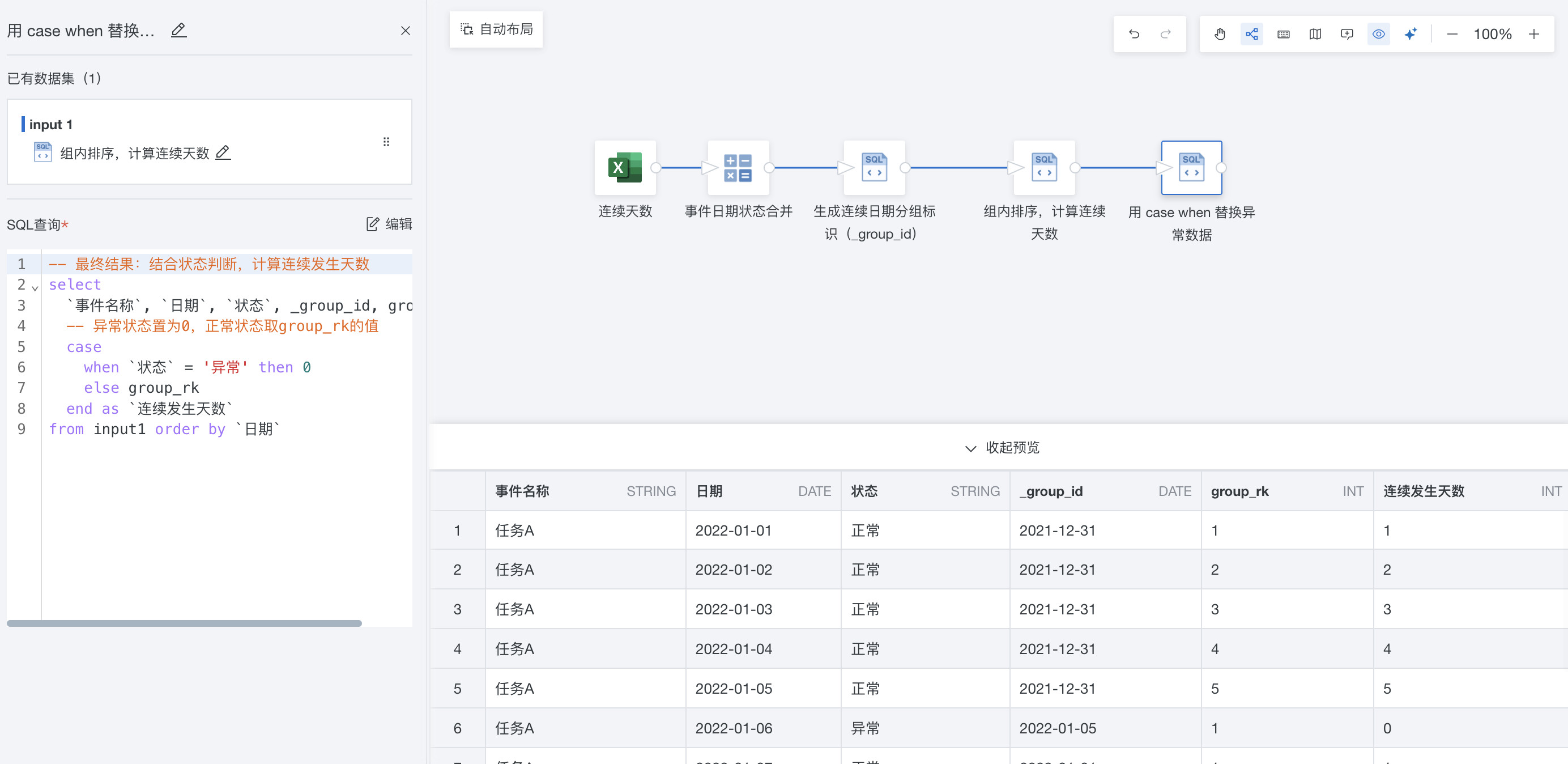
Preview data in ETL is displayed randomly. To preview data in a fixed order, add an additional SQL node to sort the data before previewing. Sorting does not take effect on the output dataset.