Field Splitting Case Sharing
Requirement Background
A dataset may contain fields whose structure is a delimiter-joined string. During use, you may need to split it and extract only a string at a fixed position, or split the entire field into multiple columns.
Case Scenarios
Case 1: Create a calculated field and use string extraction functions to locate delimiter positions for splitting

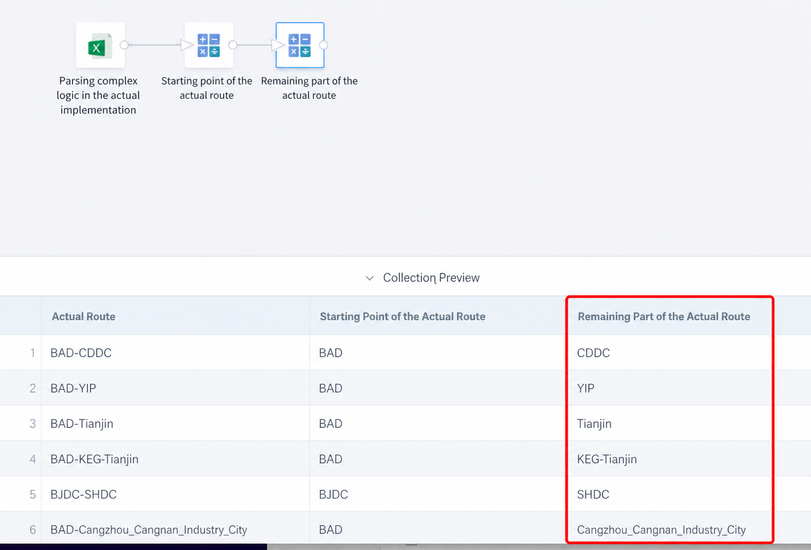
- Actual route start point: Extract the string before the first hyphen.
Syntax 1: SUBSTR([Actual route],0,INSTR([Actual route],'-')-1)
Syntax 2: LEFT([Actual route],INSTR([Actual route],'-')-1)
Syntax 3: SUBSTRING_INDEX([Actual route],'-',1)

- Remaining part of the actual route: 1 and 2 can be concatenated back into the complete route.
SUBSTR([Actual route],INSTR([Actual route],'-')+1)
- Actual route destination point
Syntax 1: right([Actual route],instr(REVERSE([Actual route]),'-')-1)
Syntax 2: SUBSTRING_INDEX([Actual route],'-',-1)

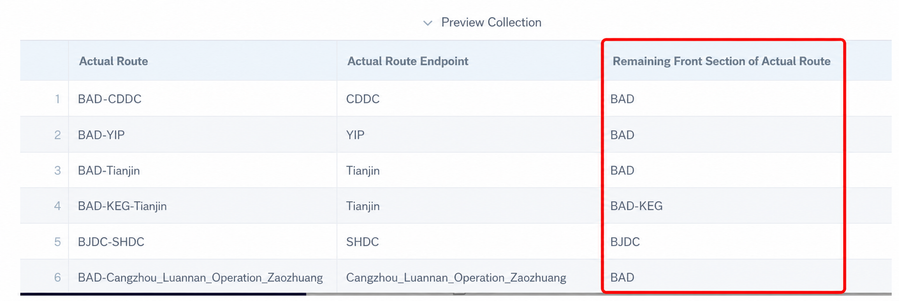
- First half of the remaining actual route: 3 and 4 can be concatenated back into the complete route.
REGEXP_EXTRACT([Actual route],'(.+)(-{1}.+)',1)
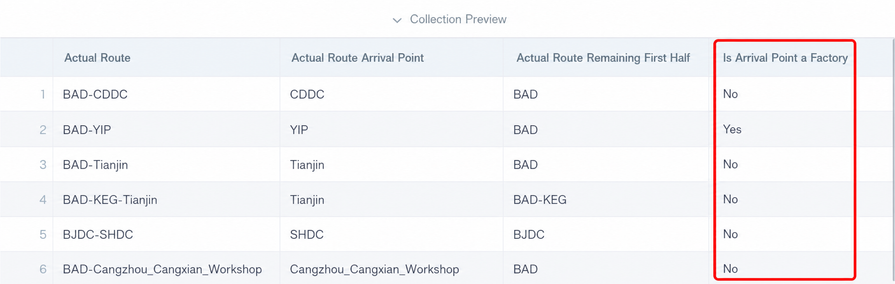
- Whether the destination point is a factory: The rule for identifying a factory is pure letters, and the string does not end with DC.
when SUBSTR([Actual route Arrival Point],-2)<>'DC' and (SUBSTR([Actual route Arrival Point],0,1)  <='Z' AND 'A'<= SUBSTR([Actual route Arrival Point],0,1))
then 'Yes'
when [Actual route Arrival Point] is null or [Actual route Arrival Point] = ''
then 'No'
else 'No'
end
- Whether the destination point is WS: The rule for identifying WS is pure Chinese characters with no other letters or numbers.
when SUBSTR([Actual route Arrival Point],-2)='DC' or (SUBSTR([Actual route Arrival Point],0,1)  <='Z' AND 'A'<= SUBSTR([Actual route Arrival Point],0,1))
then 'No'
when [Actual route Arrival Point] is null or [Actual route Arrival Point] = ''
then 'No'
else 'Yes'
end

- Split destination point
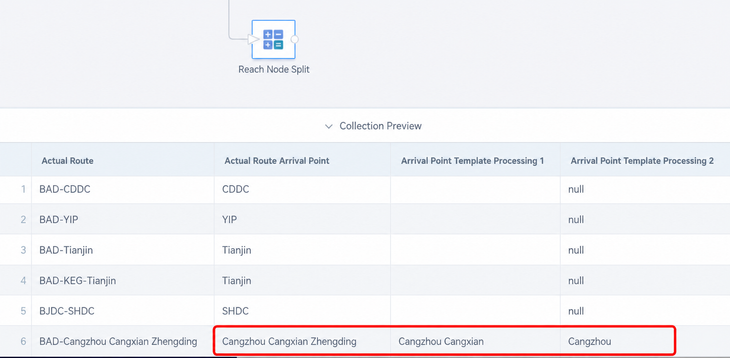
Example: Actual route = BAD-Cangzhou Cangxian Zhengding Actual route destination point = Cangzhou Cangxian Zhengding Destination point fuzzy processing 1 = Cangzhou Cangxian Destination point fuzzy processing 2 = Cangzhou
-- Destination point fuzzy processing 1
REGEXP_EXTRACT([Actual route Arrival Point],'(.+)(_{1}.+)',1)
-- Destination point fuzzy processing 2
case when INSTR([Actual route Arrival Point],'_')>0 then SUBSTR([Actual route Arrival Point],0,INSTR([Actual route Arrival Point],'_')-1) end
Case 2: Create a calculated field, split the original field into an array by delimiter, and locate array element positions for splitting
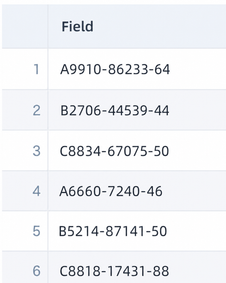
- Split into an array:
split([Field],'-')
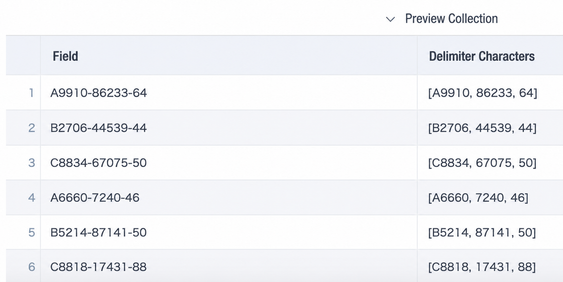
- Remove the ending part: array_join(slice([Spuit Delimiter],1,size([Spuit Delimiter])-1),'-') Split field 1: [Spuit Delimiter][0] Split field 2: [Spuit Delimiter][1] Ending part: array_join(slice([Spuit Delimiter],size([Spuit Delimiter]),1),'')

Case 3: Extract Chinese or English parts from a string
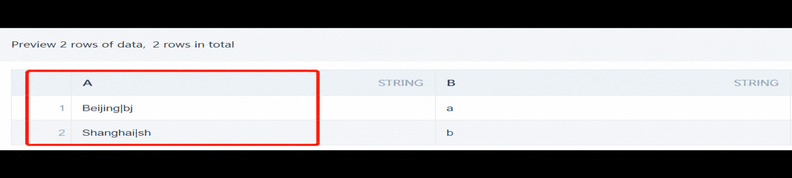
Implementation: Create a field and use regular expressions.
- Keep Chinese:
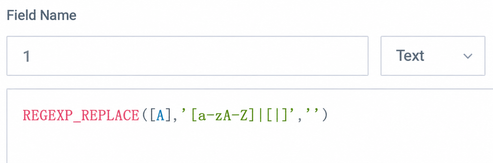
- Keep English:

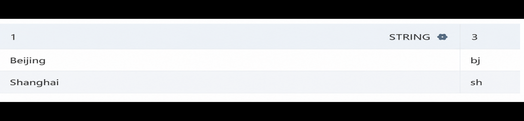
Final result:
Note: The functions above can be used in ETL and non-direct, non-accelerated datasets. For direct datasets, use the corresponding database functions. For high-performance, or accelerated, datasets, use ClickHouse functions. For more text processing functions and cases, see Spark SQL Text Functions and Applications.