Time-Series UDF Introduction and Usage
Time-Series UDF Function List
| Type | Function | Parameters | Output Data Type | Description |
|---|---|---|---|---|
| Build query table fields (for ETL) | date_range_build_v2 | (struct_array) | dateRangStruct | Uncompressed time-series values. The struct_array parameter must be aggregated through functions such as collect_list(struct(date, value)). |
| Build query table fields (for ETL) | date_text_range_build_v2 | (struct_array) | dateTextRangStruct | Uncompressed time-series values. The struct_array parameter must be aggregated through functions such as collect_list(struct(date, value)). |
| Build query table fields (for ETL) | date_range_zipper | (dateRangStruct) | dateRangStruct | Time-series values compressed by adjacent equal values. Adds a record with null value for missing dates and compresses it. If there is a missing date and the previous date value is not null, a record adjacent to the previous date with value null is added, and the current date is compared with the newly added record for compression. Adjacent equal-value records are deduplicated, keeping only the first record. |
| Build query table fields (for ETL) | date_text_range_zipper | (dateTextRangStruct) | dateTextRangStruct | Time-series values compressed by adjacent equal values. The same compression logic applies to text values. |
| Build query table fields (for ETL) | date_range_merge | (dateRangStruct_1, dateRangStruct_2) | dateRangStruct | Merges time series. Adjacent equal values are not compressed after merging. |
| Build query table fields (for ETL) | date_text_range_merge | (dateTextRangStruct_1, dateTextRangStruct_2) | dateTextRangStruct | Merges time series. Adjacent equal values are not compressed after merging. |
| Build query table fields (for ETL) | date_range_period_to_date | (dateRangStruct, period:string) | dateRangStruct | period: 'week', 'month', 'year'. 1. Original dates are retained, and values are accumulated by the specified period. 2. The period start date is filled for missing periods, with value filled as zero. Adjacent equal values after filling are compressed, keeping only the first record. This is suitable for calculating and looking up cumulative values within a period, such as weekly, monthly, or yearly cumulative sales amount. |
| Lookup data (for cards) | date_range_lookup | (dateRangStruct, lookup_date) | Number value | Rolling upward lookup. If no data exists for the corresponding date, it looks backward for the nearest date's data. This is suitable for inventory data or member status lookup. |
| Lookup data (for cards) | date_text_range_lookup | (dateTextRangStruct, lookup_date) | String value | Rolling upward lookup. If no data exists for the corresponding date, it looks backward for the nearest date's data. This is suitable for inventory data or member status lookup. |
| Lookup data (for cards) | date_range_get | (dateRangStruct, lookup_date) | Number value | Exact lookup. Suitable for sales data lookup. Returns null if no value is found. |
| Lookup data (for cards) | date_text_range_get | (dateTextRangStruct, lookup_date) | String value | Exact lookup. Suitable for sales data lookup. Returns null if no value is found. |
Case: Use Time-Series UDFs to Query Inventory
Use the date_range_build_v2 function in ETL to build the inventory query field, and use date_range_lookup in the card to perform rolling upward lookup for inventory quantity.
Implementation steps
Process Inventory Query and MTD Inventory Query in ETL
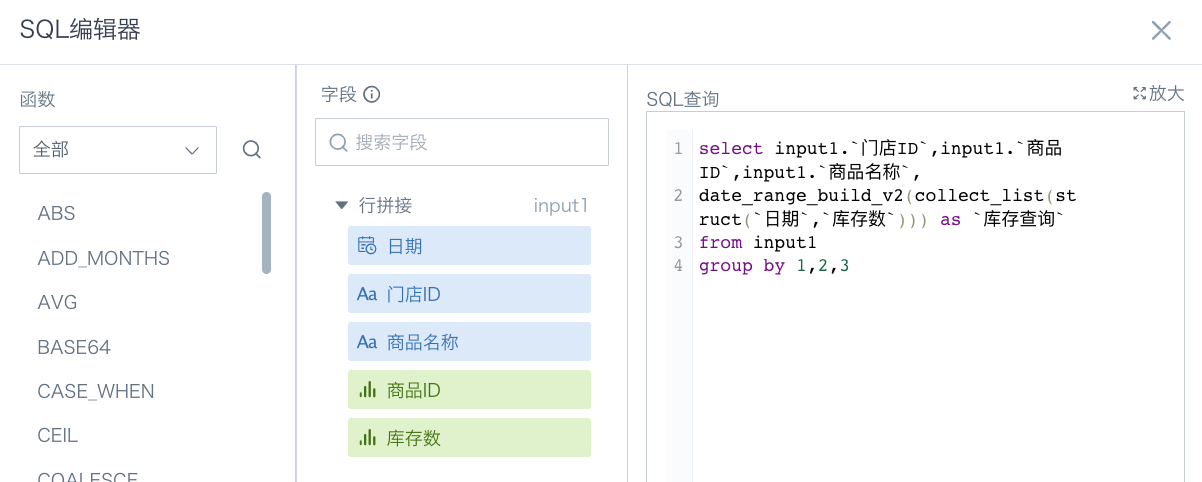
1)Inventory query:
date_range_build_v2(collect_list(struct(`Date`, `Inventory Quantity`))) as `Inventory Query`
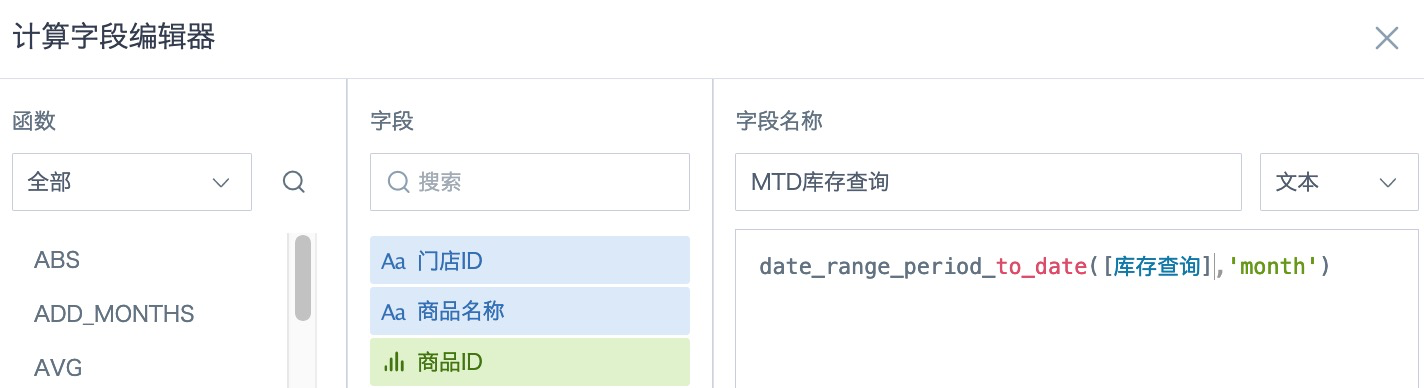
2)MTD inventory query:
date_range_period_to_date([Inventory Query], 'month')
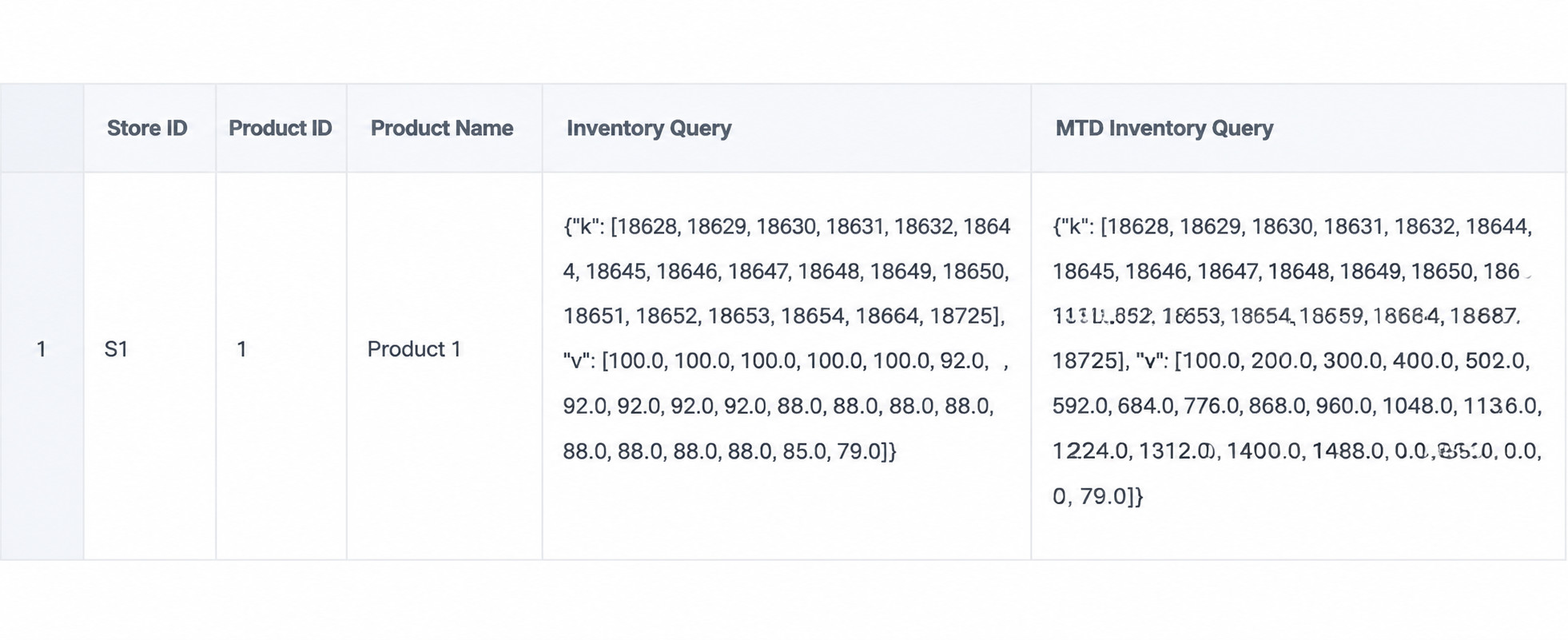
ETL preview effect:
Create Inventory, Exact Lookup, and MTD Inventory Query in the Card
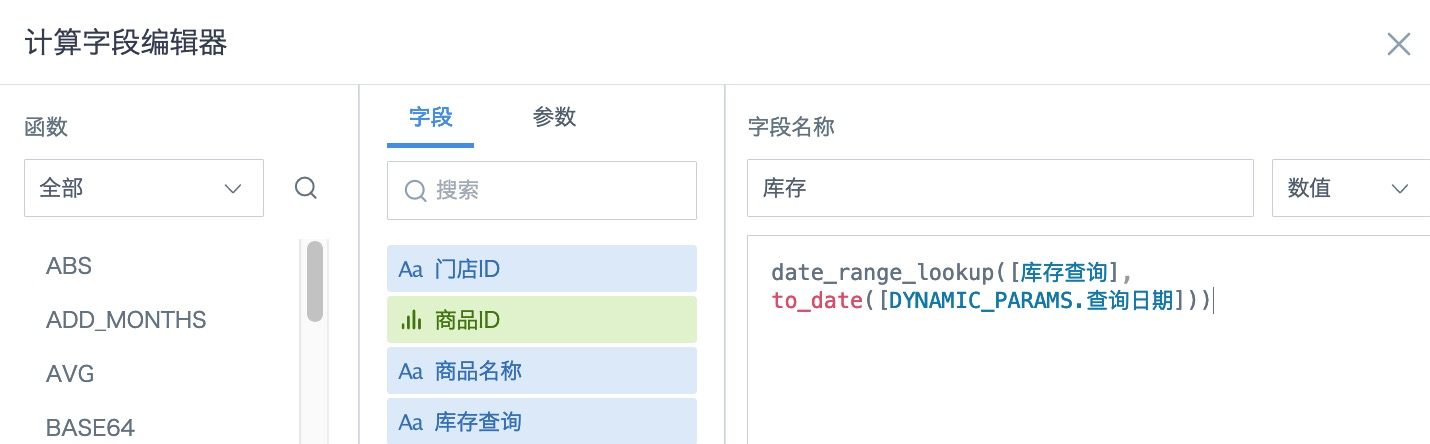
1)Inventory:
date_range_lookup([Inventory Query], to_date([DYNAMIC_PARAMS.Query Date]))
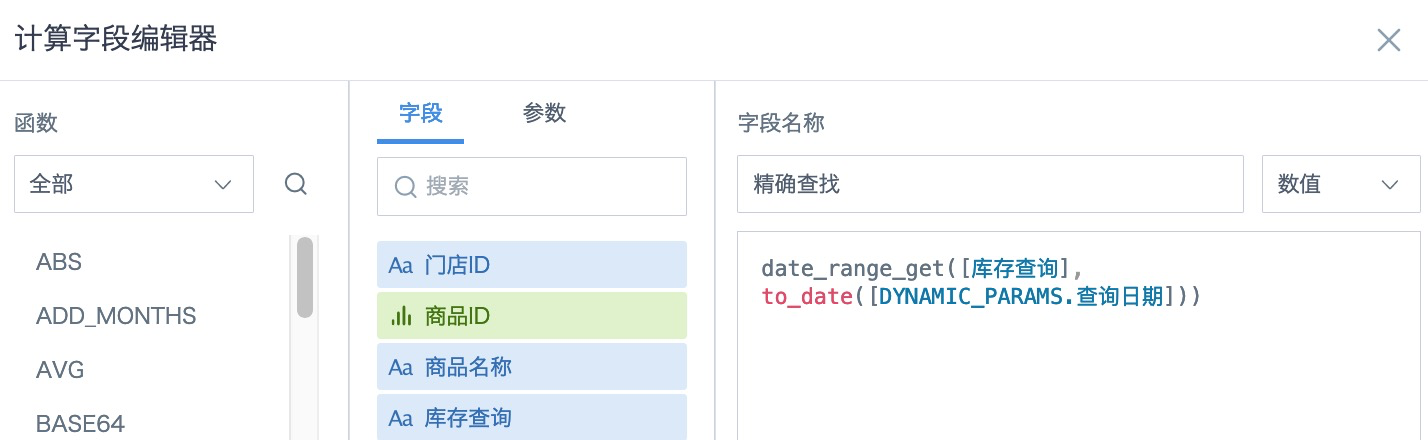
2)Inventory query - exact lookup:
date_range_get([Inventory Query], to_date([DYNAMIC_PARAMS.Query Date]))
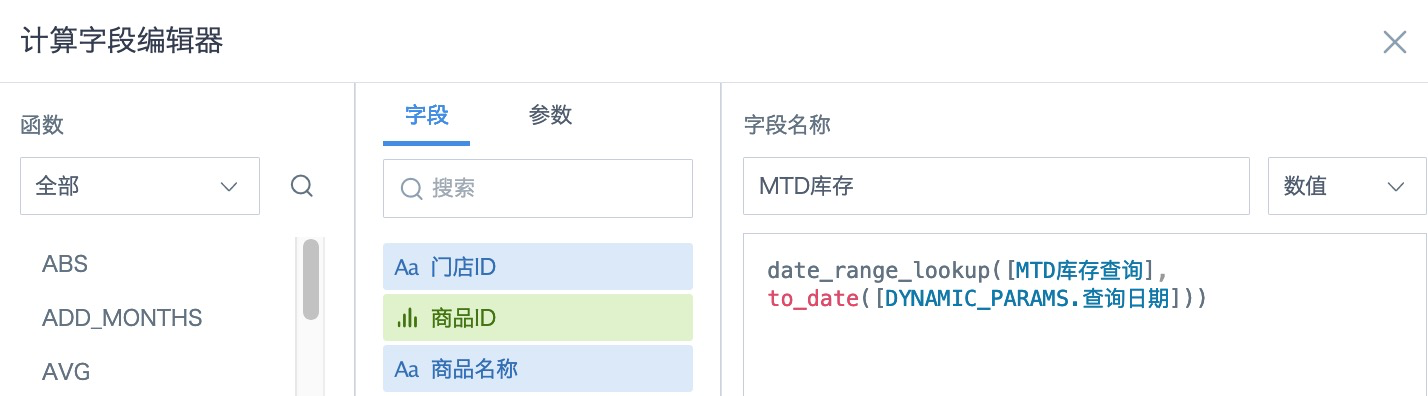
3)MTD inventory query:
date_range_lookup([MTD Inventory Query], to_date([DYNAMIC_PARAMS.Query Date]))
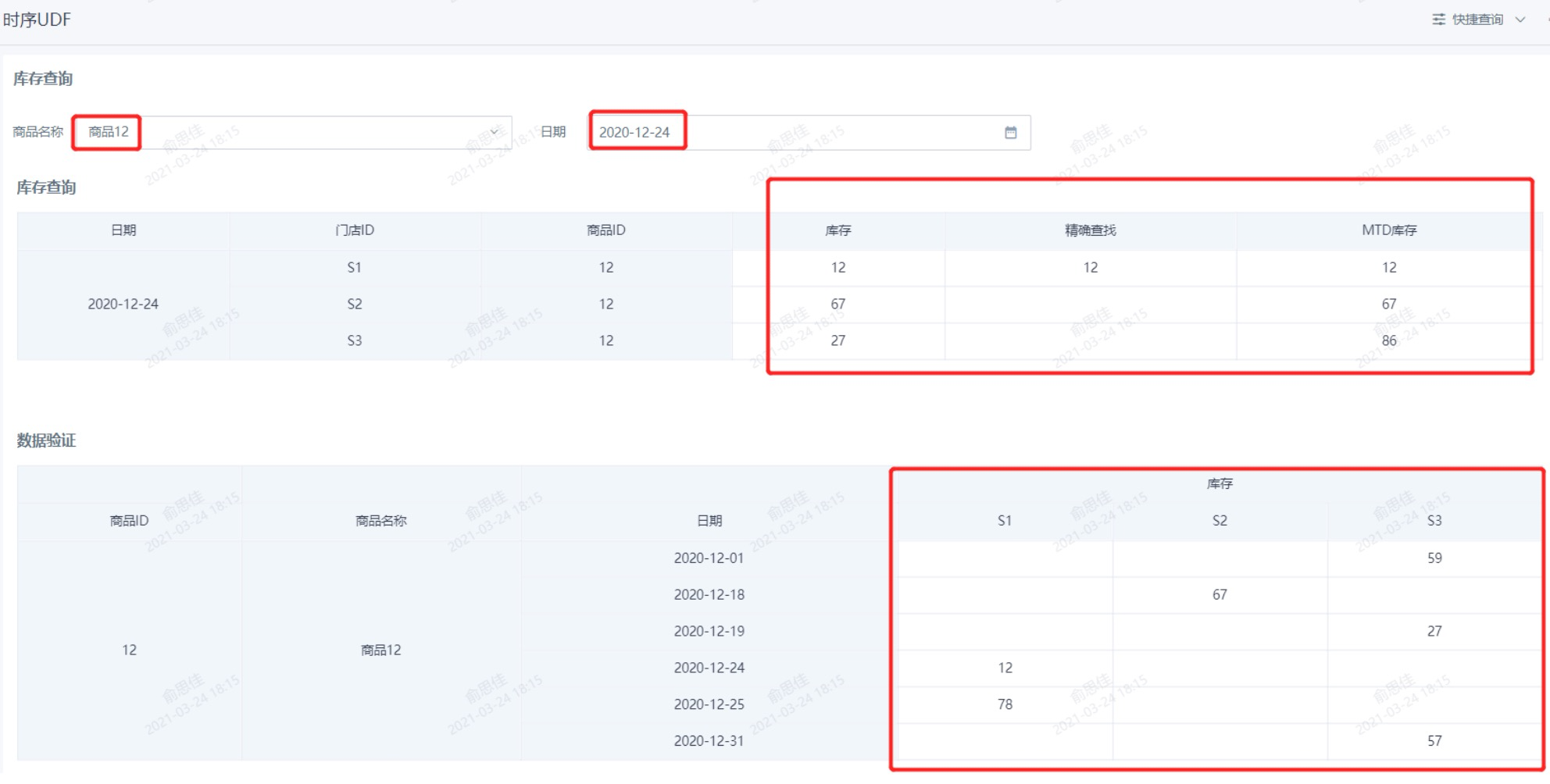
Card effect: