Implement Windowing for Distinct Count
Problem Description
The regular distinct count function is count(distinct()). In SQL statements, it must be used together with group by to calculate a result. In Guandata BI, if a distinct count result needs to participate in secondary calculation or usage, applying window calculation to count(distinct()) reports an error.
Common Errors
Without windowing: Grouping expressions sequence is empty.
With windowing: Distinct window functions are not supported.
Cause
Spark syntax does not support windowing for count(distinct()).
Solutions
Solution 1: Use Group Aggregation + Self-Join in ETL for Distinct Count
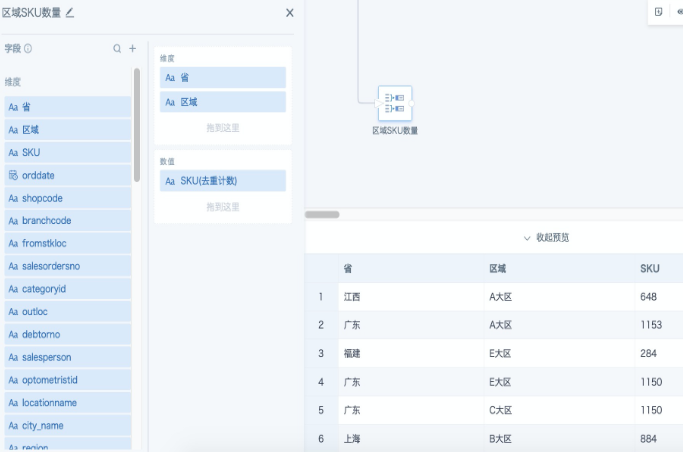
Step 1: Add a Group Aggregation node, drag grouping fields into the dimension area, drag the field to calculate into the value area, and set the aggregation method to Count Distinct. In the example below, the number of product SKUs is counted for each province and each region.
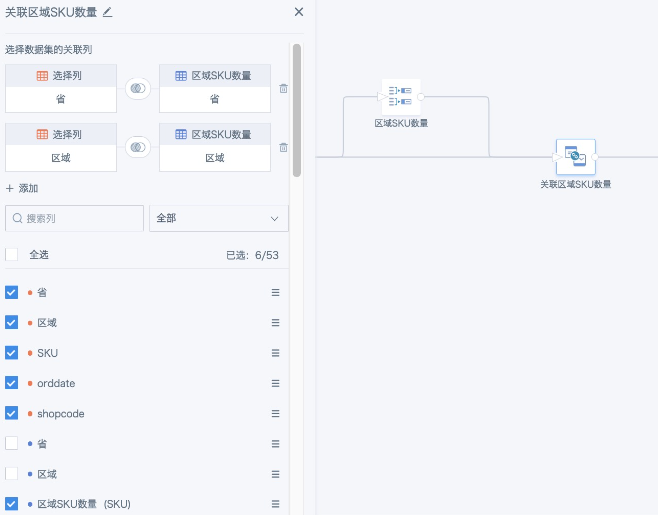
Step 2: Add a Join Data node, and left join the original table with the temporary table generated by group aggregation in the previous step using dimension fields. In this case, the join fields are Province and Region. Rename the distinct count result field from the previous step appropriately to obtain the distinct count result for the specified dimensions.
The Group Aggregation + Self-Join method can be replaced with a SQL node in ETL, though this is generally not recommended. The SQL statement also applies to view datasets. In view datasets, replace required fields or filter conditions with global parameters as needed. The SQL is roughly as follows.
SELECT input2.*, t.`Region SKU Count`
FROM input2
LEFT JOIN
(SELECT input1.`Province`, input1.`Region`, COUNT(DISTINCT input1.`SKU`) AS `Region SKU Count`
FROM input1
GROUP BY input1.`Province`, input1.`Region`) t
ON input2.`Province` = t.`Province` AND input2.`Region` = t.`Region`
Solution 2: Create a Calculated Field and Use an Alternative Window Function
Distinct count: size(collect_set([Count Field]) over(partition by [Group Field]))
Non-distinct count: count([Group Field]) over(partition by [Group Field])
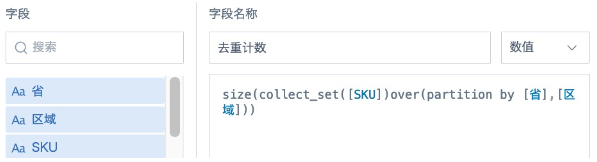
The collect_set() over(partition by ) function is a window function used to generate an array. It deduplicates multiple rows by group and merges them into one row, then uses size() to count the number of elements in the array. When the data volume is large, this process consumes more resources and takes longer.
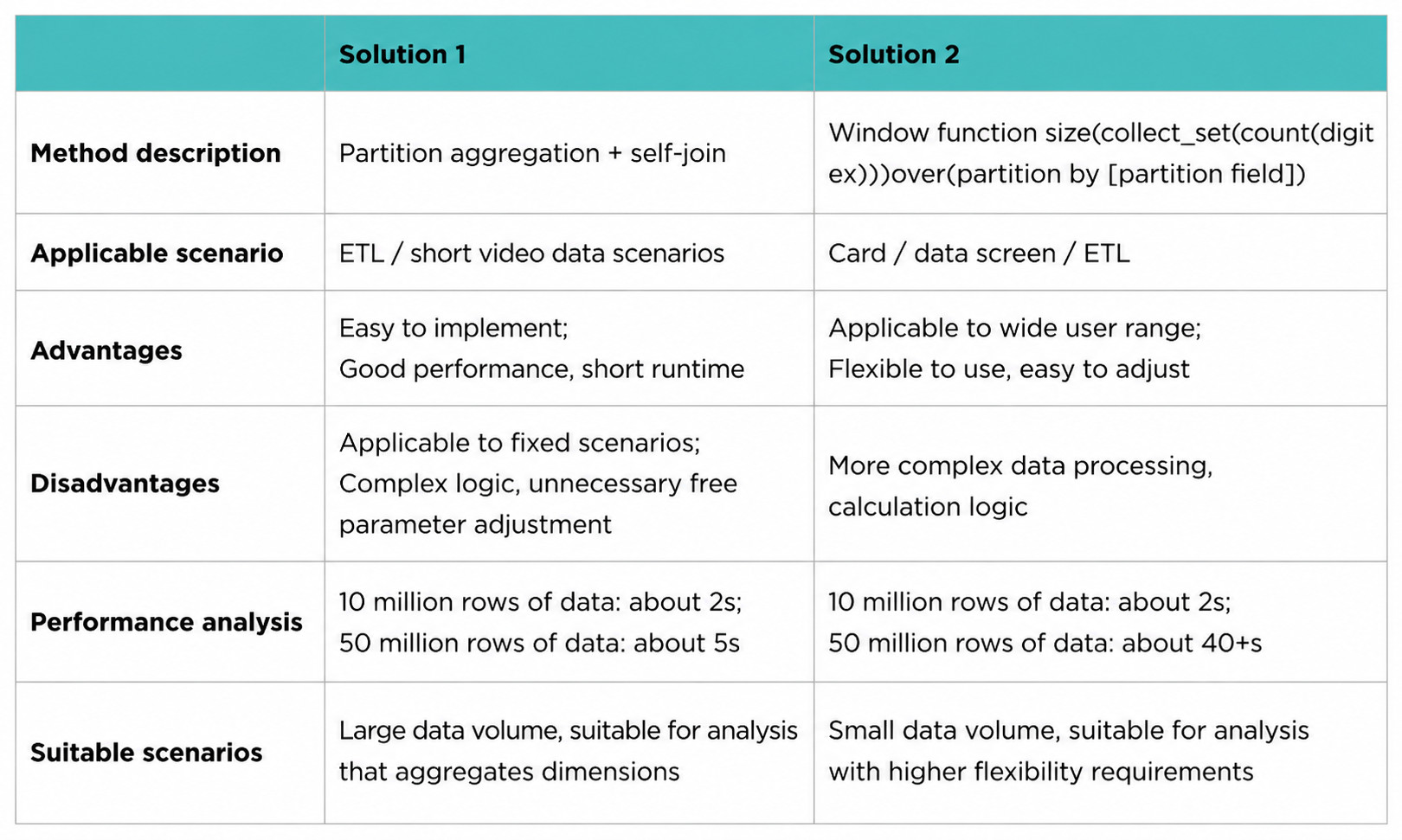
The comparison of the two solutions is shown below. Choose the appropriate solution based on your scenario and data volume.