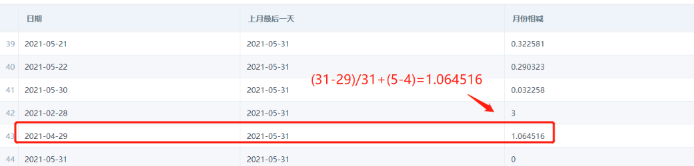
MONTHS_BETWEEN Function Usage
Syntax
MONTHS_BETWEEN(Date Field 1, Date Field 2)
-- Description: returns the month difference between two dates. If the interval is less than one month, the fractional value is calculated by day. Only date fields are allowed.
Example:
MONTHS_BETWEEN([Resignation Date], [Entry Date]) returns the number of months between Resignation Date and Entry Date on the same row.
Applicable Scenarios
Scenario 1: Calculate the Month Difference Between the End of Last Month and a Date Field
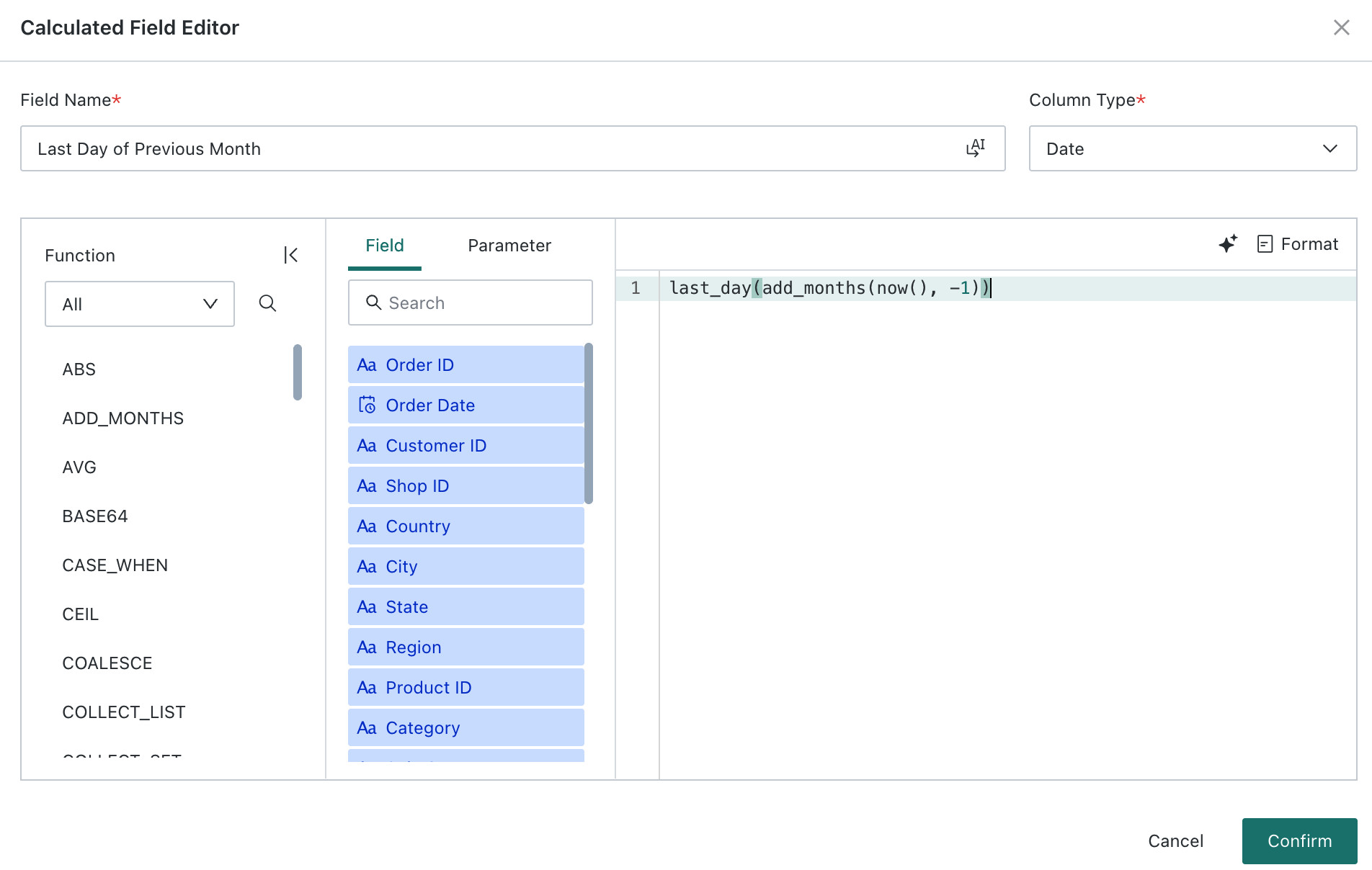
Step 1: Create a field to calculate the last day of the previous month: last_day(add_months(now(), -1))
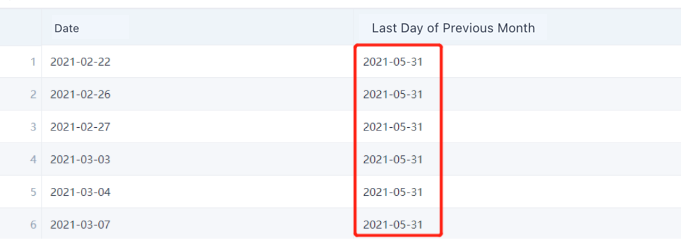
The result is as follows:
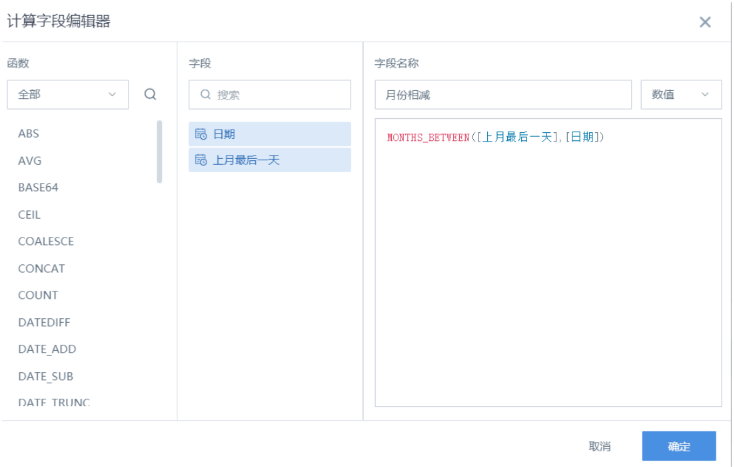
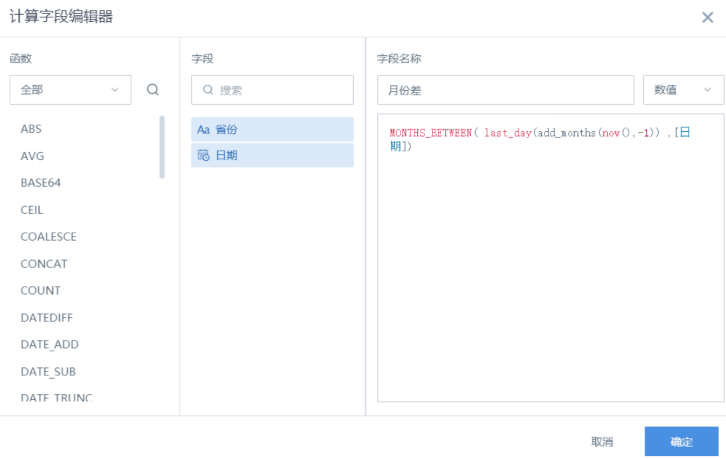
Step 2: Use the MONTHS_BETWEEN function to calculate the month difference: MONTHS_BETWEEN([Last Day of Previous Month], [Date]).
The result is as follows:

You can also nest the two functions directly: MONTHS_BETWEEN(last_day(add_months(now(), -1)), [Date]).
Scenario 2: Date and Month-End Alignment
-
If the current month has 31 days and is compared with the previous month, the month difference for the 31st day of the previous month is 1, while the 30th day has a decimal value.
-
If the current month has 30 days and is compared with days in the previous month, the month difference for both the 30th and 31st days of the previous month is the same: 1.

-
If February has 28 days and is compared with the previous month, the month difference for January 28 and January 31 is 1, while January 29 and January 30 have decimal values:

Notes
-
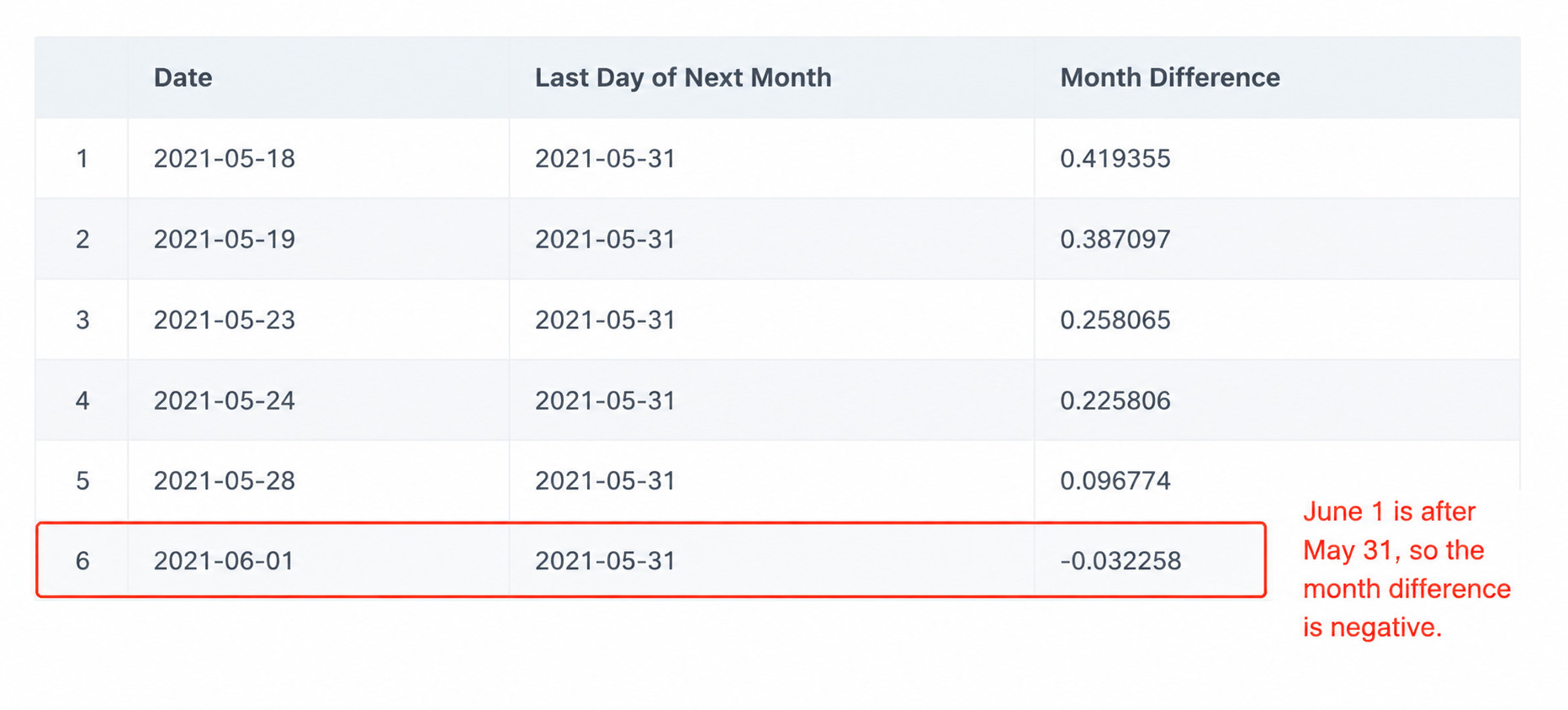
In MONTHS_BETWEEN([Date 1], [Date 2]), if Date 1 is greater than Date 2, the returned value is positive. Otherwise, it is negative:
-
If Date 1 and Date 2 are both the last day of their months, or are the same day, the returned value is an integer. Otherwise, the difference is calculated based on 31 days per month: