Functions for Extracting Year and Month
Scenario
If the original data is in a format such as 2019-09-10 and you want to extract the year and month, such as 2019-09, how should you handle it?
Recommended Methods
-
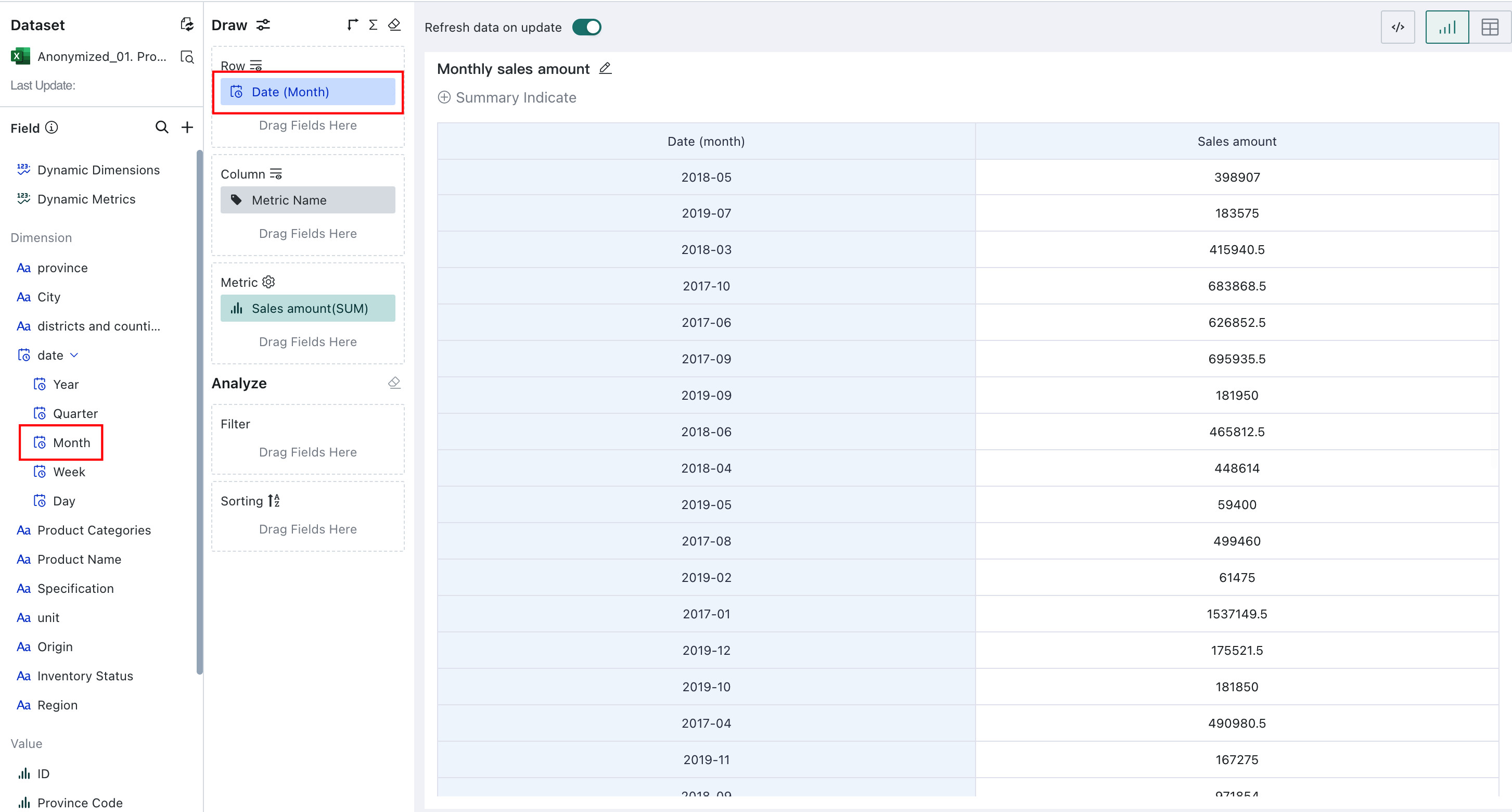
If you only need to display it directly in a card, the best solution is to drag Month from the date field into the dimension area when editing the card.
-
If you must use a function and do not have many format requirements, you can use the following method directly.
However, January 2018 is displayed as 20181.
CONCAT(YEAR([Date]), MONTH([Date]))
- If you have format requirements, use a case when function:
case
when length(month([Date])) = 1
then CONCAT(year([Date]), '-0', MONTH([Date]))
else CONCAT(year([Date]), '-', MONTH([Date]))
end
- If you need a format like 201909, use the following expression:
YEAR([Date]) * 100 + MONTH([Date])
Not Recommended
- DATE_FORMAT(Date, "YYYY-MM"). The DATE_FORMAT function is not efficient when processing data. See related explanation.
- CONCAT(substr([Date], 1, 4), substr([Date], 5, 3)). The substr function is mainly used for string processing and does not have a strong advantage on datetime fields, so it is not recommended.