Merge and Split Data Rows
Merge Scenario: Merge Different Rows into the Same Row by a Column
Method 1: Implement it with SQL in ETL. For example, collect different stores in the same region.
select `Region`, concat_ws(',', collect_set(`Store`)) as `Store` from __THIS__ group by `Region`
-- Note: When an alias contains non-English characters, wrap it in backticks ``. English aliases do not require this.
Method 2: Create a calculated field named "All Stores" and use a window function to group by the Region field.
concat_ws(',', collect_set([Store]) over(partition by [Region]))
Description
After using a window function, the number of data rows remains unchanged. Therefore, use group aggregation, deduplication, or a filter data row node as needed to reduce the number of data rows.
Split Scenario: Split Different Values in One Field into Separate Rows
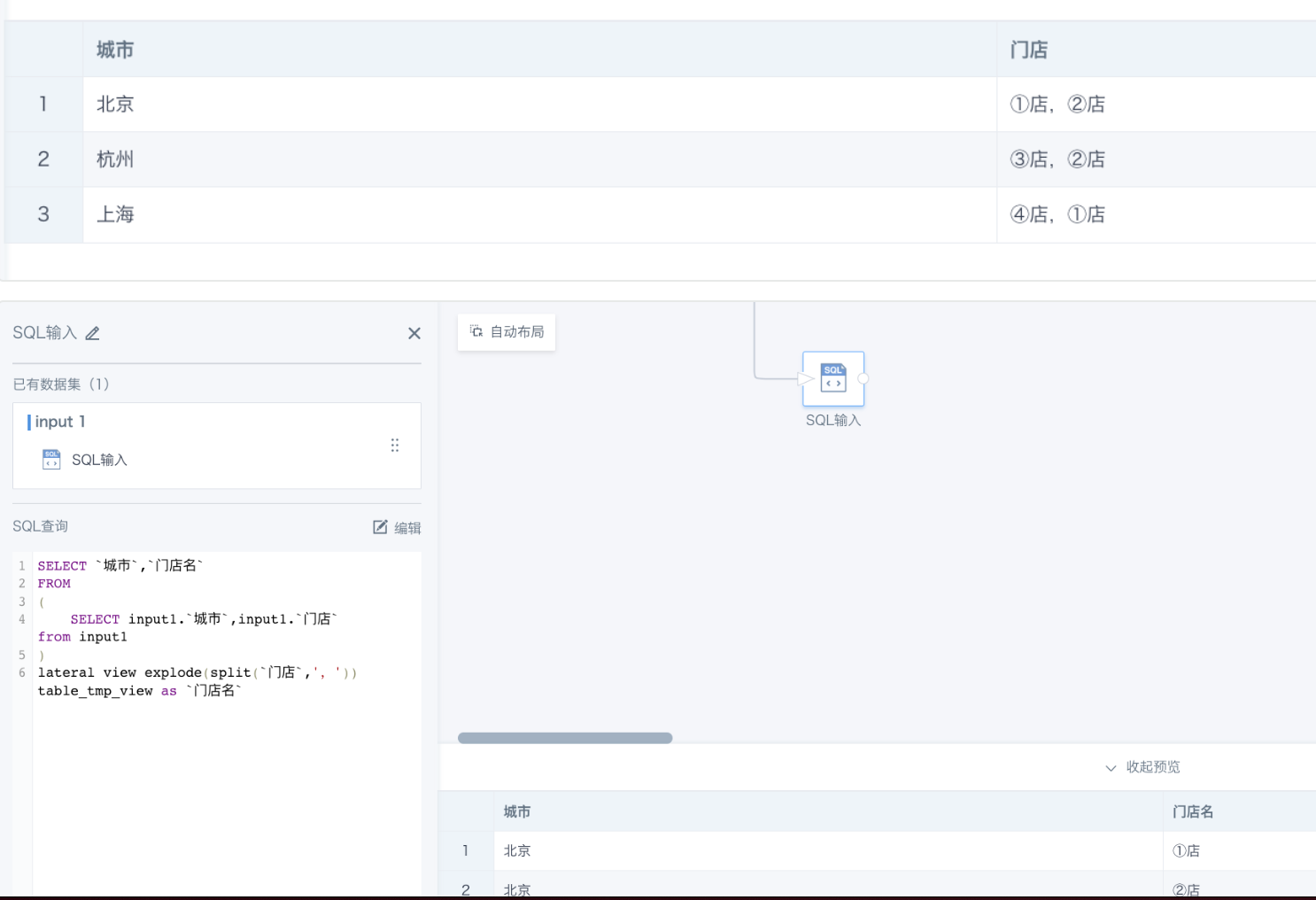
Method 1: Implement it with SQL in ETL.
SELECT `City`, `Store Name`
FROM
(
    SELECT input1.`City`, input1.`Store` from input1
)
lateral view explode(split(`Store`, ',')) table_tmp_view as `Store Name`
Method 2: Add a new field and use explode(split([field to split], 'separator')).
explode(split([Store], ','))
