How to Correctly Add or Delete Columns
Background
After an extract dataset is created, you may need to add or delete fields, or modify field names and types.
Incorrect Method
Click the Update button on the dataset overview page, replace the old SQL with new SQL in the pop-up dialog, and change the update method to Overwrite Old Data.
Cause: This update entry is suitable only for data updates where the data model structure remains unchanged and only query conditions change. Modifying the dataset structure here does not take effect and causes update failure errors.
Correct Method
- Go to the dataset details page and click the Model Structure tab.

- Click Edit to enter the SQL query editing page. Modify the SQL query statement and click Preview to ensure the SQL statement can query normally.

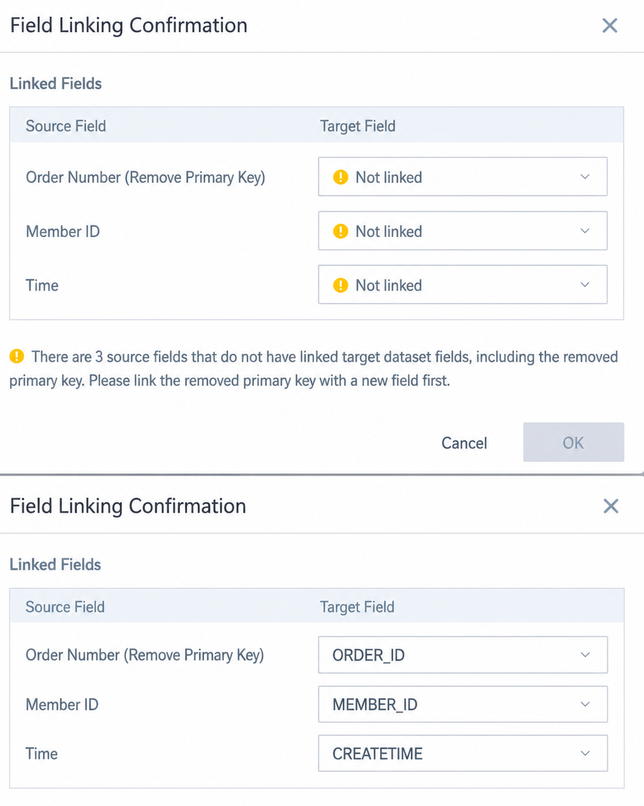
- After previewing, click OK in the lower-right corner of the page. If fields have changed, a field association confirmation window appears. Manually click the dropdown menu to match the original fields highlighted in yellow with the new field names, and then click OK again.
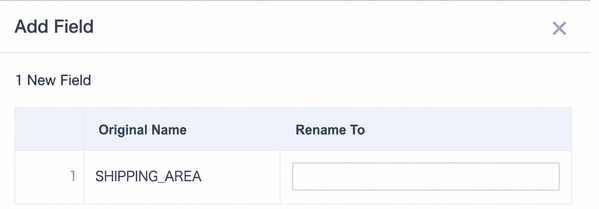
- If new fields are added, the system prompts you to rename them. Click OK. Renaming here is optional, because it can be modified later in the data structure.
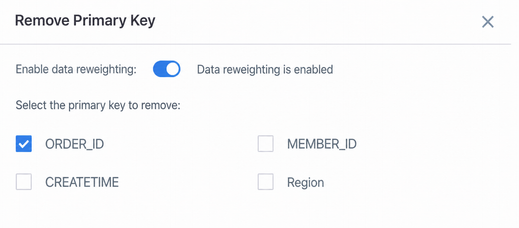
- If a deduplication primary key was previously set, select the deduplication primary key again in this step, and then click OK. After completion, an automatic update is triggered and old data is overwritten.
- After the data update is complete, check the overview page. The data model structure has been updated.
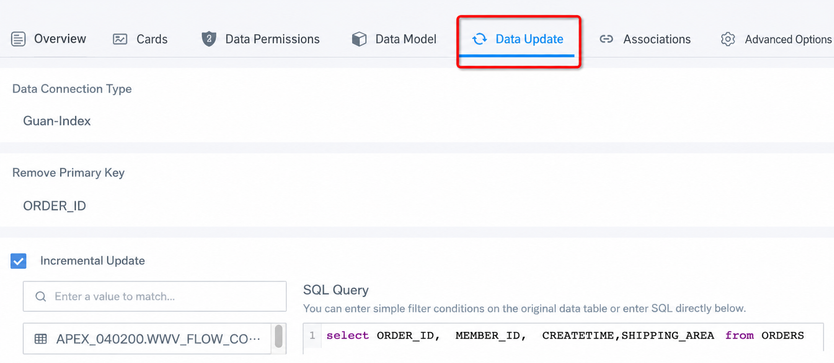
If incremental update is configured, go to the Data Update tab after the dataset update is complete, promptly modify the SQL query statement used for incremental update, and save it.
The data structure must remain consistent with the main structure of the SQL statement in the model structure. Only query conditions should differ. Otherwise, subsequent incremental updates fail because the data structures are inconsistent.
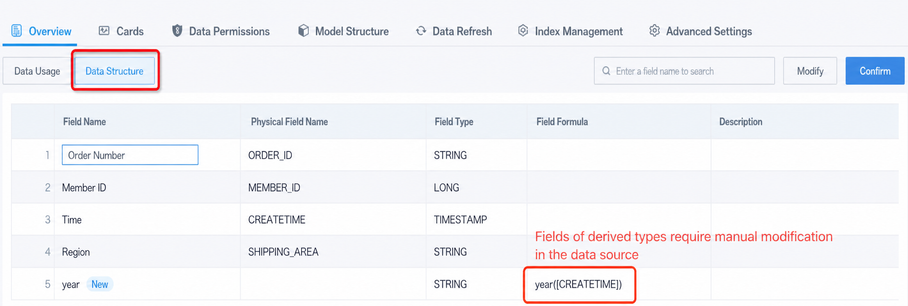
- Modify field type or name: On the dataset overview - data structure page, you can manually modify the display name and type of a field. This page also shows all created fields and the formulas they use.
After a field is renamed, created fields still reference the old field. Go to data details and manually replace it with the new field name.
Notes
Not recommended: For extract datasets, when modifying SQL statements in the data model, do not use many as clauses to rename fields, use functions to create fields or perform calculations, or nest multiple subqueries. Reason: This slows data updates, is error-prone, makes later modifications difficult, and is hard to maintain.
Recommended: Keep SQL statements as simple as possible and only extract source table data. Modify types and rename fields in the last step of dataset creation, or in Data Structure on the overview tab after creation. Add new fields on the overview page or in ETL.