Single Sign-On - CAS
CAS Overview
CAS is an open-source enterprise SSO project based on a B/S service architecture. It supports multiple communication protocols and mainly consists of the CAS server and CAS client. Its core authentication flow is shown below:
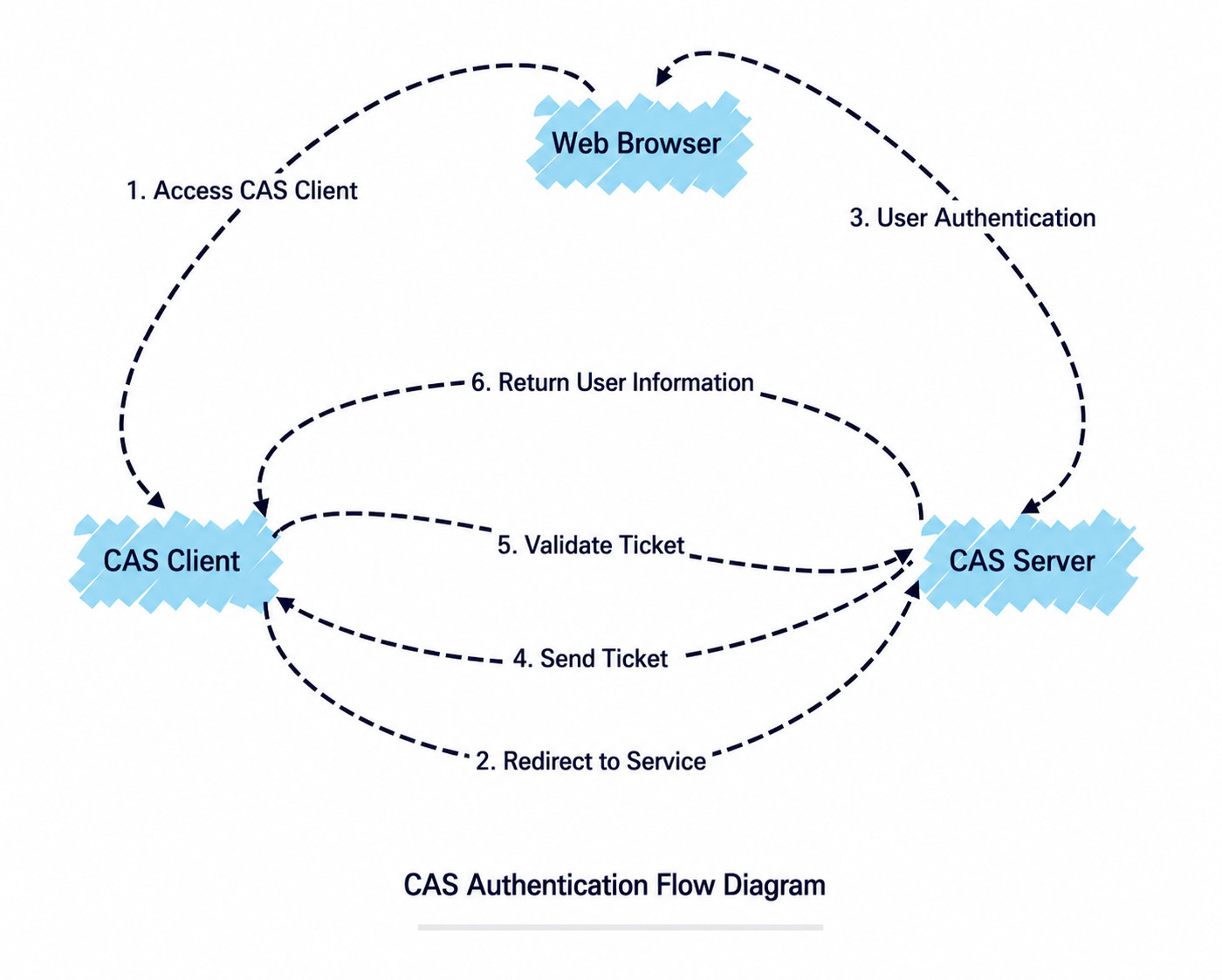
Guandata acts as the CAS Client in this process.
Standard CAS Configuration
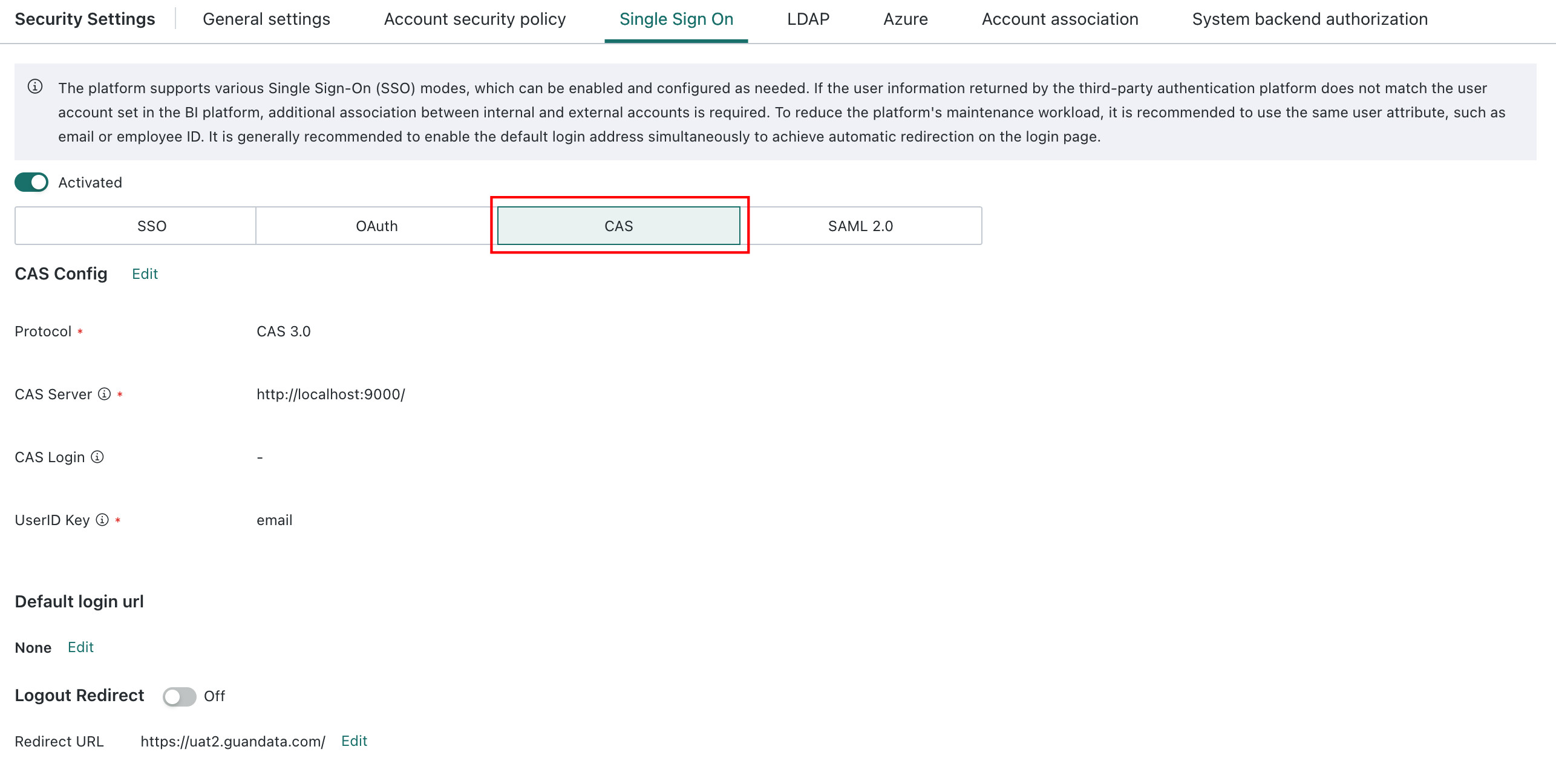
- Feature path: Admin Center > System Settings > Login Settings > Single Sign-On Configuration, then choose CAS as the single sign-on method.
- Configuration items:
| Configuration Item | Attribute | Description | Example |
|---|---|---|---|
| Authentication Protocol | Required | Select the CAS protocol version to use. Supported versions are 1.0, 2.0, and 3.0. | CAS 3.0 |
| CAS Server Address | Required | The address of the CAS authentication service. This is the request address used in steps 2, 3, and 5 of the authentication flow. | https://portal.xxx.com/cas |
| CAS Login Address | Recommended | Used as the CAS login address. After a user accesses Guandata and is not logged in, Guandata redirects to this address, which corresponds to the request address in step 2. If left empty, the default is the same as the CAS Server Address. In scenarios involving issues with service or redirectUrl, configuring the Login Address usually resolves the problem. | |
| User Information Field | Required | The field in the user information returned by CAS that is used to match BI users. It must uniquely identify the user and bind to the account field in BI user information. It is recommended to use the same field as the Guandata account to reduce extra configuration and binding work. | username |
| Default Login Address | Optional | The address users are redirected to for login authentication when not logged in. | ${BI service address}/sso/cas-sign-in |
| Logout Redirection | Optional | The address the user browser jumps to after logging out from the Guandata platform. |
If the CAS authentication server requires application-related information from Guandata, you can provide the following:
- Callback URL:
${BI service address}/sso/cas-sign-in - Service URL:
${BI service address}