Account Sync
Overview
Account Sync provides detailed management for enterprise user accounts, making it easier for administrators to manage users and user groups efficiently. It also supports the Disable User Deletion safeguard to improve information security and prevent accidental deletion. Enterprise administrators can sync and manage Guandata user information together with user lists from other internal OA systems. The process is efficient and easy to operate. In addition, administrators can view the update history of user information for effective behavior tracking and auditing.
Procedure
-
On the
Admin Center > User Management > Account Syncpage, clickEditin the upper-right corner to modify the Account Sync configuration.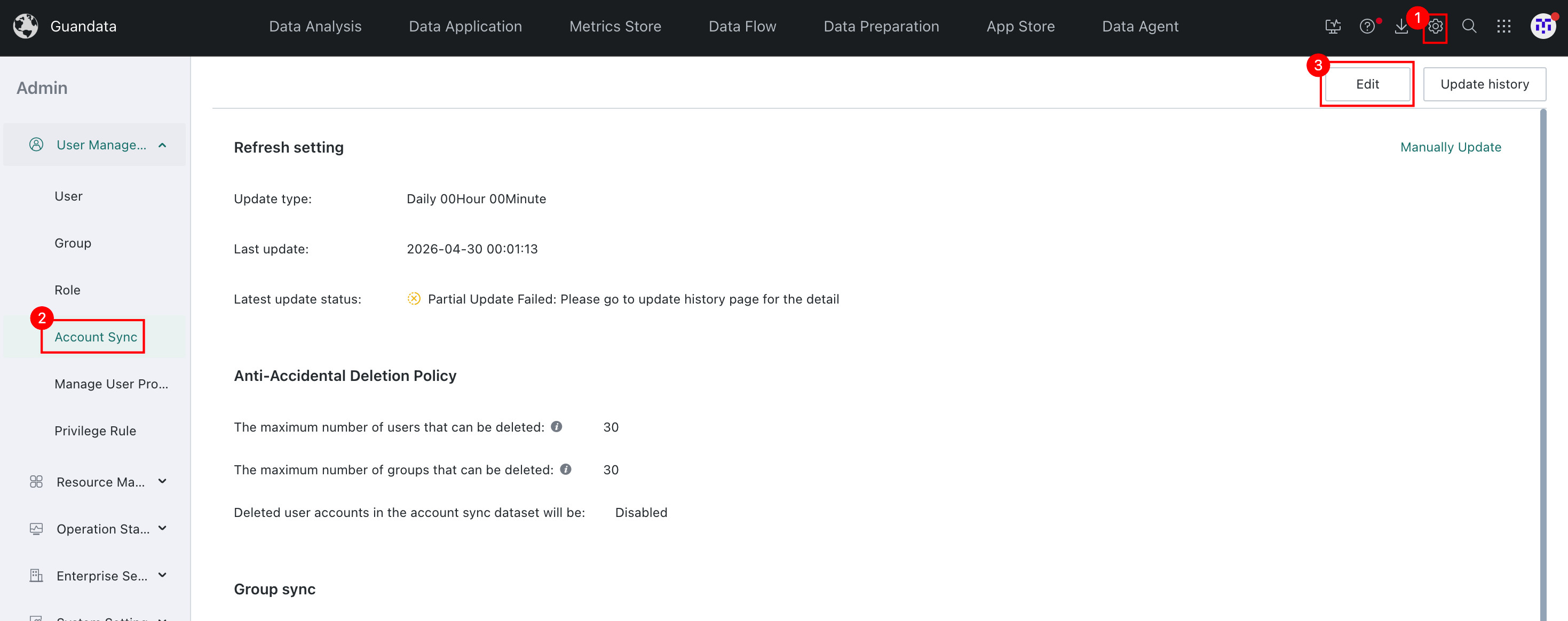
-
Edit
Update Settings,Deletion Safeguard for Account Sync,User Group Sync, andUser Sync, then clickSaveafter completing the configuration.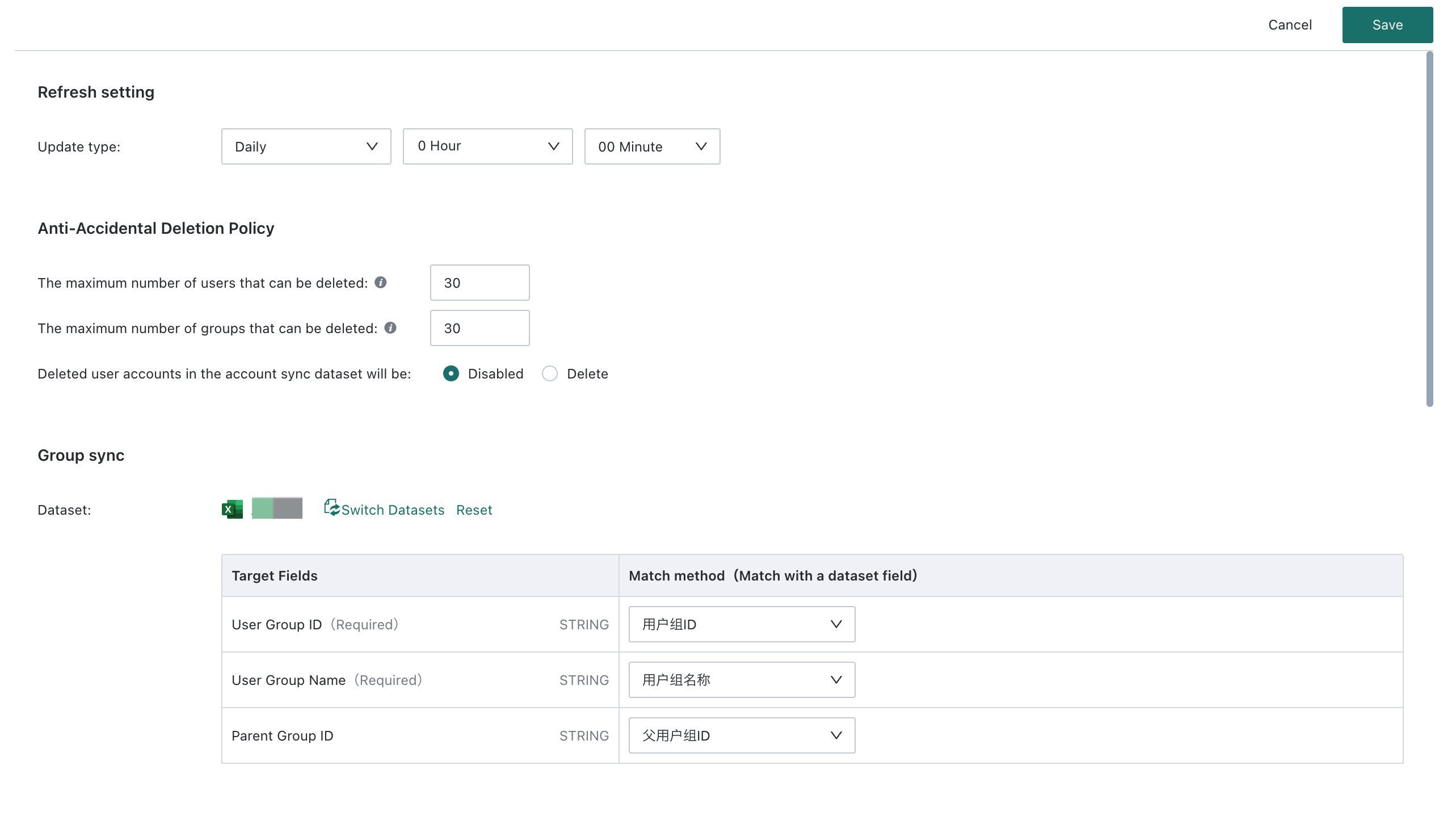 - `Update Settings`: Set the update mode to manual or daily.- `Deletion Safeguard for Account Sync`: Configure the upper limit for the number of users or user groups that can be deleted during sync, and specify whether deleted user accounts should be disabled or removed. If deleted users are changed to the disabled state, click `Details` in the `Disabled Users` column on the `Update History` page to view users disabled during creation and users disabled during deletion.- `User Group Sync`: Select the required dataset during initialization. If a dataset already exists, you can switch or reset it.- `User Sync`: Select the required dataset during initialization. If a dataset already exists, you can switch or reset it. You can also directly edit user basic information, permission information, third-party account associations, and other information on the settings page.
 -
Click
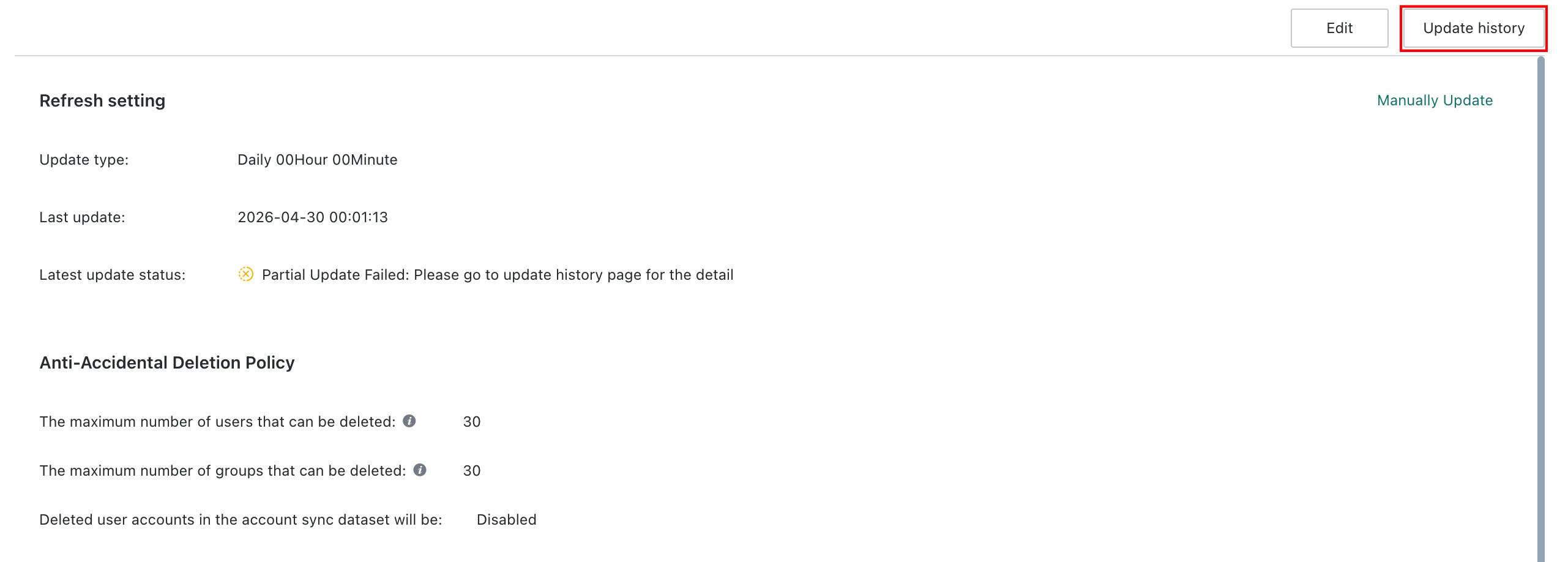
Update Historyto view the data records for each update, including:- Top filter bar: start and end date-time range, and status filters such as `Success`, `Failed`, `Partially Failed`, and `Running`.-
Detailed list: sync start time, sync completion time, update status, number of users disabled during deletion, number of failed new users, number of failed updated users, and more. For failed or partially failed updates, the system displays the failure reason and the corresponding users or user groups.
- `Failed`: provides details showing the cause of failure, such as the user dataset being deleted.- `Failed New/Updated Users or User Groups`: provides details showing the cause of failure, such as incorrect parent user group IDs or conflicting mobile phone numbers, along with the corresponding list.- `Users or User Groups That Could Not Be Deleted`: provides details showing the cause, such as resources not yet transferred, along with the corresponding usernames or user group names.- `Disabled Users`: provides detailed lists of users disabled during creation or deletion. Clicking the link takes you to `User Management > Users > Disabled`.
-
Additional Notes
-
Common reasons why the page may display
Failedinclude the following. The failure reason is shown in the lower-right corner:- The dataset used for Account Sync was deleted and the update was run again.
- The parent ID of a user group does not exist.
- The parent user group ID in Account Sync is the same as the user group's own ID.
- The update status on the
Update Historypage showsPartially Failed, the number of failed new or updated user groups increases by 1, and clickingDetailsshowsIncorrect User Group Parent ID.
- The update status on the
- The service was restarted during the process.
data too long for column 'config' at row 1: the value of a user attribute exceeds the character length limit.
-
Common reasons why the page may display
Partially Failedinclude the following. For detailed failure causes, go to theUpdate Historypage and clickDetails:- A user's mobile phone number or email is duplicated with a successfully updated record or an existing record in the system.
- A newly added account duplicates an existing account in the system.
- The account type is an invalid string other than
Regular User,Read-Only User, orAdministrator.
- The account type is an invalid string other than
- The number of editable users exceeds the license limit.
- The total number of users exceeds the license limit.
- Duplicate user accounts exist.
- Users or user groups still have resources that have not been transferred.
Best Practice
For more information about User Group Sync, Account Sync, as well as field definitions and the main sync workflow, see Account Sync Best Practice.