Smart ETL Advanced Calculation
Data Exploration
Feature Description: During Smart ETL development, users often need to inspect dataset statistics such as row count, the number of distinct values in a field, and the number of Null values. Traditionally, this often required manually combining operators such as Filter Data Rows and Group Aggregate. To simplify the workflow, Guandata recently added the Data Explorationon operation to ETL so that dataset statistics can be generated at once and data processing efficiency can be improved.
How to use it:
-
Open the ETL editor. In the left-side operation panel, locate
Data Explorationunder theAdvanced Calculationcategory, drag it into the editor, connect the relevant data processing operators toData Exploration, and then click it to configure the node.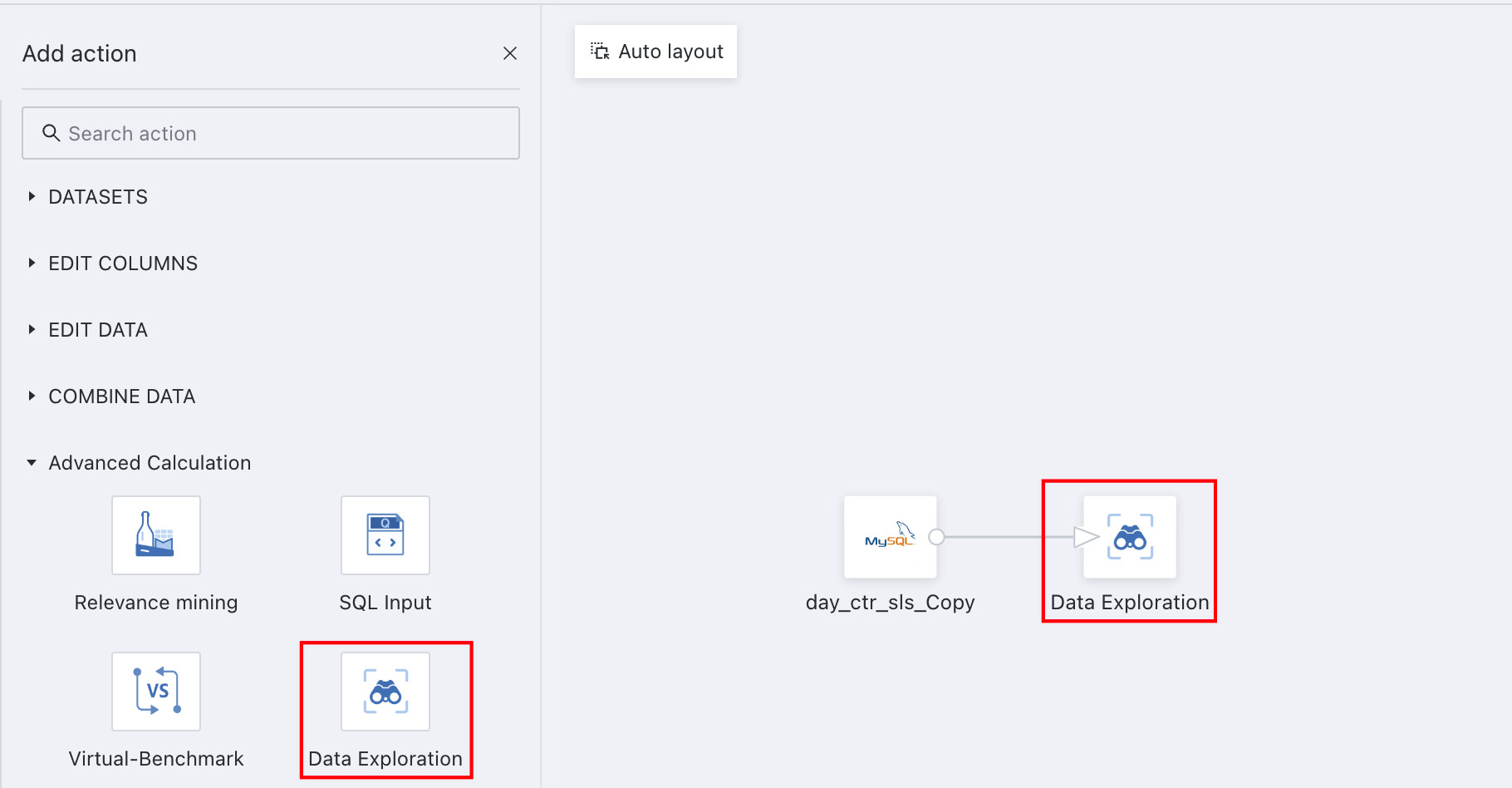
-
Select the dataset statistics you need. At the table level, you can count dataset rows and columns. At the field level, first select the target field, then compute its
Nullcount, distinct value count, and enumerated values (up to 200 enumerated values can be displayed). ClickQueryat the bottom of the editing area to view the dataset statistics.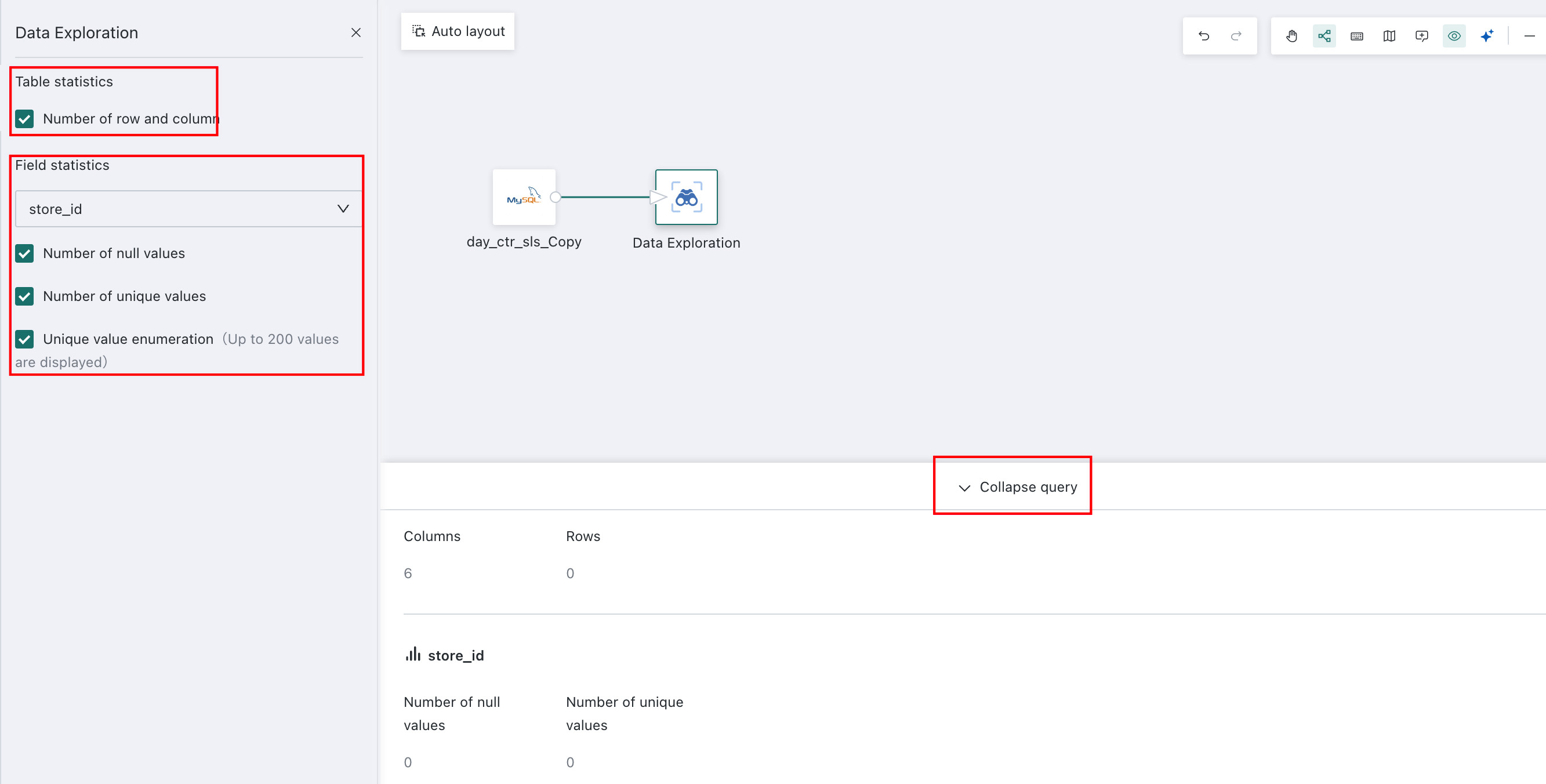
SQL Input
The SQL Input operator helps data analysts who are accustomed to SQL use SQL directly to output datasets, shortening the configuration process.
To make details easier for ETL visitors to review, field expression content in the SQL Input and Add Calculated Column operators can be displayed externally.
Why do some field types change in the SQL node preview?
Can the SQL operator use custom dynamic time macros?
Feature Description: Uses SQL to query, extract, and combine data.
Configuration Instructions:
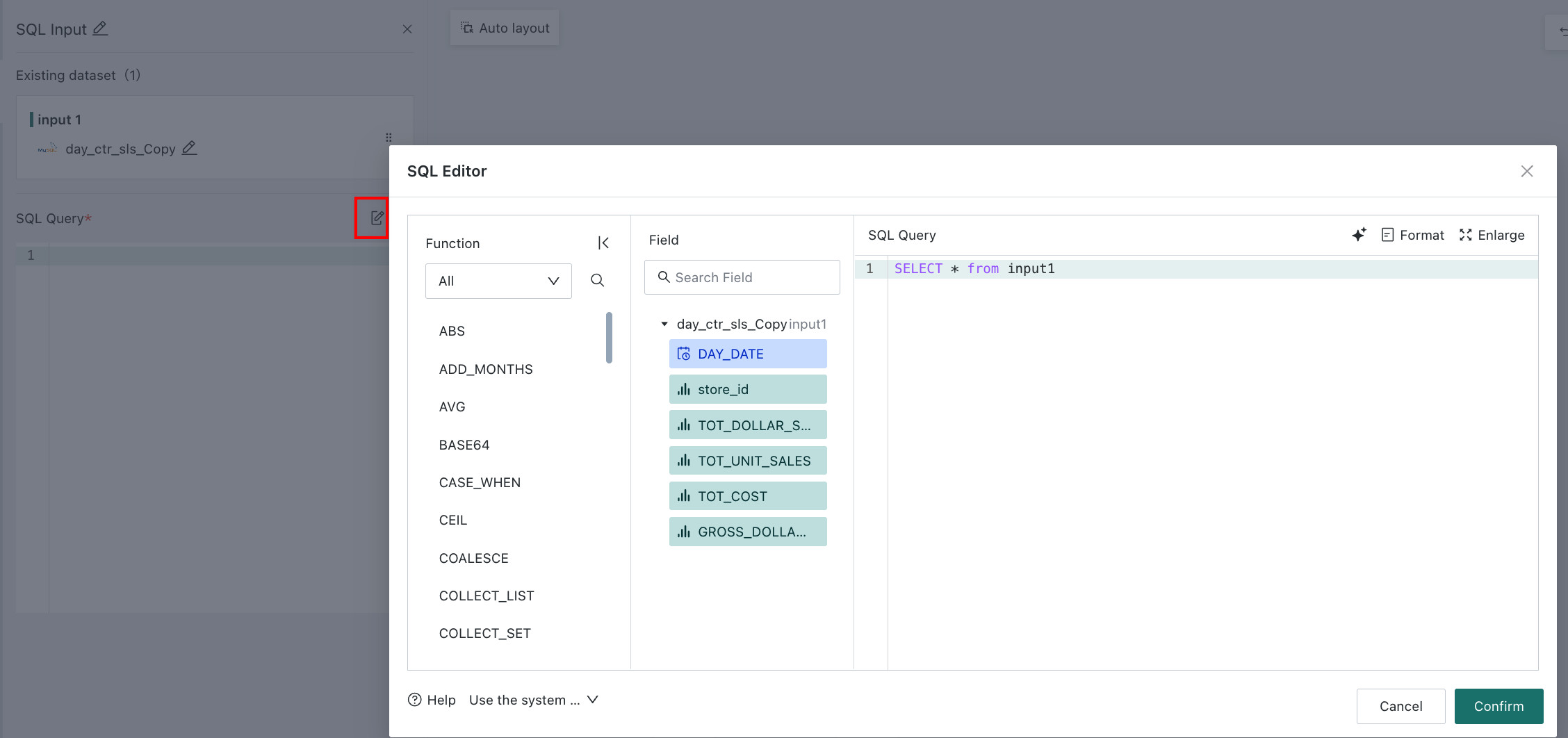
Drag the SQL Input operator onto the canvas, select the node, and then click Edit. You can introduce functions according to the examples, fill in field names, and click OK.
Correlation Mining
The Correlation Mining operator helps data analysts quickly perform association mining algorithms and identify highly related items among different items in the data. This is a paid module and is not enabled by default. If you want to try or purchase it, contact Guandata business staff.
Smart Benchmarking
The Smart Benchmarking operator allows users to specify category entities, related category features, and the number of neighboring entities, and then automatically obtain comparison items for each entity, such as comparison stores, in list form. This is a paid module and is not enabled by default. If you want to try or purchase it, contact Guandata business staff.
For other data processing operators used later, see Getting Started.