Dynamic Parameters
Overview
Dynamic Parameters can be used flexibly in multiple stages of data integration and data analysis in Guandata BI, including cards, dataset calculated fields, View Datasets, and the SQL of Direct Connection Datasets. By using parameters, you can enable complex dynamic analysis in charts, such as switching analytical dimensions, switching analytical metrics, dynamic data categorization, and dynamic cross-table queries.
User Guide
Create Parameters
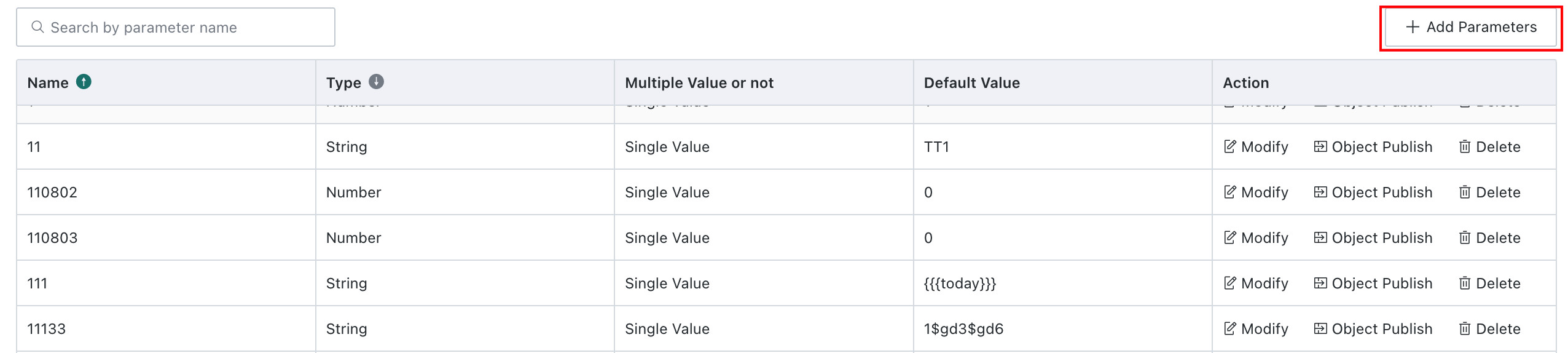
You can configure the Dynamic Parameters required by users in Management Center > Enterprise Configuration > Dynamic Parameters. Click Add Parameter in the upper-right corner to create a new parameter.
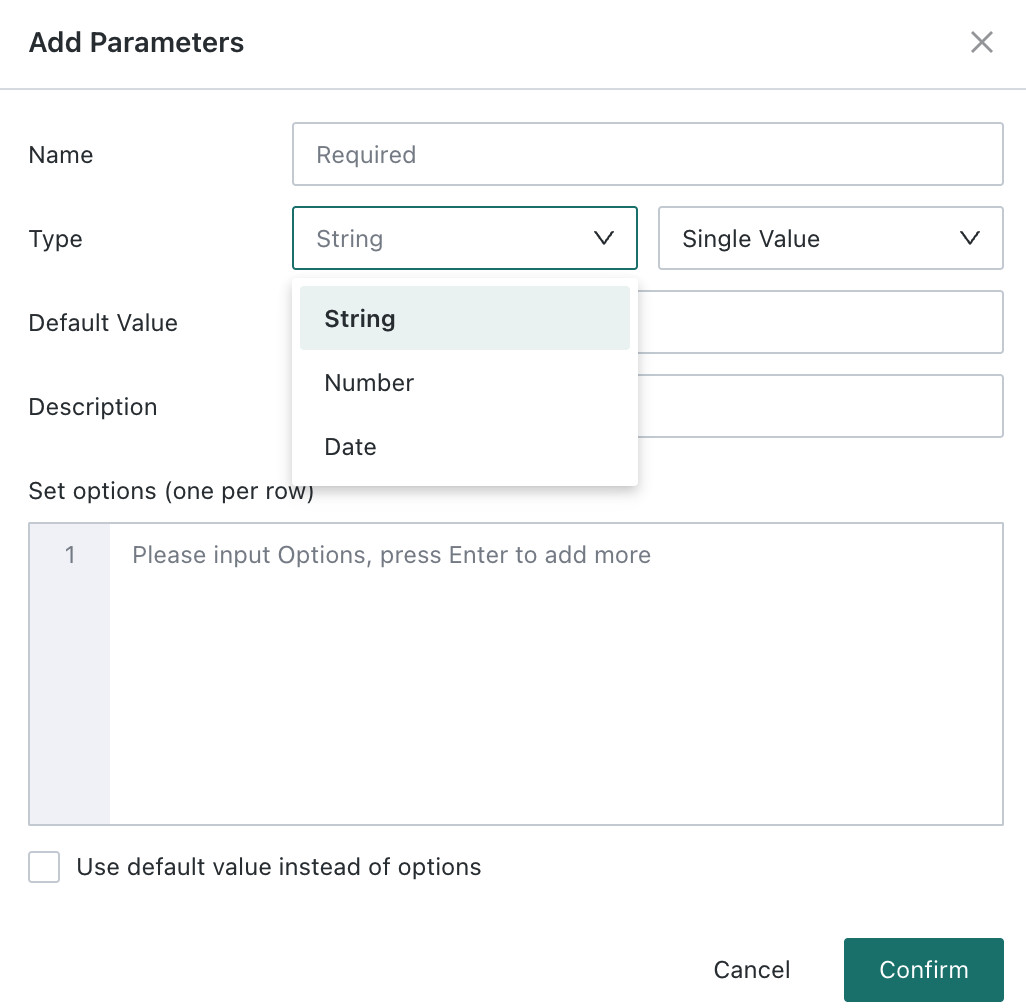
Each parameter must include a parameter name, parameter type, and default value. You can also add descriptive information to help manage parameters. If the parameter type is text, you can configure custom text or choose from a predefined drop-down list.
Use Parameters in Card Calculated Fields
After a parameter is created, it can be used in card calculated fields. The following example shows how to use parameters in a calculated field to switch the analytical dimension of a card. The calculated field expression is:
case when [DYNAMIC_PARAMS.Dimension Drill Example]="City" then [City] else [Store] end
You can also switch analytical metrics by using parameters in value fields:
case [DYNAMIC_PARAMS.Display Metric] when ' Quantity ' then [Quantity] when ' Sales ' then [Sales] when ' Profit ' then [Profit] end
Using parameters in value fields can also support dynamic classification calculations. For example, if you want to calculate the sales volume of high-priced products, and the threshold for determining whether a product is high-priced is an externally input parameter, you can define the following calculated field:
[High-Priced Product Sales]: if([Price] > [DYNAMIC_PARAMS.Numeric Parameter], [Sales], 0)
Use Parameters in Direct Connection Datasets
When ingesting data from databases, you can use parameters in SQL while creating a dataset, also known as a Direct Connection Dataset. Click Add Parameter to use parameters for switching analytical dimensions.
Note: After a parameter is referenced, when data is previewed or updated in the dataset, the platform retrieves the default value of the corresponding global parameter in real time and substitutes it into the query SQL, enabling dynamic queries.
For example, you can use the following SQL to create a dataset and then dynamically analyze customer order information within a specified time range by passing a date parameter from a card or page.
select * from order_items where customer_id in (select customer_id from customers where create_date >= [DYNAMIC_PARAMS.Date Parameter] )
Use Parameters in Extract Datasets
Database Extract Datasets, Web Service Extract Datasets, and Remote File Extract Datasets all support Dynamic Parameters.
-
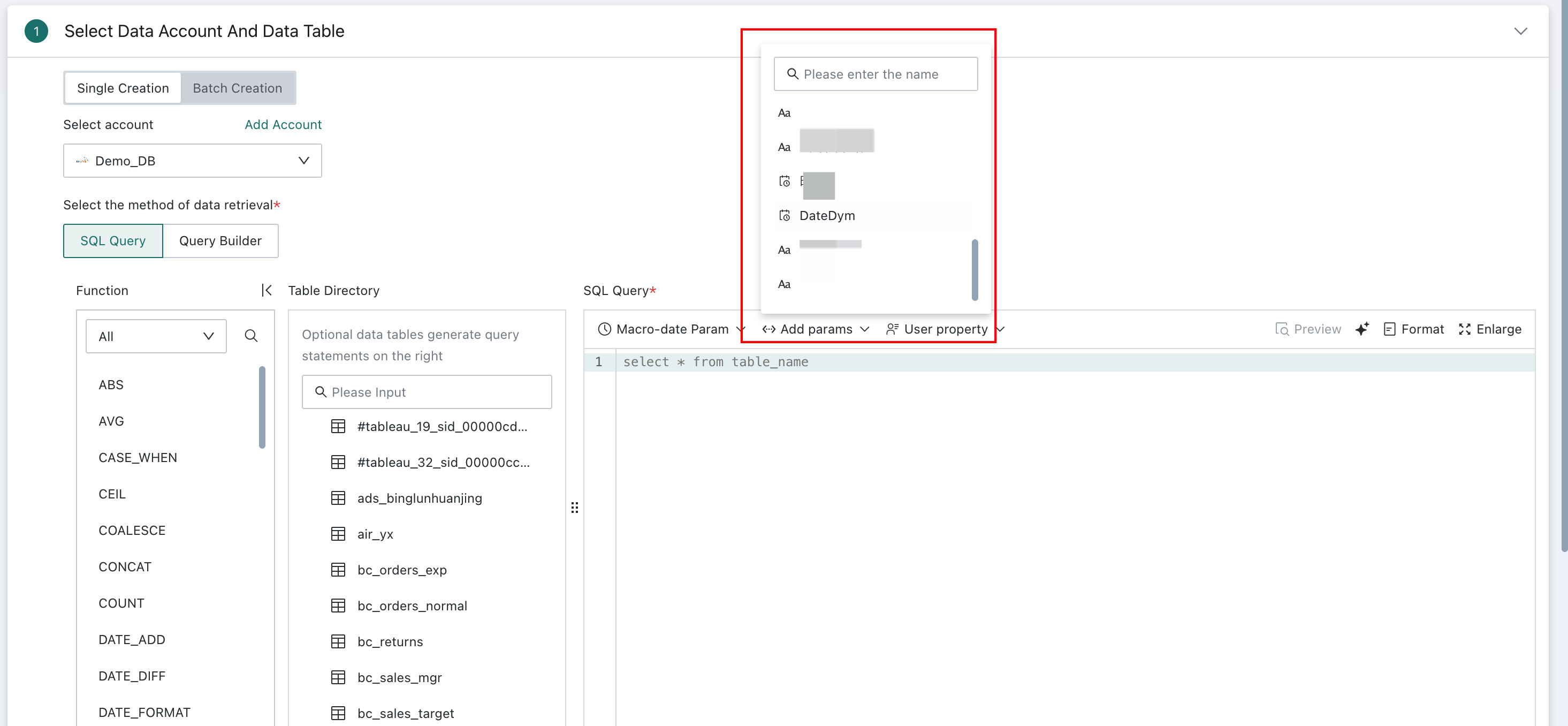
Example for creating a database extract dataset, modifying its model structure, or configuring incremental updates:
-
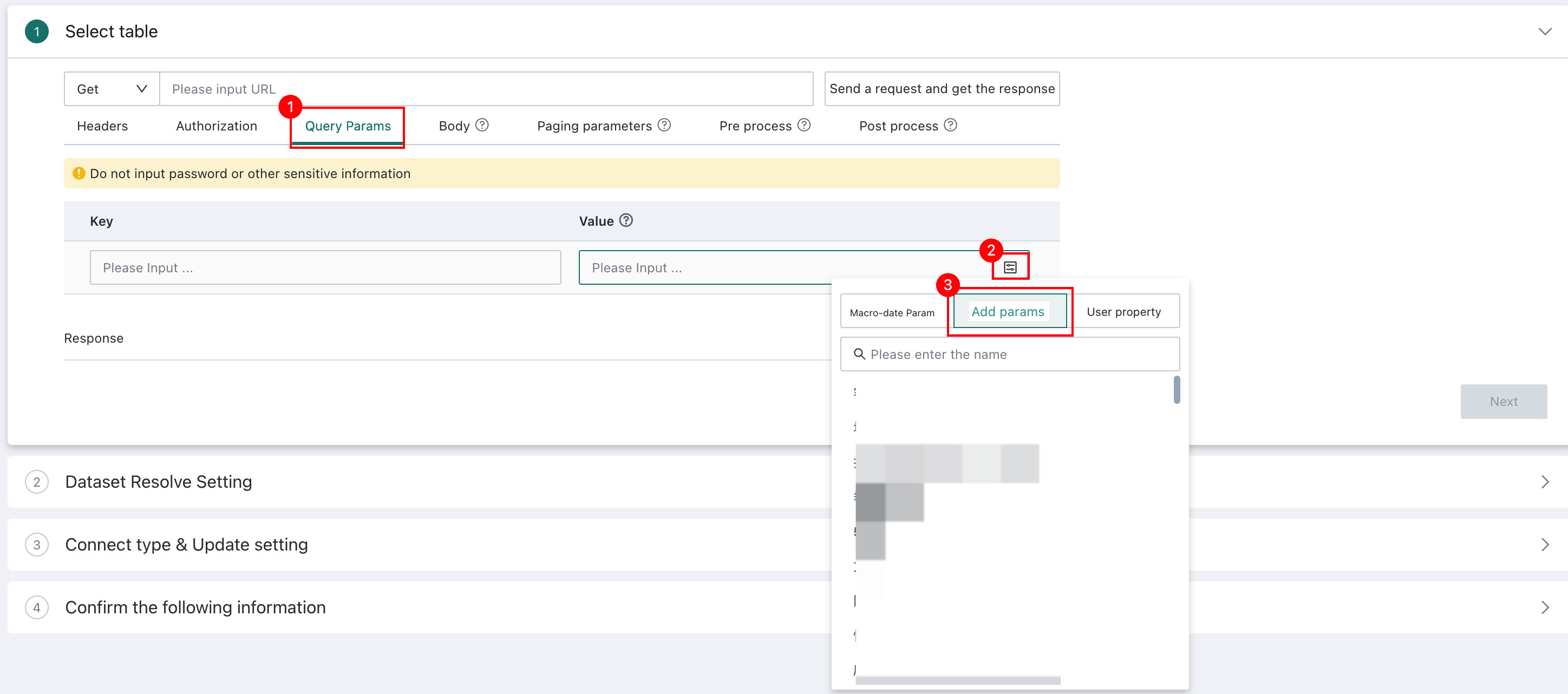
Example for creating a Web Service extract dataset, modifying its model structure, or configuring incremental updates:
-
Example for configuring incremental updates for a remote file extract dataset:
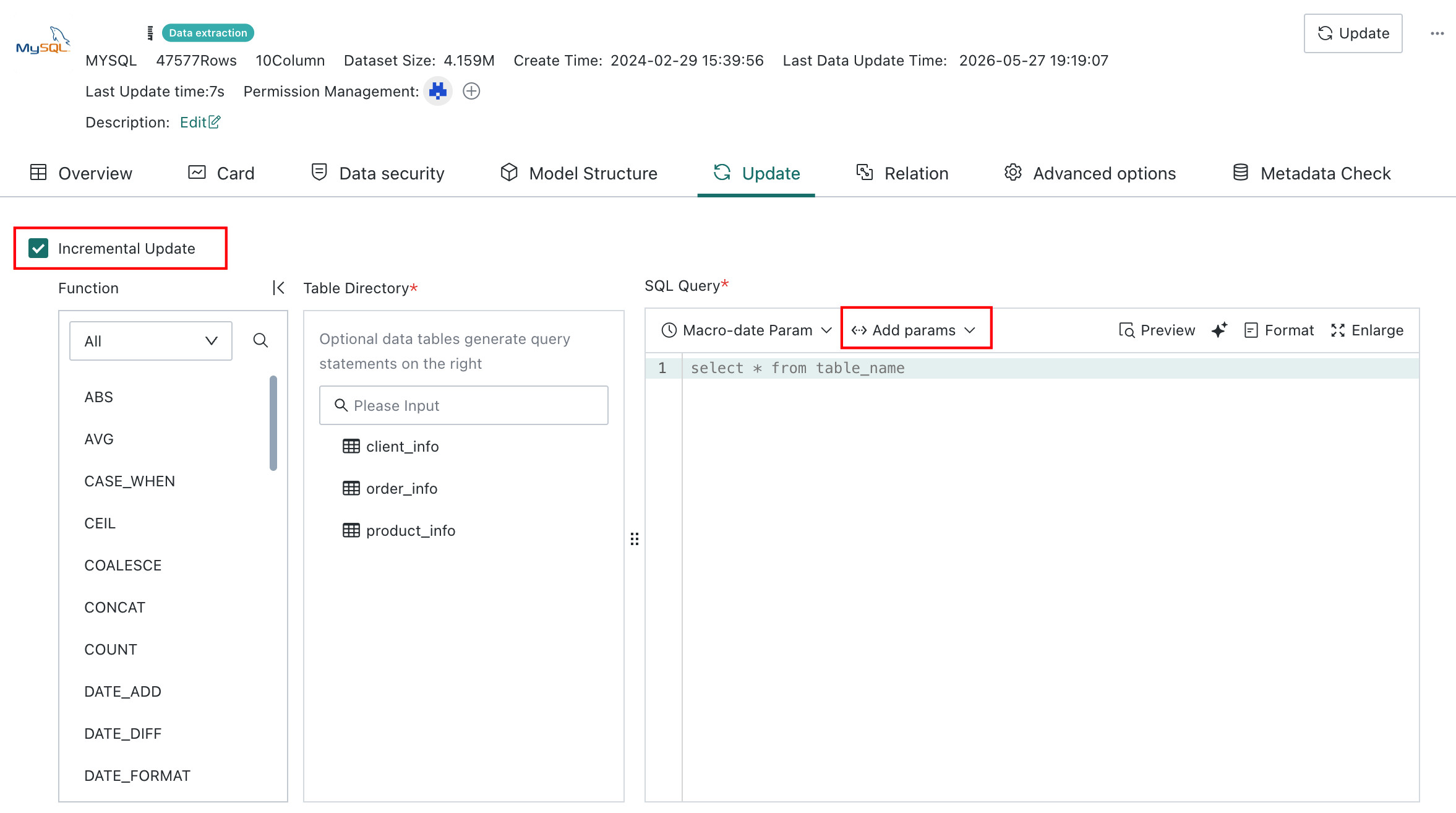
Basic usage: the method is consistent with using Dynamic Parameters in Direct Connection Datasets. After a Guan-Index dataset is created, when the dataset is updated, the platform queries the default value of the referenced global parameter in real time and replaces it in the query SQL for data extraction.
Supported update scenarios:
- Manual updates
- Scheduled updates
- URL-triggered updates
- Other Public APIs that trigger data updates
Supported update methods:
- Overwrite old data
- Append new data
If a Guan-Index dataset is used to build a card and the parameter is used only in the model structure or the data update definition, the parameter is not passed to the card. In this case, dynamic queries driven by parameter filters are not supported.
Use Parameters in View Datasets
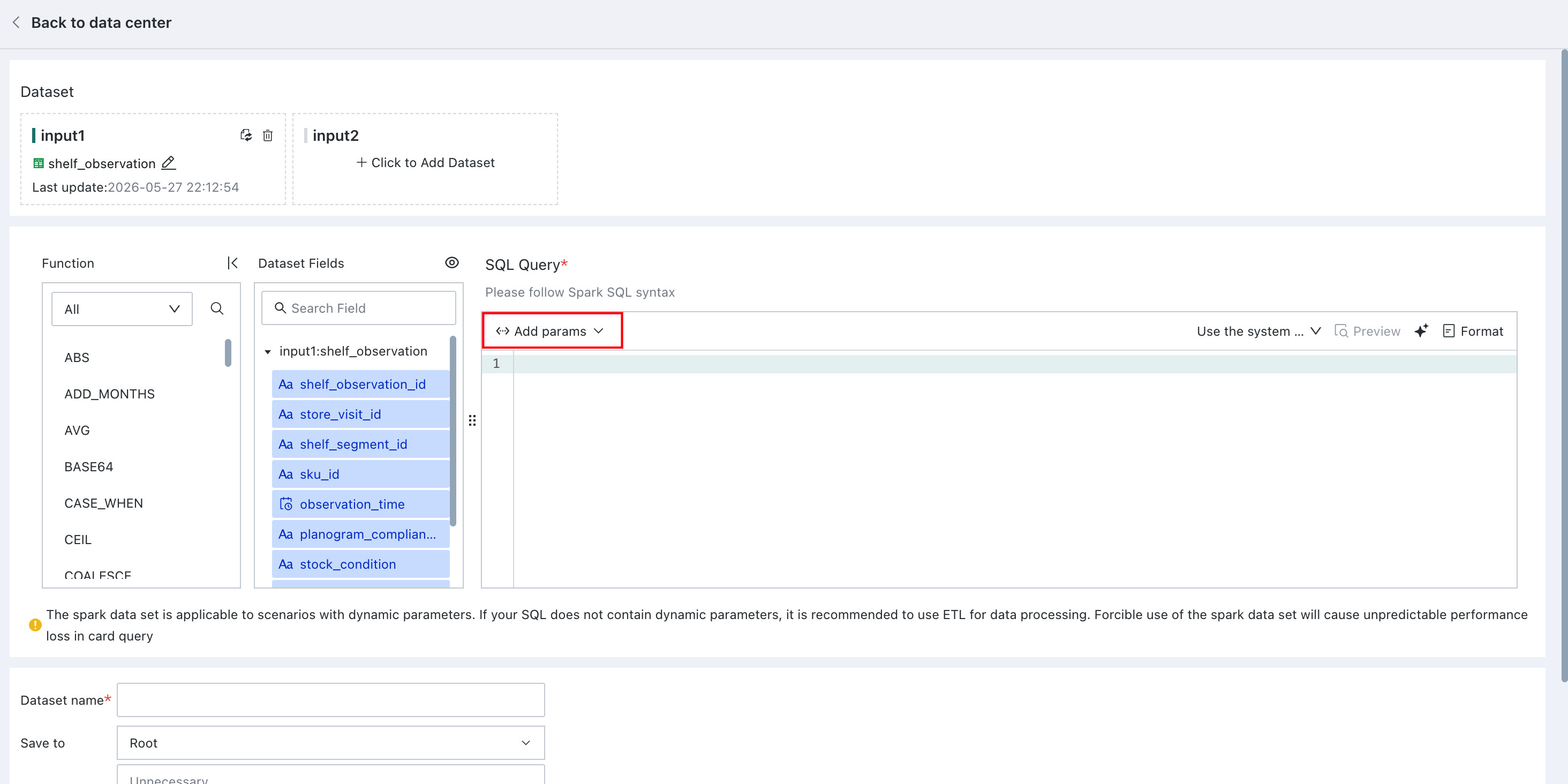
When creating a View Dataset, you can use parameters in SQL:
Use Parameters in Stored Procedure Datasets
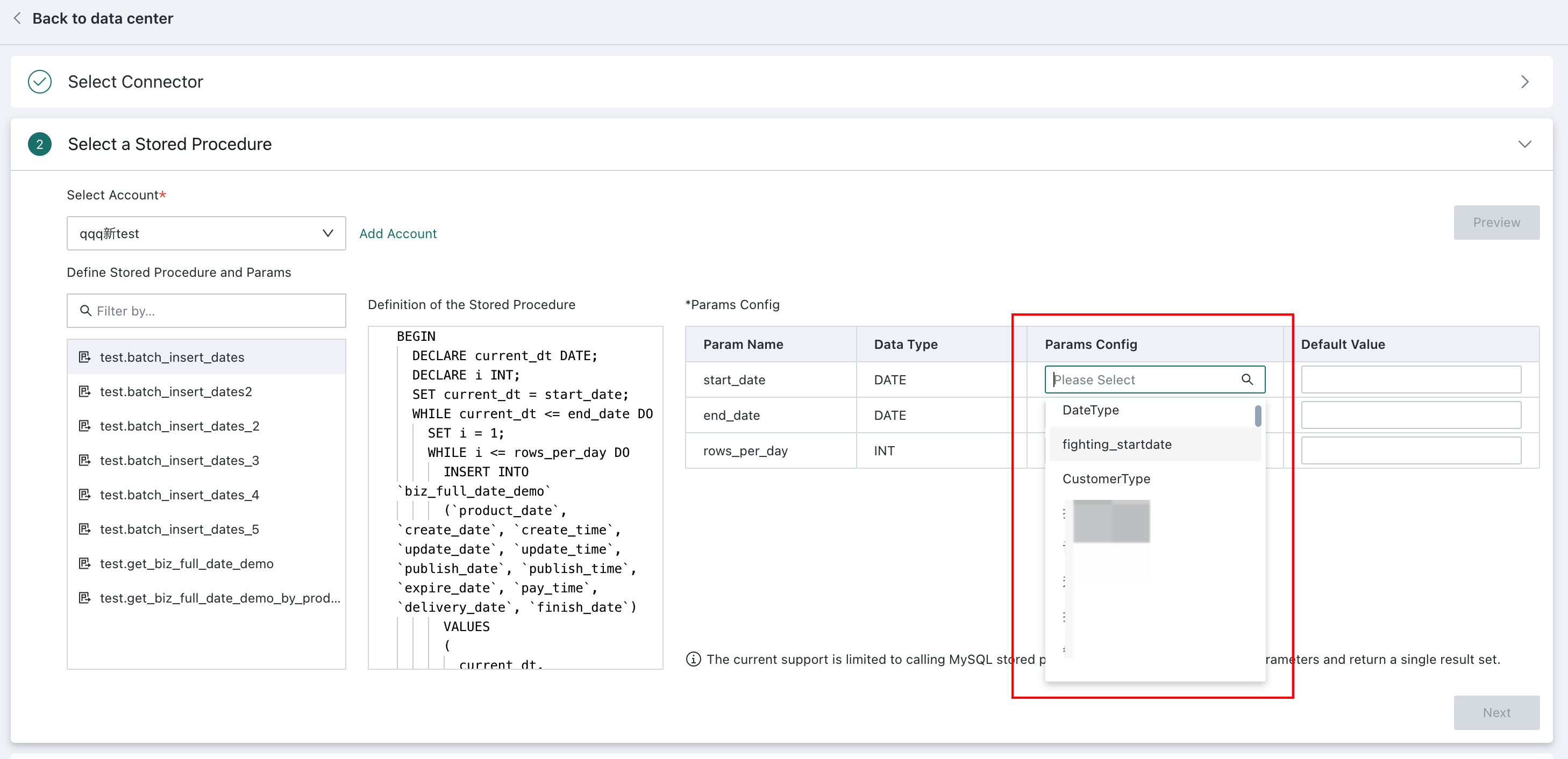
Parameters can also be used when creating a Stored Procedure Dataset.
Use Parameters for Dynamic Analysis
When a page contains cards that use parameters, whether from calculated fields or datasets, you can open the parameter display window by creating a filter card. After opening it, you can adjust parameter values on the page to perform dynamic analysis on the relevant cards. When Dynamic Parameters take effect on card data through filters, they can only filter data rows.
When the condition of a parameter filter is cleared, the parameter default value configured in the card is used.
When Dynamic Parameters are used in datasets, they are passed to cards in the following cases:
- Calculated fields in all datasets
- All parameters used in Direct Connection Datasets, View Datasets, and Stored Procedure Datasets
When Dynamic Parameters are used in datasets, they are not passed to cards in the following cases:
- FTP/SFTP/ADLS Gen2 datasets - incremental updates
- Web Service extract datasets / database extract datasets - model structure SQL, incremental update SQL, and pre-cleanup rules
Global Parameter Use Cases
For specific use cases of Dynamic Parameters, see Global Parameter Best Practices.