Notices
Overview
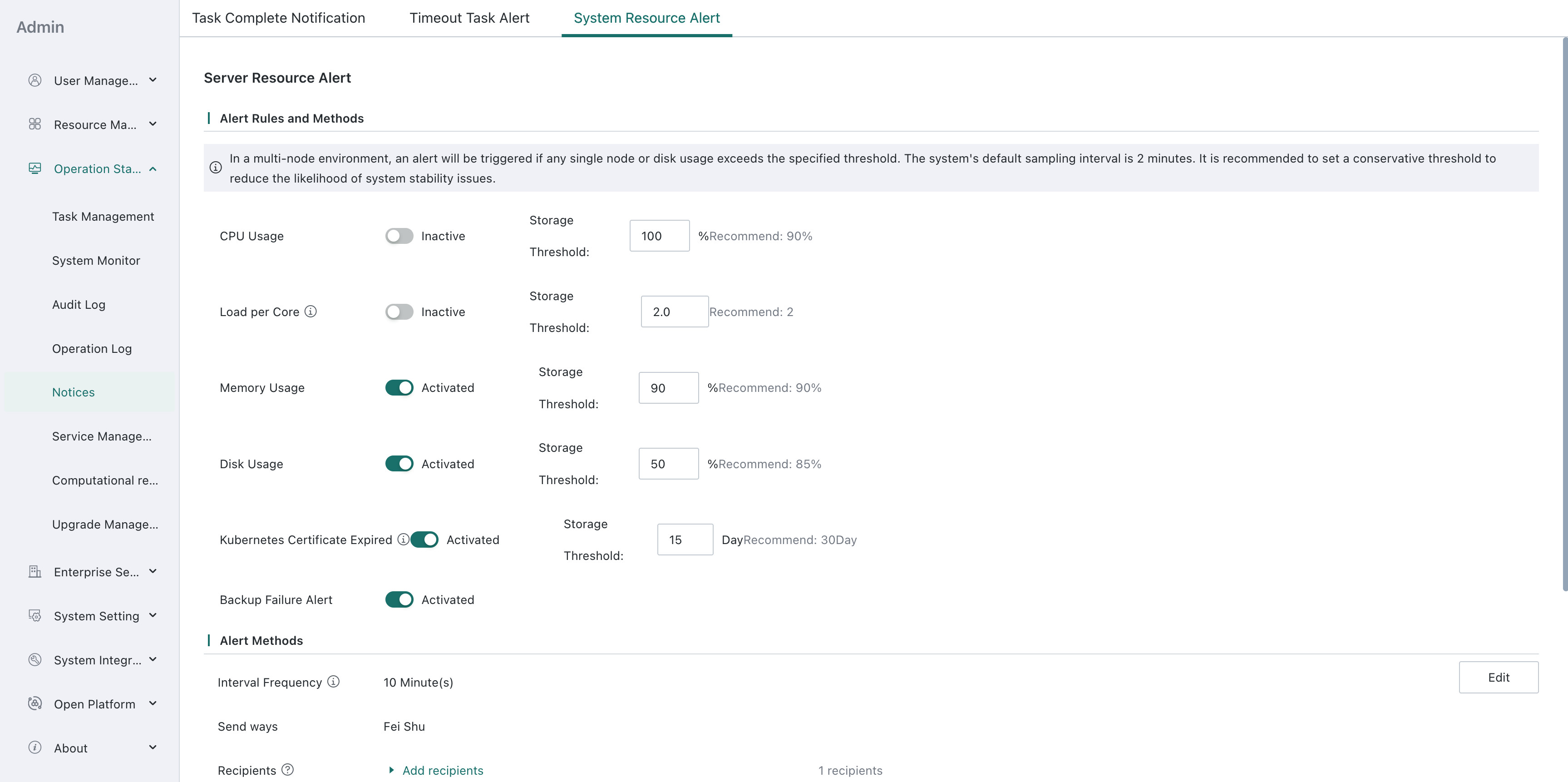
The Notifications and Alerts module supports automatic alert delivery through multiple channels when tasks complete or when abnormal conditions occur, such as failures, timeouts, or server resource usage thresholds for CPU, memory, or disk. Supported channels include email, WeCom, DingTalk, and other common OA systems, as well as API-based delivery such as group bots, helping relevant personnel respond quickly and reduce operational risks.
Task Completion Notifications
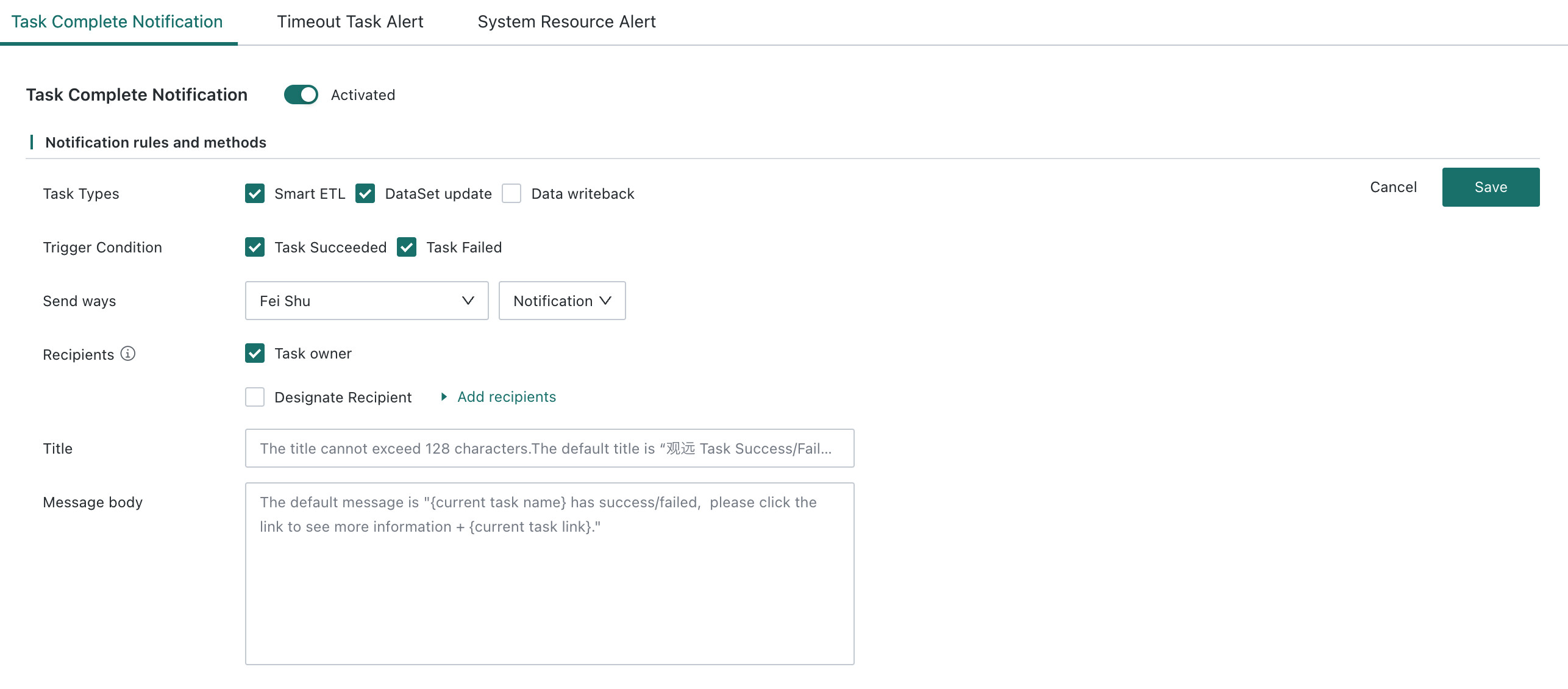
Task completion notifications support sending notifications for task success or failure through specified channels. Supported channels include email, DingTalk, Feishu, and other mainstream OA software, some of which support group bot webhook mechanisms. WebHook-based delivery to external systems is also supported.
-
Go to
Admin Center > Operations Management > Notifications and Alerts. -
Click
Editin the upper-right corner. -
Select the alert task type, trigger conditions, and notification channel, then add recipients and fill in the notification title and content.
Description- Alert types include Smart ETL, Dataset Update, and Data Writeback. The notification content for Data Writeback tasks is:
{Task Name} ran successfully/failed. Click for details: {Task Detail Link}.The current instance ID is[datawriteback.instance_name], and the affected row count is[datawriteback.instance_lines]. The affected row count is not displayed for failed tasks.- Dataset updates, deduplication primary keys, manual data cleanup, and conversion to high-performance Datasets can all trigger
Dataset Updatealerts.
- Dataset updates, deduplication primary keys, manual data cleanup, and conversion to high-performance Datasets can all trigger
- When pushing data outward through APIs, dynamic parameters are supported. Enter
$to view available objects and explanations, mainly includingdate,time,timestamp,taskname,owner,resourceid,message,status, andtasktype.
- Alert types include Smart ETL, Dataset Update, and Data Writeback. The notification content for Data Writeback tasks is:
Timeout Task Alerts
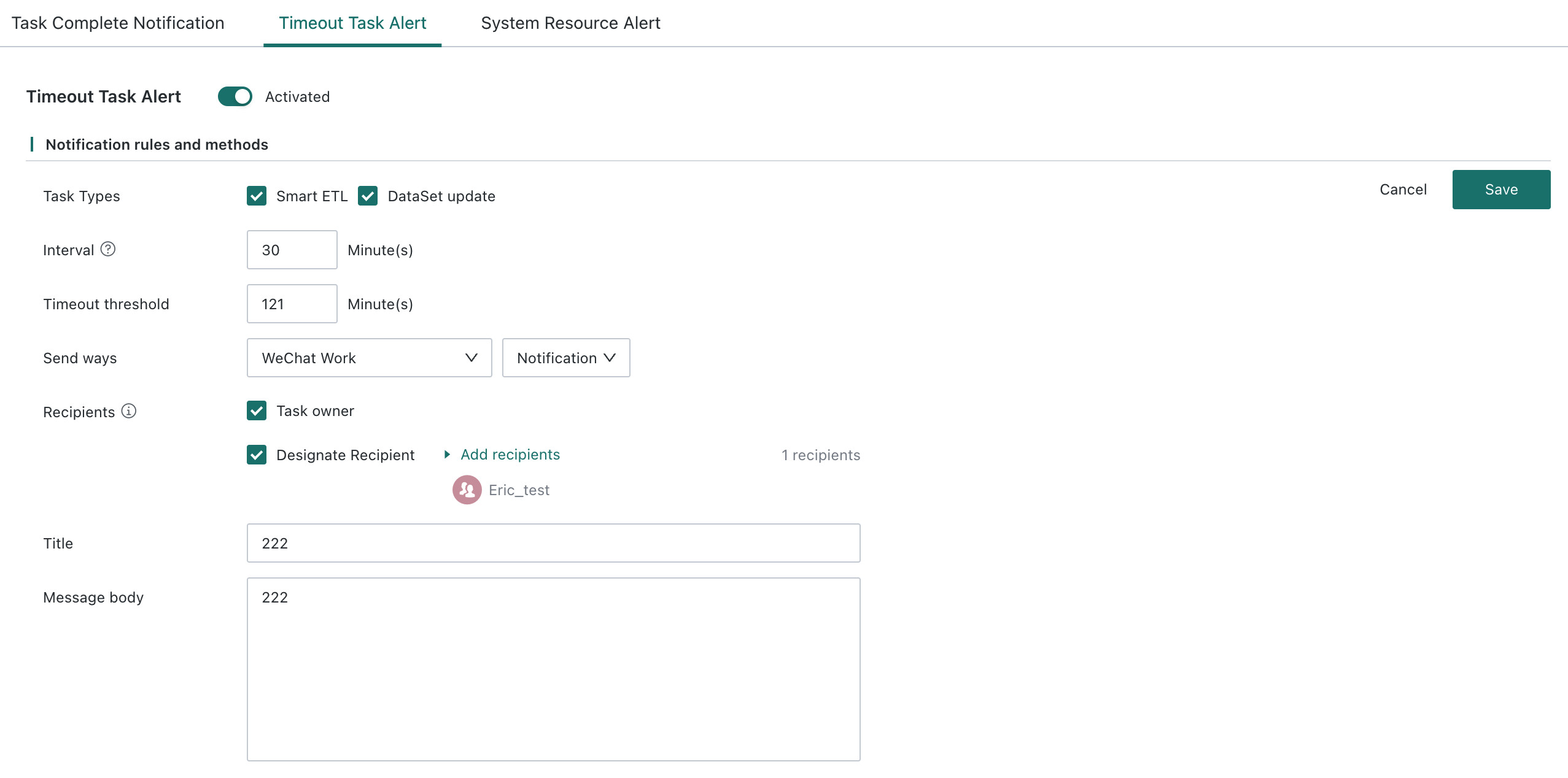
Timeout task alerts support sending timeout notifications through the specified channel. The supported notification channels are the same as those described in Task Completion Notifications.
-
Go to
Admin Center > Operations Management > Notifications and Alerts. -
On the timeout task alert page, click
Editin the upper-right corner. -
Select the alert task type and notification channel, add recipients, and fill in the notification title and content.
System Resource Alerts
System resource alerts support configuring threshold alerts for system resources and the storage size of a single Dataset, and sending alert notifications through the specified channel. The supported channels are the same as those in Task Completion Notifications.