Data Masking
Friendly Reminder: This product module is an add-on feature. If you want to request a trial, contact your Guandata sales representative or customer success manager, typically the main service contact for your company.
Product Overview
Data Masking means that Guandata can transform sensitive information according to masking rules so that sensitive and private data is protected. For example, in scenarios involving customer security data or commercially sensitive information such as ID numbers, phone numbers, bank card numbers, or customer numbers, Data Masking helps solve usage risks in non-trusted environments and improves compliance in data applications.
Product Functions
| Product Function | Description | Applicable Roles |
|---|---|---|
| Data Masking Label Settings | Configure Data Masking labels under System Management - Advanced Settings - Data Masking Label Settings. Labels serve as the bridge between detection rules and masking rules. | Administrator |
| Masking Configuration | During dataset creation, in Dataset Details - Data Security, or on the model structure page, configure sensitive dataset flags, field masking rules, and associated users. | Administrator, Dataset Owner |
| Data Masking Templates | Configure masking rule templates and associated users on the Data Security Templates - Data Masking Templates page. | Administrator, Security Template Editor |
| Detection Rules | Configure field-name detection, content detection, and hybrid detection rules on the Data Security Templates - Detection Rules page. Supports exact match, contains, and regular expression matching. | Administrator |
| Smart Detection | During dataset creation, on Dataset Details - Data Security, or on the model structure page, perform manual detection or forced detection if enabled. | Administrator, Dataset Owner |
Product Advantages
Product Value
-
Reduce the Risk of Sensitive Data Leakage
Data containing sensitive information such as names, ages, phone numbers, and bank account numbers can be transformed into non-sensitive data suitable for the target usage scenario. This keeps the original sensitive information inside controlled business systems and significantly reduces leakage risk.
-
Comply with Regulatory Requirements
Laws, regulations, policies, and industry guidelines all impose security requirements on sensitive data, including personal information. Data Masking helps organizations strengthen data security and improve compliance.
-
Improve Analysis Efficiency
Compared with traditional masking methods performed directly at the underlying database level, Data Masking greatly reduces masking turnaround time and improves data delivery efficiency. Dynamic masking helps respond quickly to masking needs and prevents masking work from becoming a bottleneck in analytics projects.
-
Detect Sensitive Data and Use Data Safely
Through unified data security management, preconfigured detection rules and masking rules allow data processors, analysts, and viewers to use data more effectively within enterprise security boundaries while still maximizing data value.
Product Benefits
From a product usage perspective, Guandata Data Masking provides dynamic masking with strong compatibility, flexibility, and usability.
| Benefit | Description |
| More Compatible | Balances data security and data usability so that masked data can still be used for analysis and testing. |
| More Flexible | Can be refined to configure different permissions for each user. |
| Easier to Use | Smart Detection: detects matching field names and marks identified sensitive fields in preview. |
| Masking Templates: provide strong reusability and better control outcomes. |
Enable the Feature
-
Smart Detection and Mark as Sensitive Dataset
-
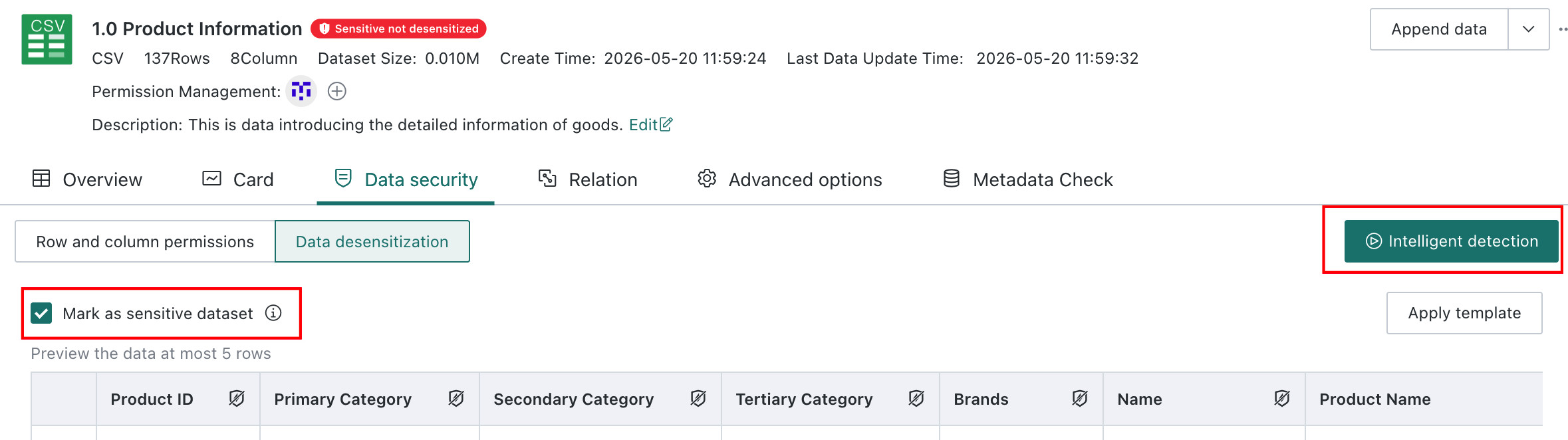
Manual Mode
Users can enable or disable the relevant switches directly on the operation page.
-
Forced Mode
Users can enable forced detection in
Admin Center > System Management > Security Settings > Data Maskingby turning on the option that allows automatic detection and sensitive dataset marking based on detection results. After it is enabled, new datasets and model structure changes are forced through detection and are marked according to the results.
After it is enabled, the dataset creation page displays a prompt explaining that the system administrator has turned on
Smart Detectionfor all newly created datasets.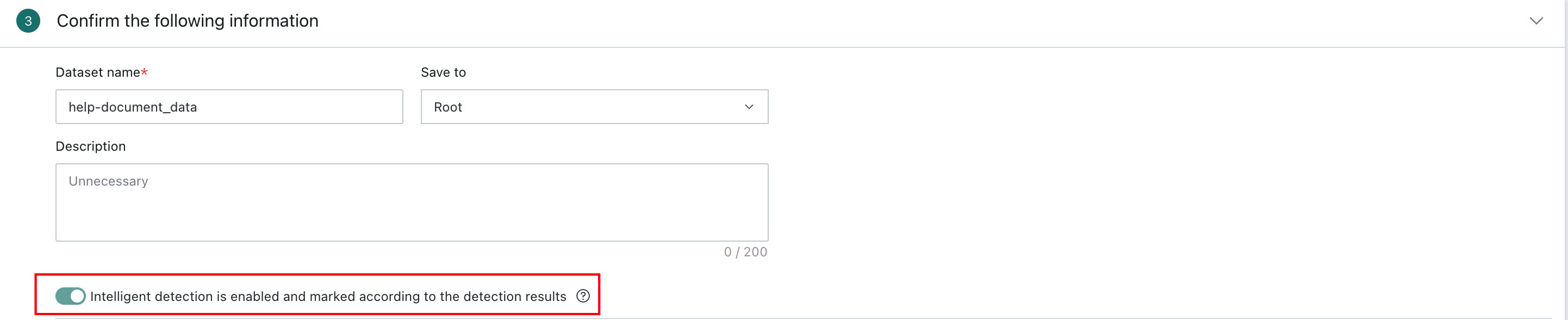
-
-
Data Masking
Data Masking has a backend switch. The full feature can be enabled or disabled at the k8s level so that masking can be turned off in exceptional situations.
- When enabled, all masking-related functions are available.
- When disabled, the system no longer evaluates masking permissions for any user and does not identify dataset sensitive types. Existing sensitive configurations on datasets and users are still preserved and become usable again after the feature is re-enabled.
When Data Masking Is Triggered
Data Masking During New Dataset Creation
-
On the
Data Preparation > Datasetspage, create a new dataset.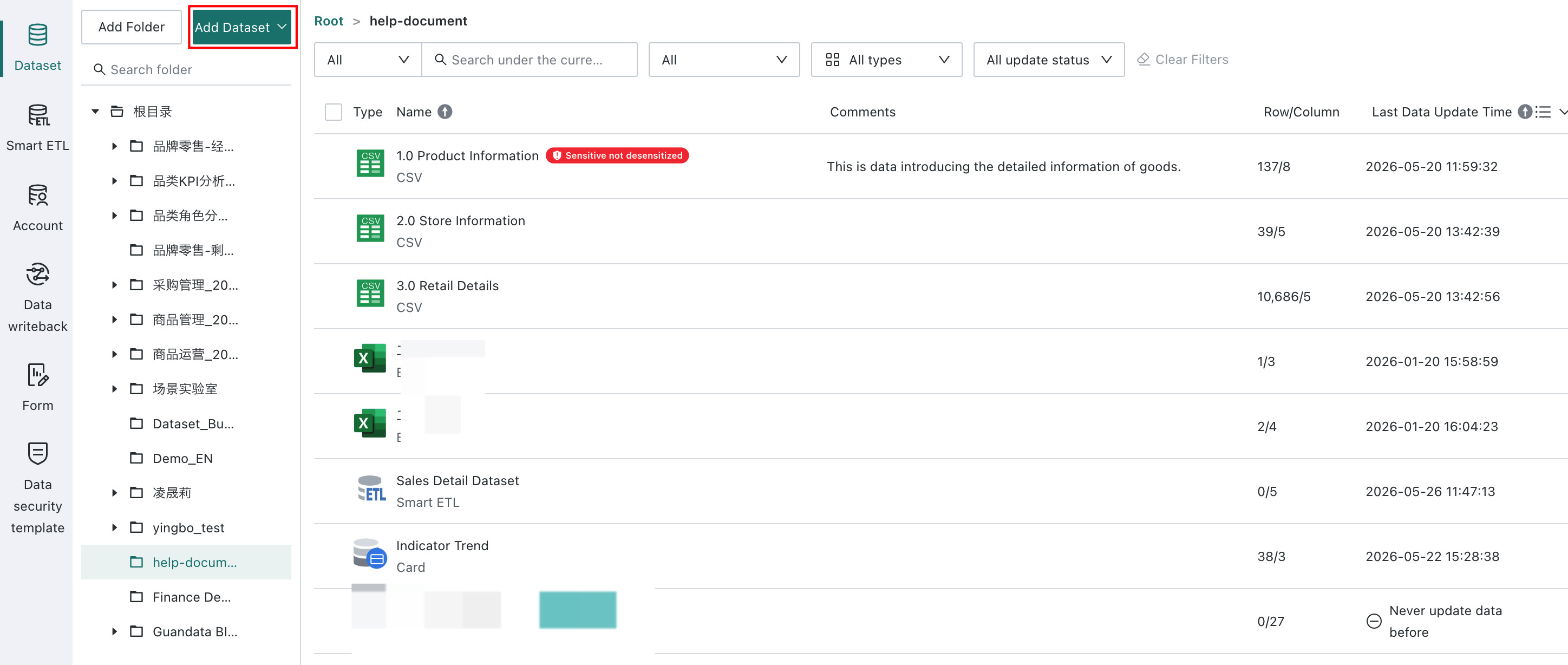
Data Masking currently supports file datasets, database datasets, Card Datasets, Universe Datasets, and ETL Output Datasets.
-
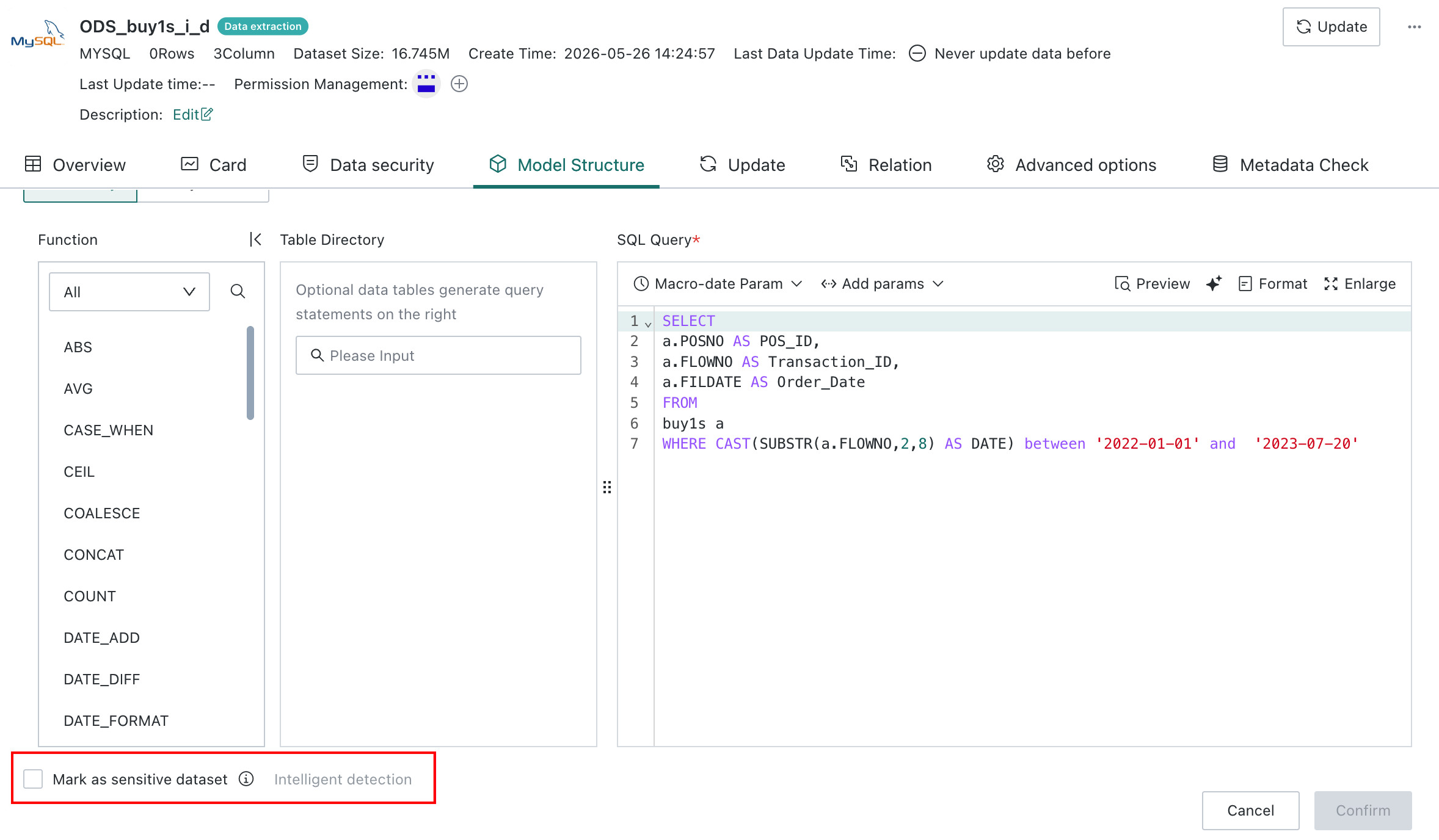
Run Smart Detection and mark the dataset as sensitive.
-
Manual Mode
Click
Smart Detectionto identify whether the dataset contains sensitive fields. After detection finishes, a completion dialog appears in the upper-right corner. SelectMark as Sensitive Datasetto complete the marking.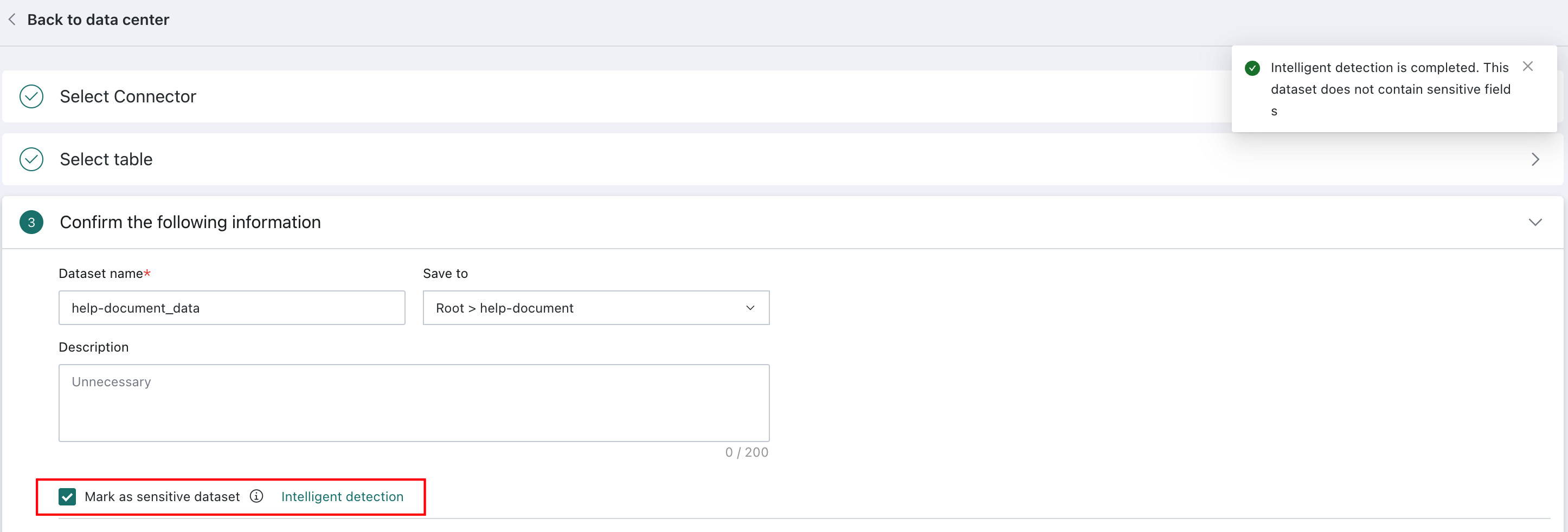
-
Forced Mode
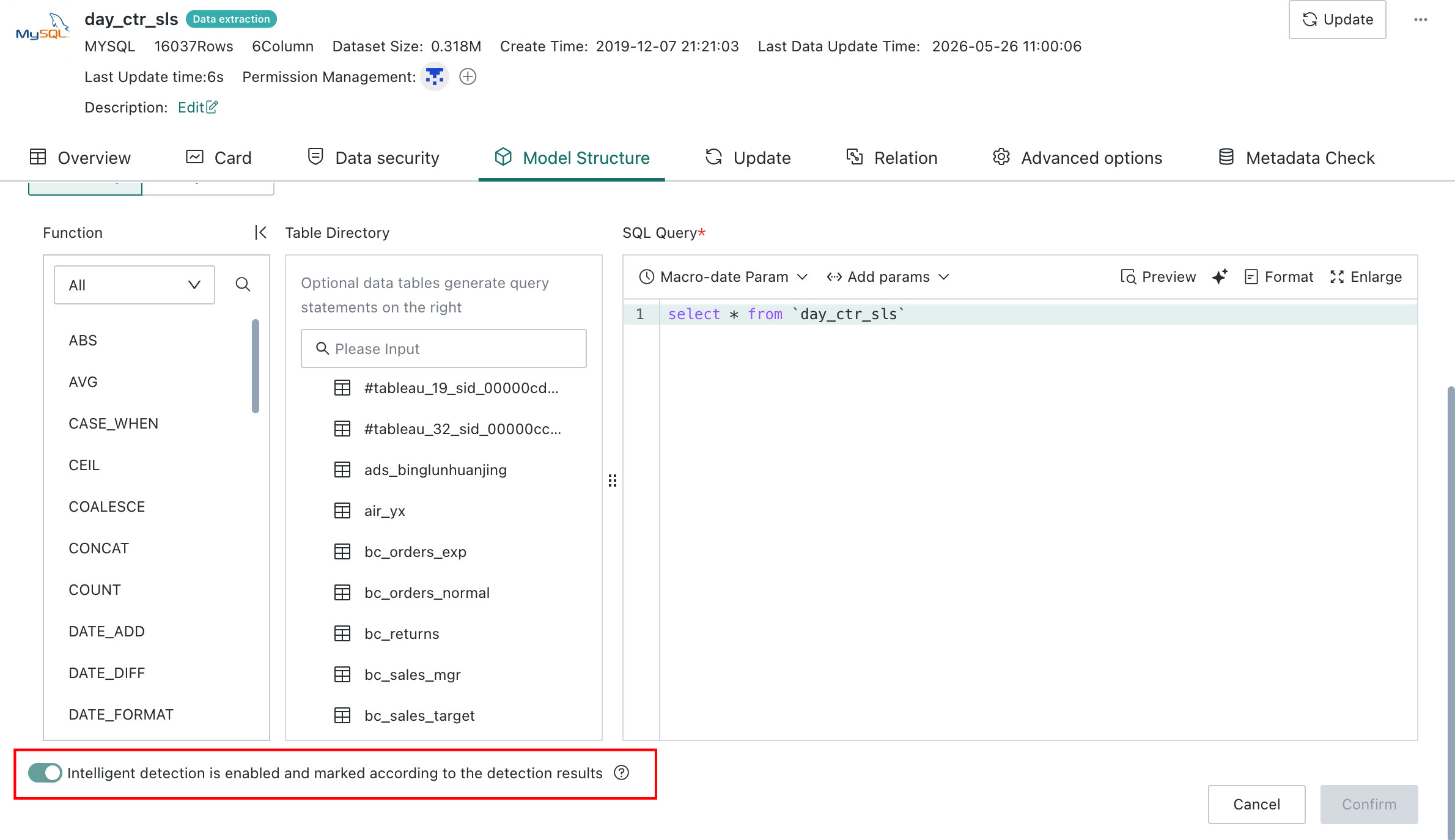
In Forced Mode, Smart Detection runs automatically during dataset creation, and the system marks the dataset based on the detection result. The sensitive type cannot be modified manually.
-
Data Masking During Model Structure Changes
-
Manual Mode
In Manual Mode, Smart Detection can be run again when the dataset model structure changes, and the sensitive type can also be changed manually.
-
Forced Mode
In Forced Mode, Smart Detection runs automatically by default when the dataset model structure changes, and the result cannot be modified or canceled.
Data Security Details Page
-
Detect sensitive fields in the dataset.
On the
Data Security > Data Maskingpage, selectMark as Sensitive Datasetand clickSmart Detectionto start detection. After detection, sensitive fields are marked with a yellow exclamation icon and moved to the front of the list.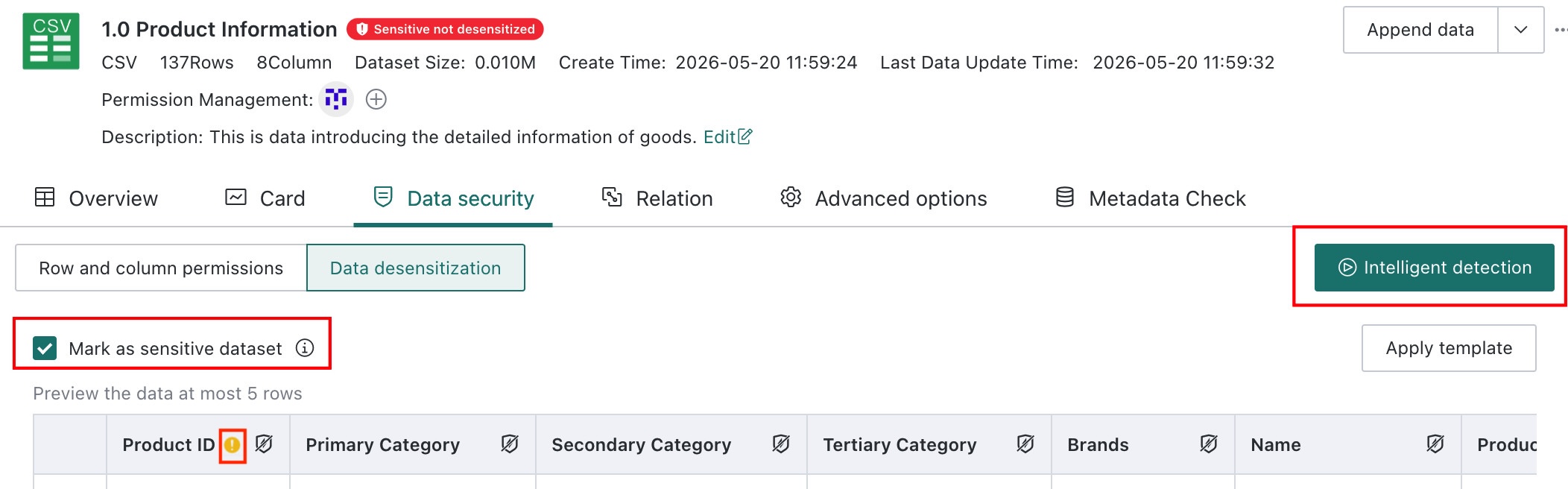
-
Change the dataset sensitive type.
Click the shield icon to the right of the field title and configure
MaskingorHash Maskingin the masking settings panel. See Data Masking for details.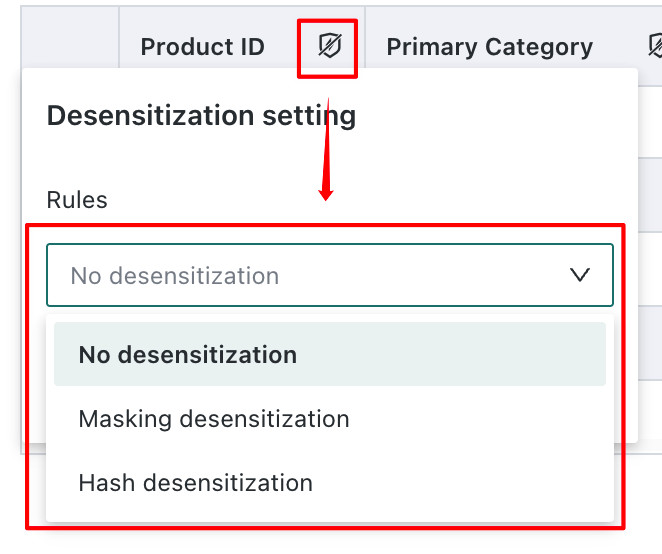
Sensitive Dataset Labels
-
Sensitive Dataset Not Masked
When a dataset is marked as sensitive but no masking rule has been configured, the dataset shows a red label and cannot be used directly to create Cards.
-
Sensitive Dataset Masked
When masking rules have been configured for any field, the dataset is automatically classified as a masked sensitive dataset.
- Dataset
Save Assupports carrying over the dataset's sensitive flag. - ETL dataset-level sensitive inheritance is supported. Based on the sensitive flag of the input dataset, the output dataset is automatically assigned a sensitive label when it is first generated.
Data Masking Rules
Field Masking
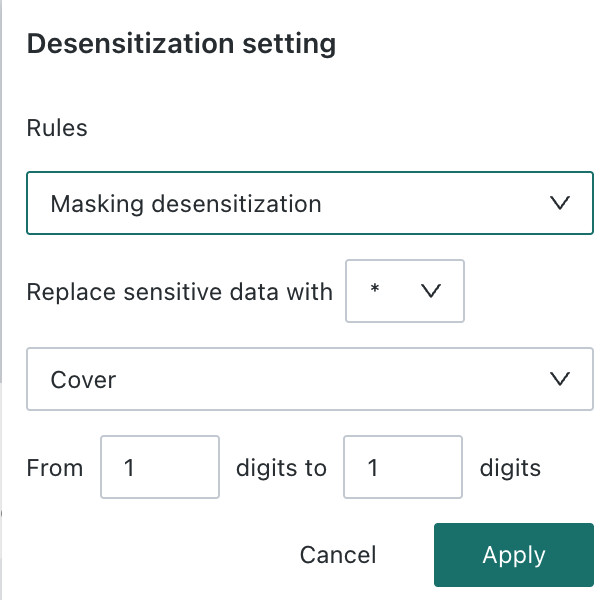
Users can configure different masking rules for sensitive fields to achieve different masking effects.
-
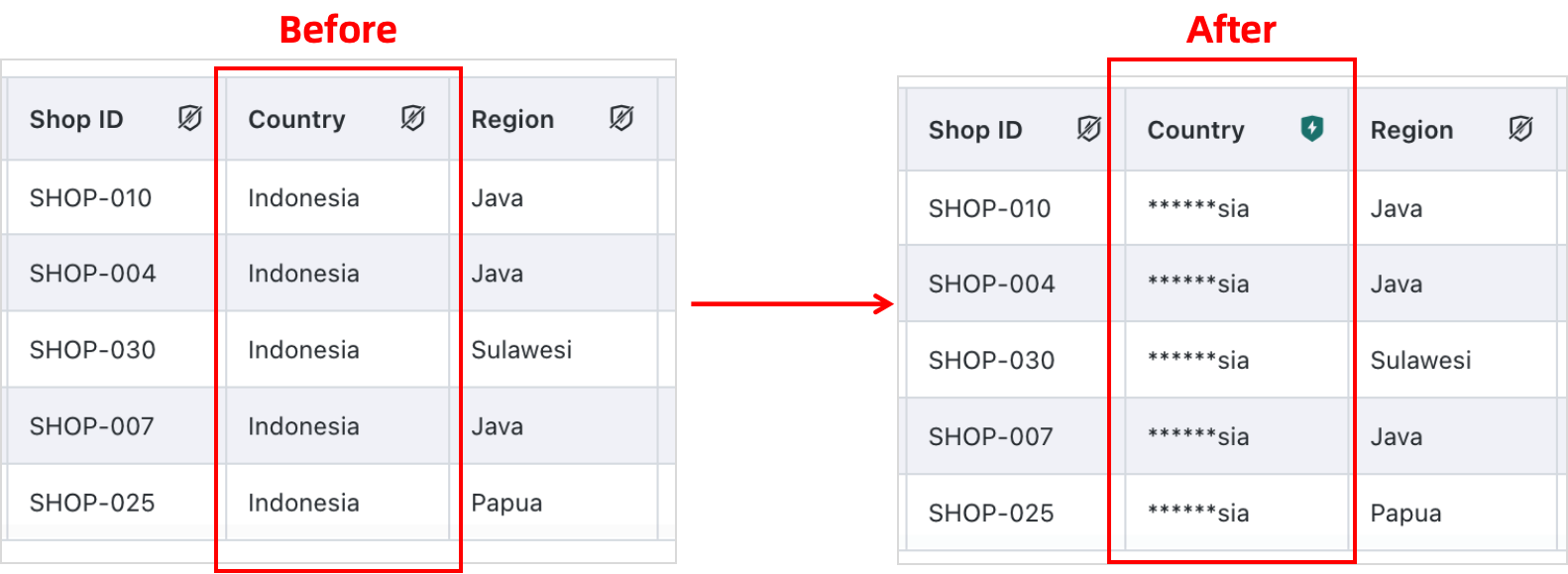
Masking
Users can further configure the replacement symbol, the portion to mask or retain, and the masking position.
-
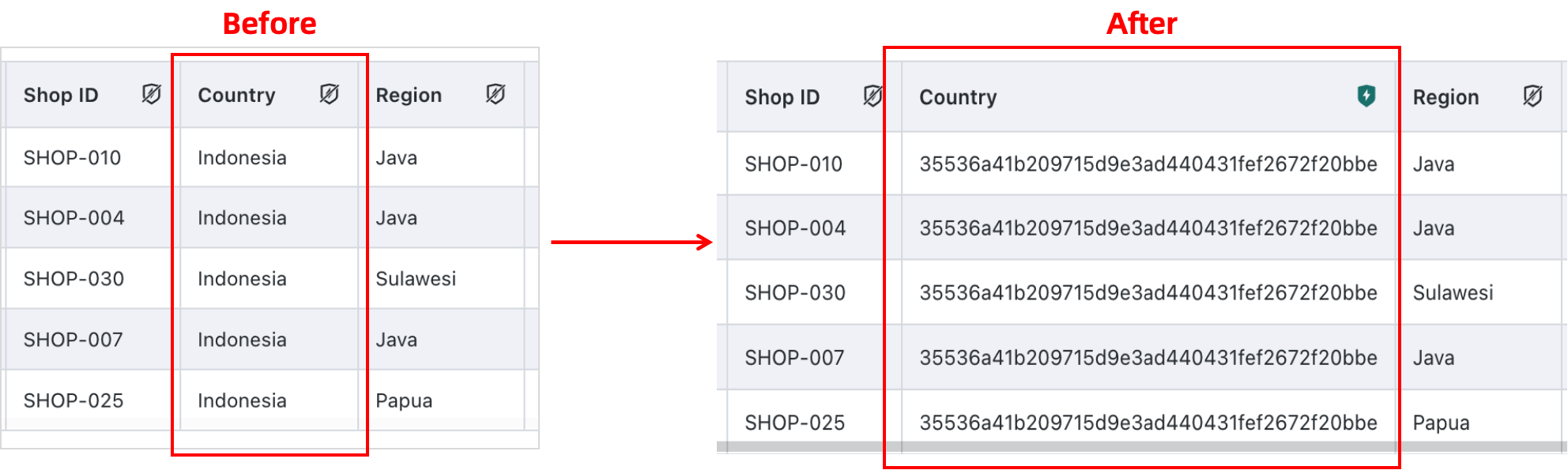
Hash Masking
Uses a hash algorithm to mask the data.
When a dataset is saved as a copy, the configured sensitive fields are preserved.
Associated User Permissions
Users can configure the application scope for masked fields. The scope includes users or user groups, effective or not effective, and whether masking takes effect for both viewing and export or export only.
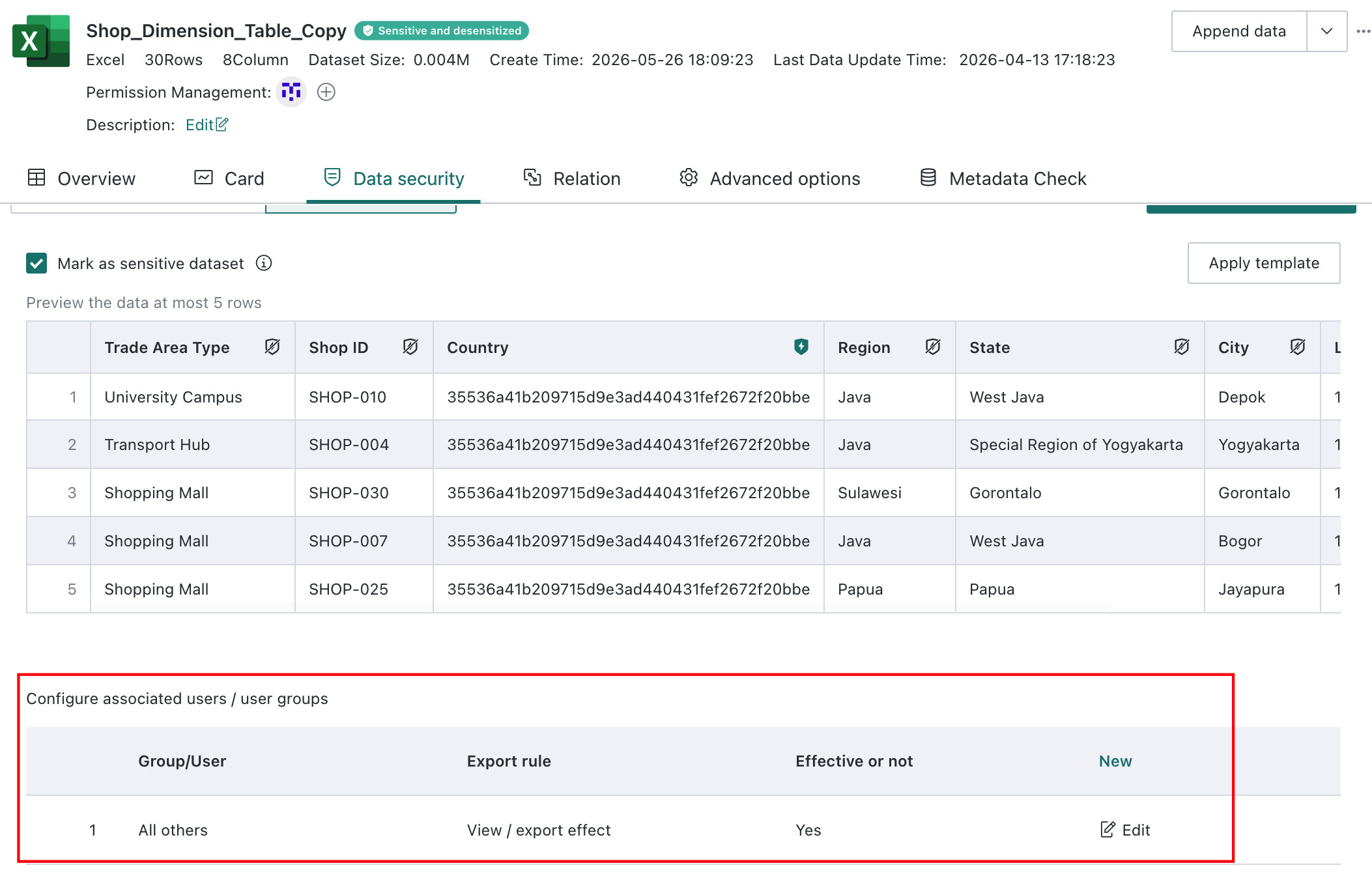
Click New, add the associated users or user groups in the editor, select Effective for View and Export or Effective for Export Only, choose Effective or Not Effective, and click Confirm.
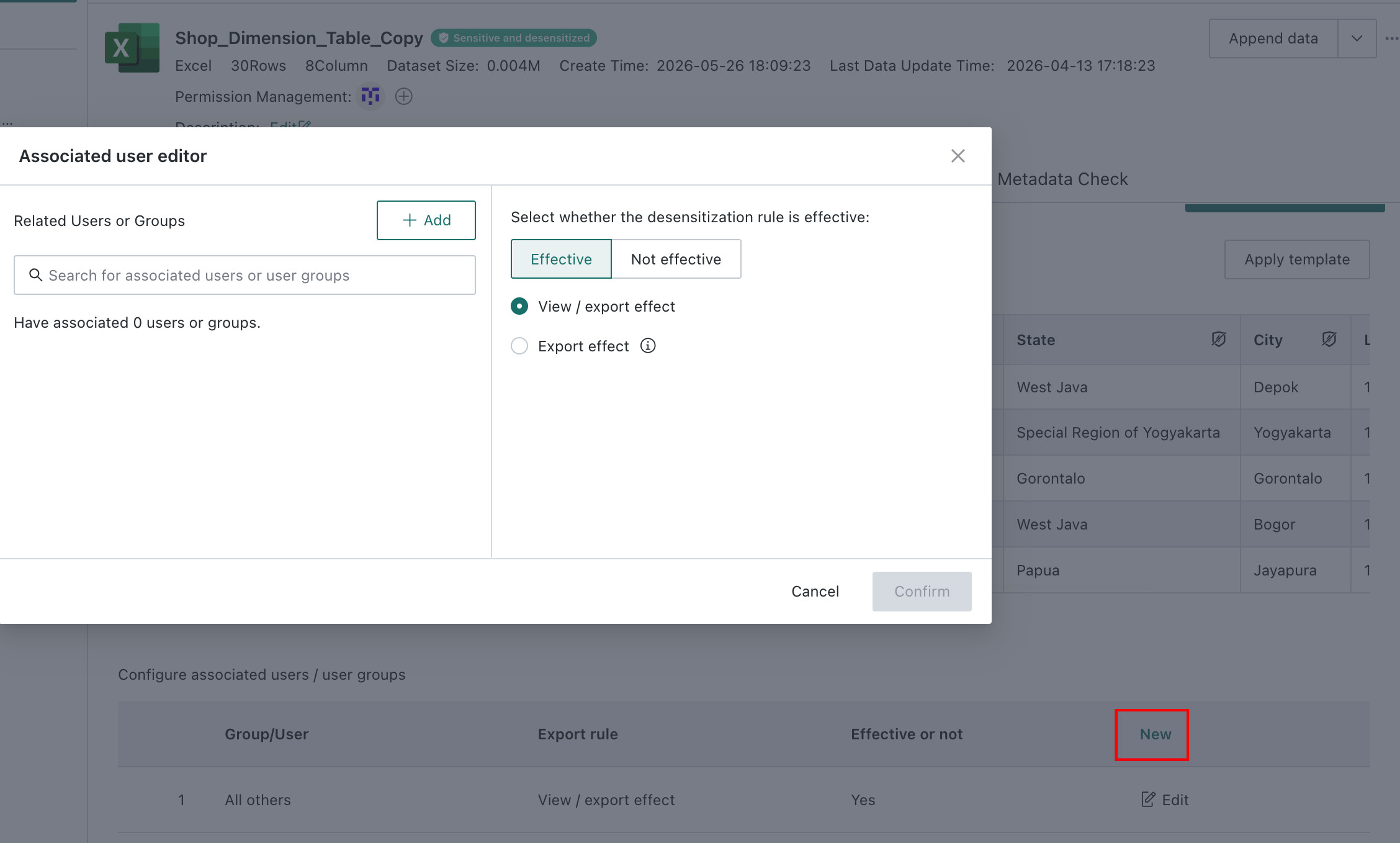
If no configuration is provided, masking applies to all users for both viewing and export by default.

Data Masking Templates
Configure Templates
-
Create a new masking template.
Open
Data Preparation > Data Security Templates > Data Masking Templatesand clickNew Masking Template.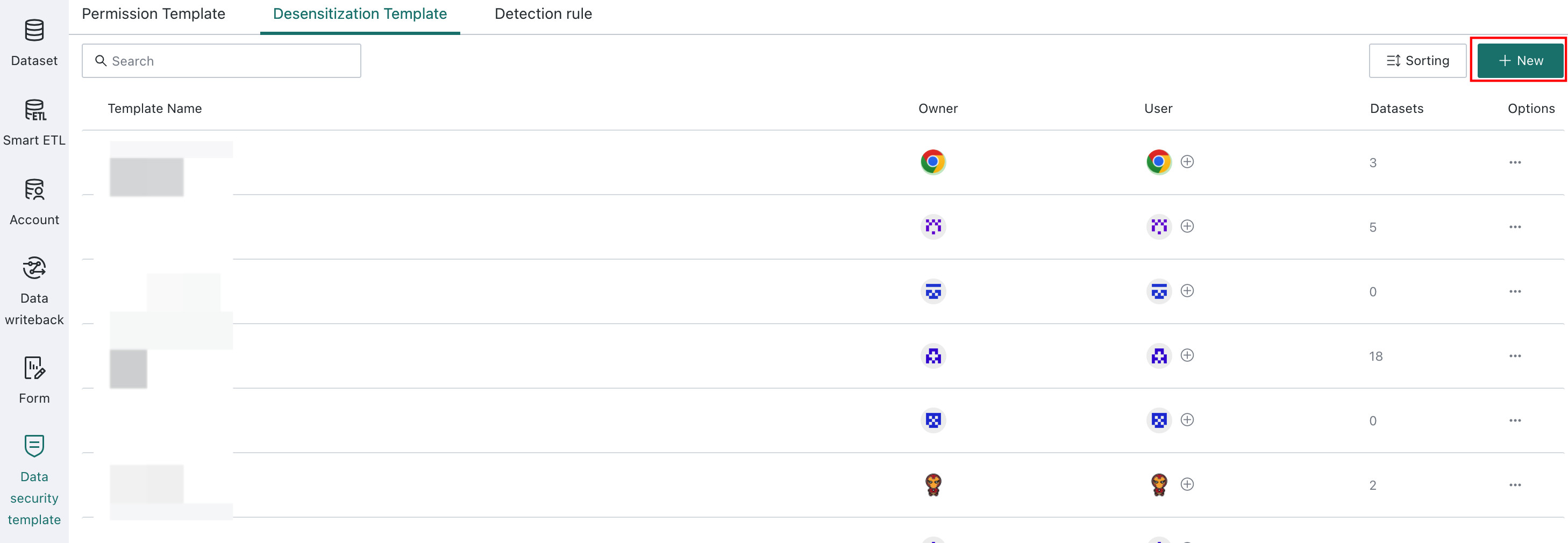
-
Configure the template content.
A new template includes the template name, template content, and associated users or user groups.
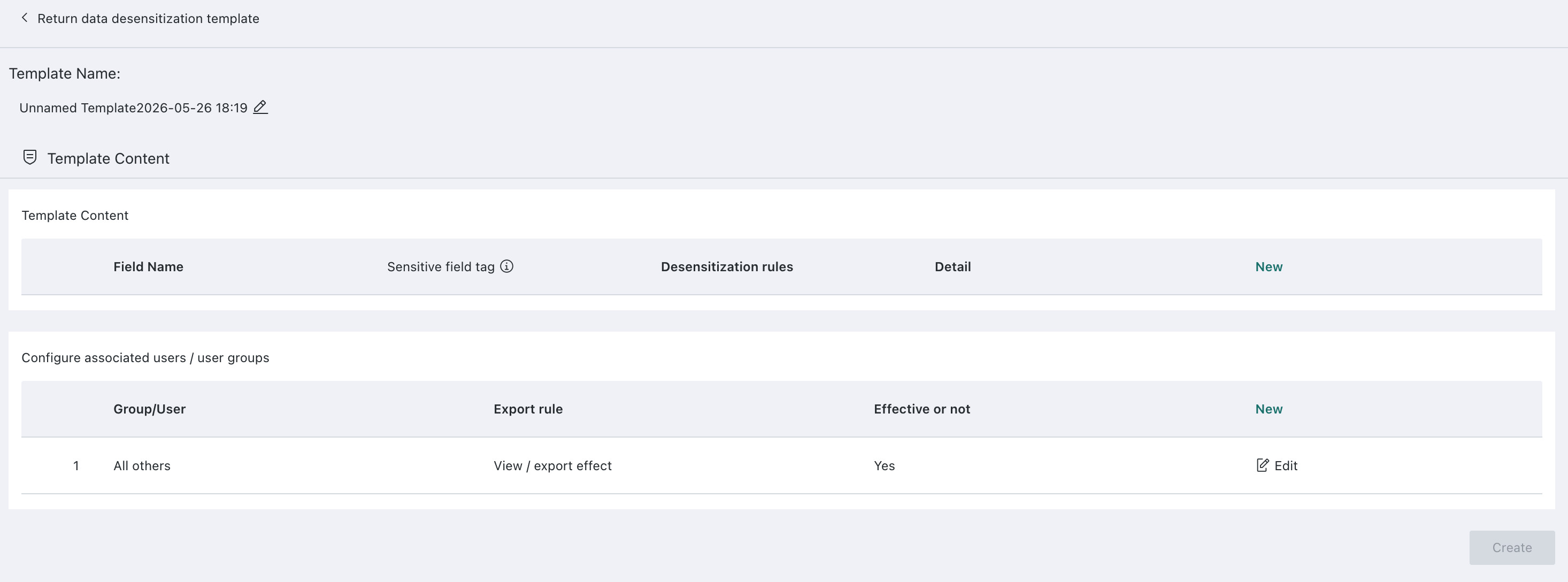
Click
Newunder template content to open the masking editor, then clickConfirm.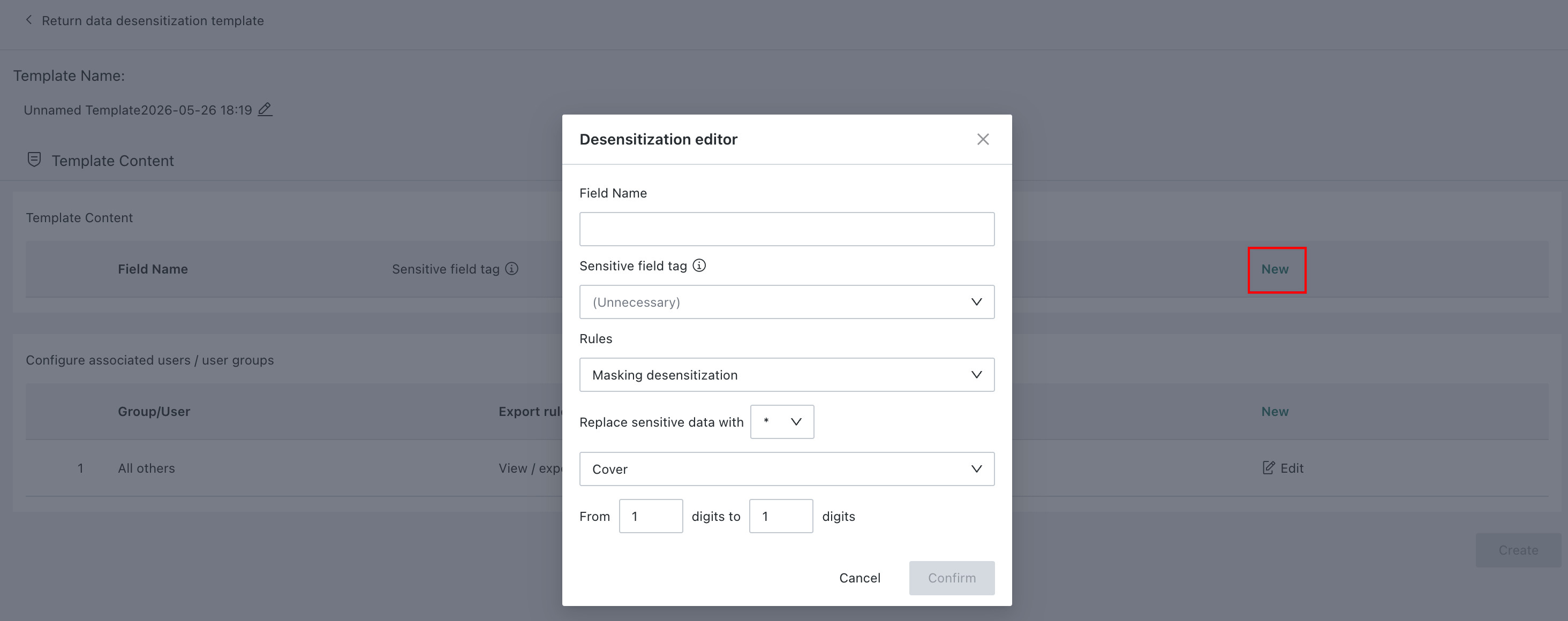
Configuration Notes:
- Enter the field name
- Select the sensitive field label if needed
- Select either
MaskingorHash Masking - Choose the replacement symbol
- Select
Retain,Mask, orFrom Position ... to Position ...
-
Click
Newunder associated users or user groups to configure the associated user editor. See Data Masking.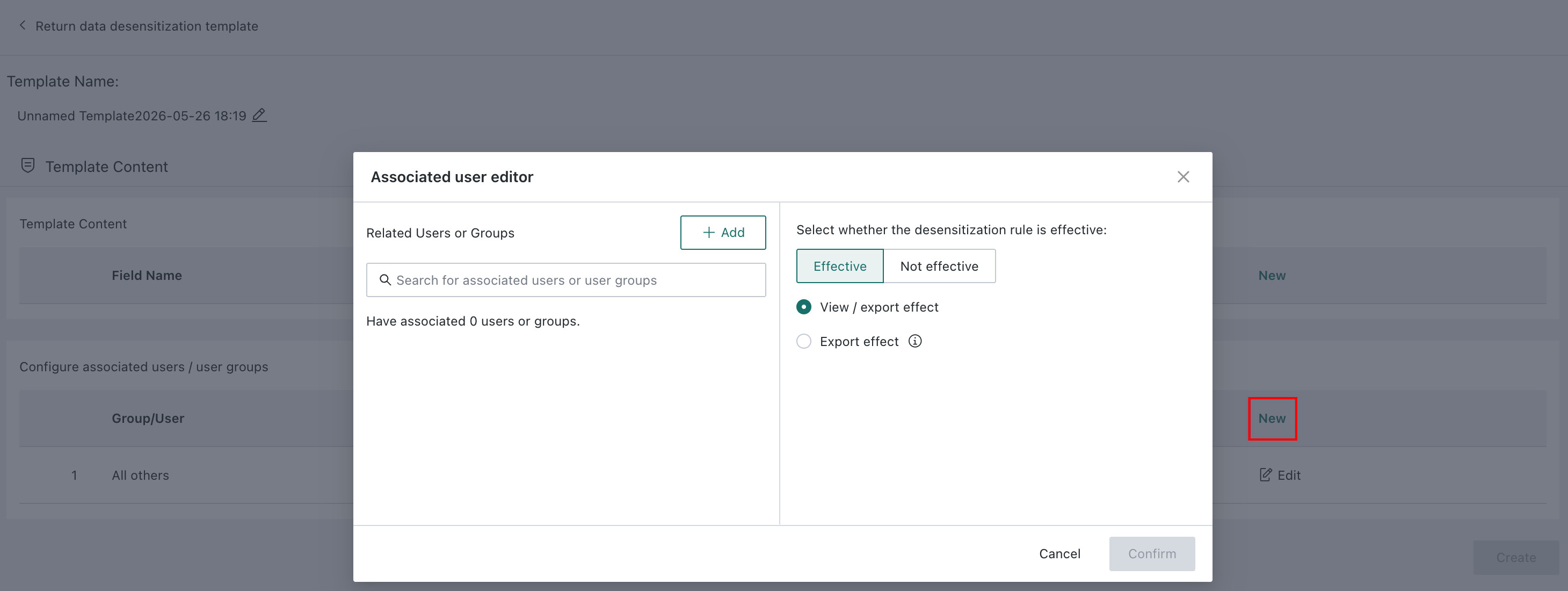
Template Sorting
-
Click
Sortin the upper-right corner to open the sorting page.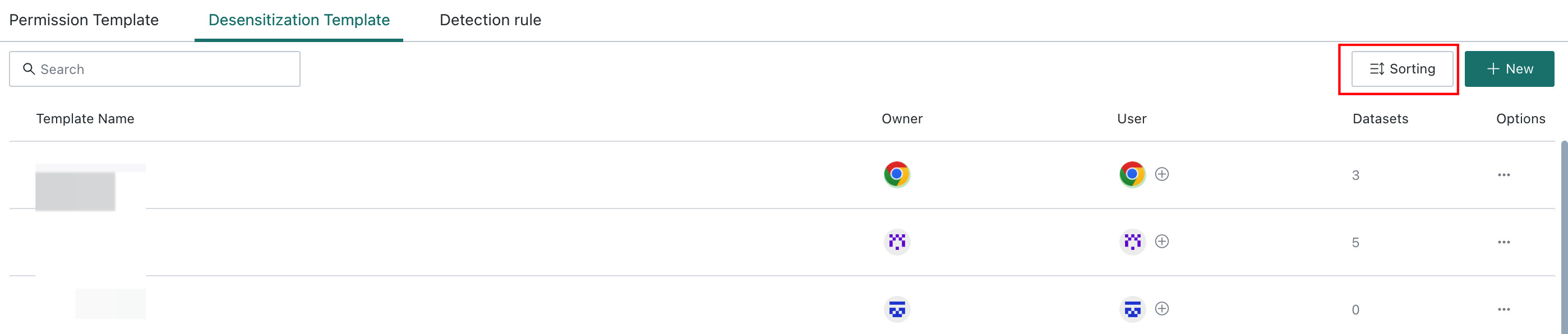
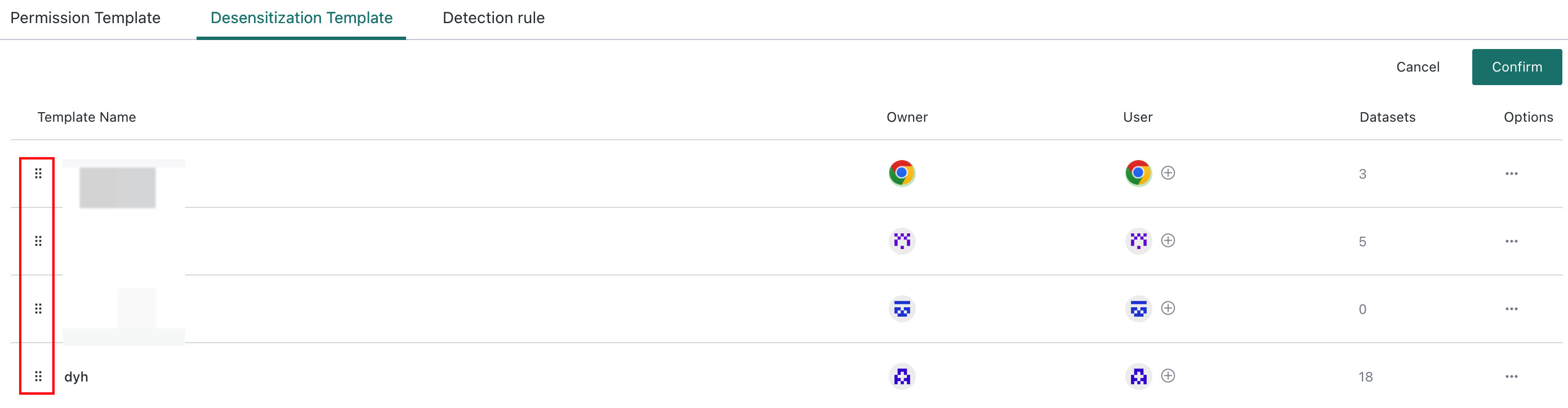
-
Hover over the handle and drag templates up or down. This sorting order is used as the default display order when applying templates.
Use Templates
Open Data Security > Data Masking on the dataset details page, click Apply Template, choose the target template, and click Confirm.
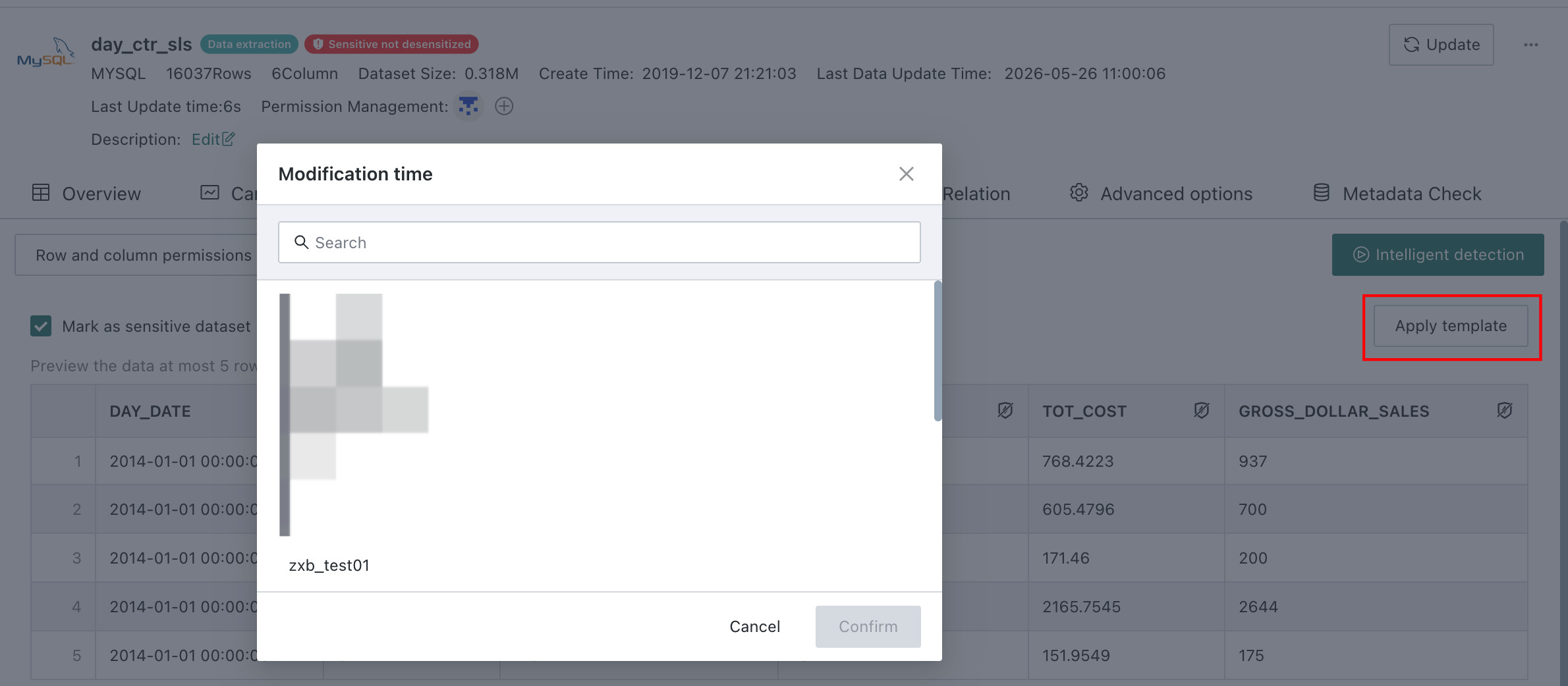
After a template is applied, field masking rules can no longer be configured independently on the dataset, and the dataset changes according to the template rule updates.
-
If you want to customize on top of an applied template, enable
Custom Editingon the dataset details page. This copies the template rules onto the current dataset and allows editing from there.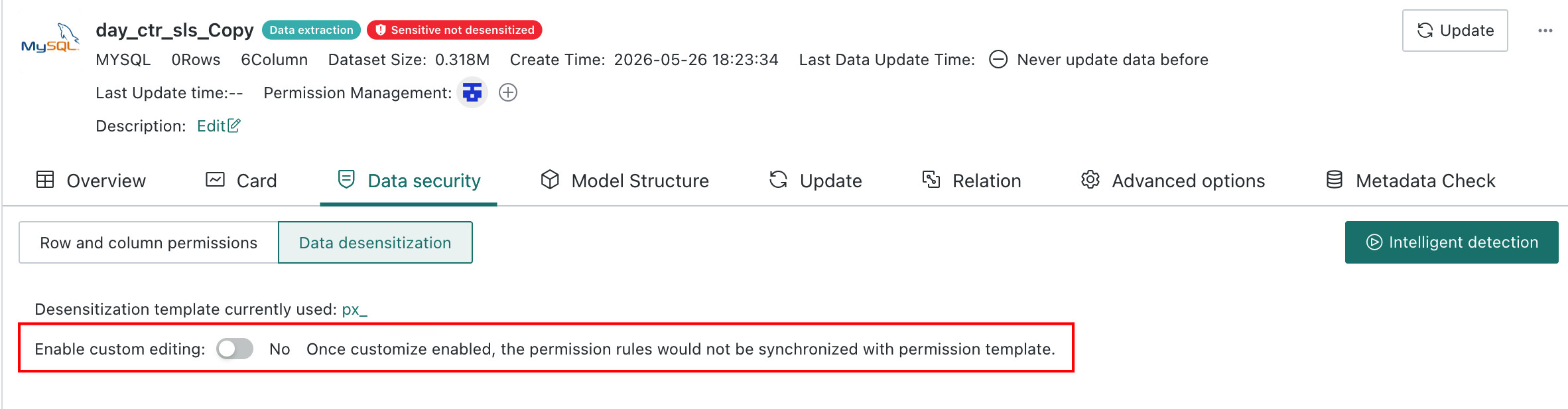
-
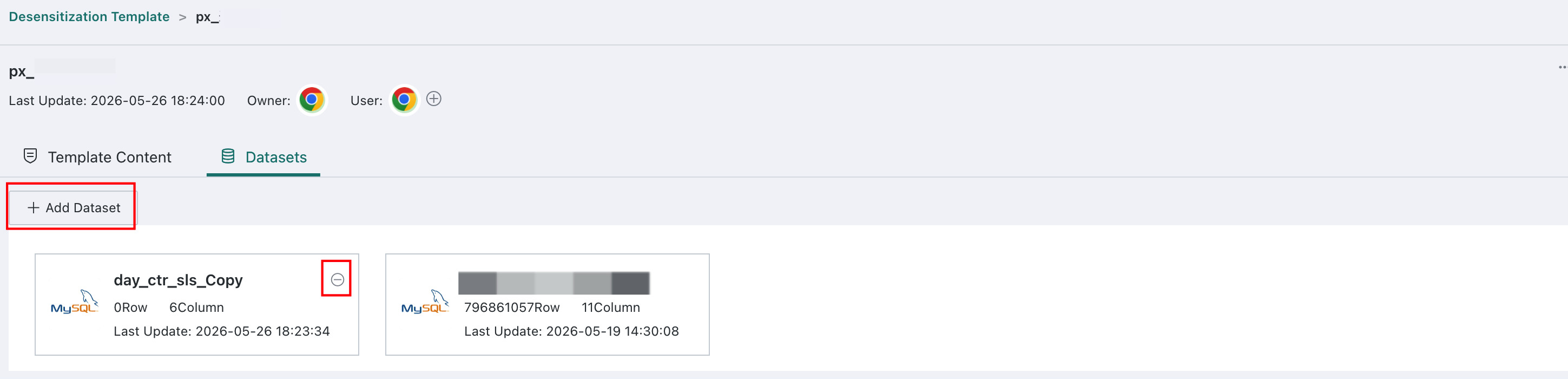
On the template application page, templates can also be applied to or removed from datasets in batch.
Configure Data Masking Labels
Usage Background
When data quality is inconsistent, for example when the same logical field appears under multiple different names, Data Masking labels can be used to connect detection rules and masking template rules and reduce configuration complexity.
For example, if ID Number is named differently across multiple datasets, such as national ID, identity card, ID card num, or certificate number, a masking label can be created for that concept.
Steps
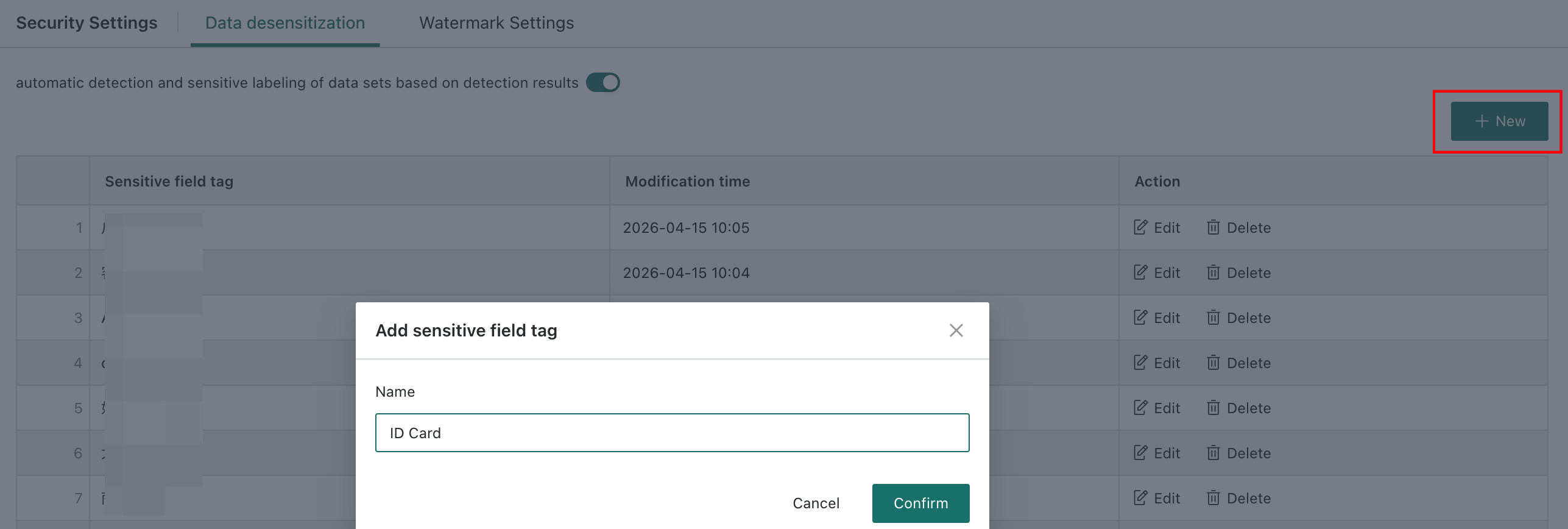
On the Admin Center > System Management > Security Settings > Data Masking page, click New, enter the sensitive field label, and click Confirm.
Configure Detection Rules
Steps
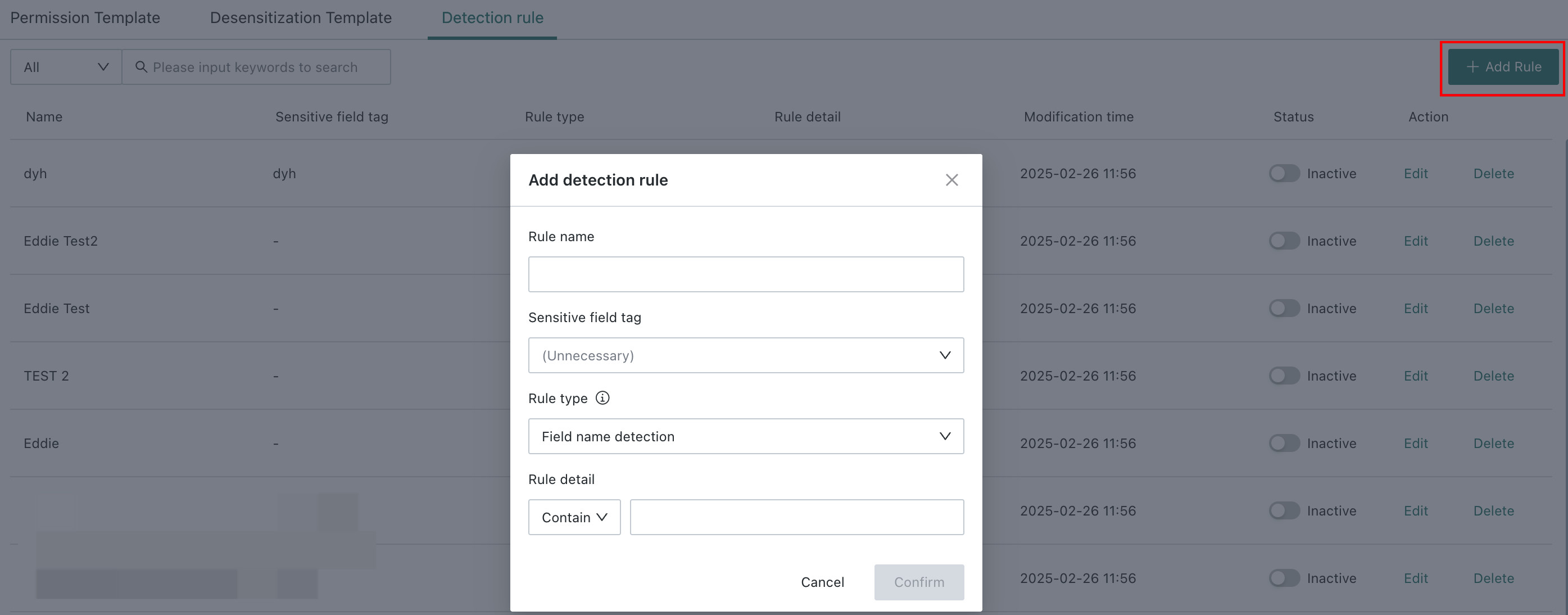
On the Data Preparation > Data Security Templates > Detection Rules page, click New Rule, configure the rule, and click Confirm.
Configuration Notes
- Three rule types are supported: Field Name Detection, Content Detection, and Hybrid Detection.
- Field Name Detection and Hybrid Detection support exact match and contains matching.
- Content Detection supports exact match, contains matching, and regular expression matching.
- Detection rules support editing, enable or disable, and deletion.
- Data Masking labels can be configured so that detected fields can be matched with masking rules in templates.
Detection Rule Application
- Enabled detection rules are applied during new dataset creation, model structure changes, generation of ETL Output Datasets, and Smart Detection on the dataset details page.
- During detection, exact field-name matching and content matching are supported. For content matching, the first 100 rows of each field are sampled, and if the match rate reaches 80%, the field is identified as sensitive.
Glossary
| Term | Explanation |
|---|---|
| Sensitive Field | A field identified by the system as containing sensitive information, before masking has been applied |
| Masked Field | A field for which masking has already been applied |
| Masking Rule | The rule used to mask a field, currently including Masking and Hash Masking |
| Masking Template | A collection of masking rules grouped into a reusable template so that changes can be managed centrally |
| Dataset Sensitive Flag | After Smart Detection runs, the dataset is labeled as Sensitive Dataset Masked, Sensitive Dataset Not Masked, or Non-Sensitive Dataset |
| ETL First-Run Sensitive Inheritance | During the first ETL run, the output dataset is labeled based on the sensitive type of the input dataset |
| Smart Detection | The process of manually or forcibly detecting sensitive data according to built-in detection rules during dataset creation, ETL generation, or details-page review |
| Forced Detection | A mode in which Smart Detection is configured to run mandatorily for stricter enterprise control |
| Data Masking Label | A recognition rule used to determine which data should be masked. Conceptually, it can also be understood as a sensitive label assigned to a field |
| Hash Algorithm | A fundamental technology used in information storage and retrieval. It maps arbitrary-length input to a fixed-length hash value and is commonly used for authentication, encryption, and indexing |
| Static Masking | Sensitive data is masked first and then stored in a designated database location |
| Dynamic Masking | Masked data is displayed dynamically on the page when users query sensitive data |
| k8s | Short for Kubernetes, an open-source platform used to manage containerized applications across multiple hosts and support deployment, scheduling, updating, and maintenance |